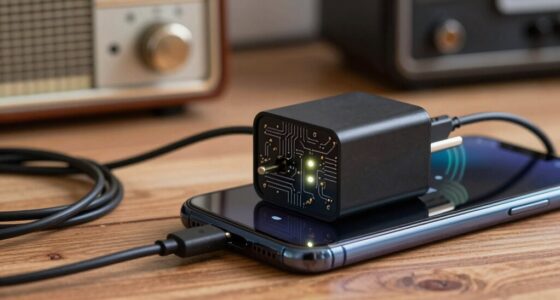
To keep your dash cam reliable, understanding power storage options is key. Capacitors provide quick bursts of energy, making them great for short-term needs like sudden startup power, but they don’t hold energy long-term. Batteries store more energy, perfect for continuous recording and longer trips. Combining solar charging with these methods can boost efficiency and sustainability. Keep exploring to discover how choosing the right system can guarantee your dash cam stays operational no matter what.

Get business pricing on garage and car supplies
- Business-only prices and quantity discounts
- Tax-exempt purchasing
- Multiple users, one account, clear invoices
Key Takeaways
- Capacitors provide quick power bursts and handle frequent charge cycles, ideal for short-term power needs and sudden startups.
- Batteries store substantial energy for extended recording, backup during power outages, and continuous operation during long drives.
- Combining solar charging with batteries or capacitors enhances system sustainability, reducing reliance on traditional batteries and manual recharging.
- Choosing the right storage depends on driving habits: capacitors suit daily city driving, batteries are better for long trips or outages.
- A robust power system integrates solar, capacitors, and batteries for reliable, continuous dash cam operation in all conditions.

When it comes to ensuring your dash cam stays powered during long drives or emergencies, choosing the right power storage solution is essential. Reliable power management isn’t just about keeping your device on; it’s about guaranteeing consistent performance when you need it most. One popular method gaining traction is solar charging, which harnesses sunlight to recharge your dash cam’s power source. Solar panels can be integrated into your vehicle or used as portable solutions, reducing dependence on traditional batteries and providing a sustainable, eco-friendly way to keep your device operational. This method is especially useful during extended trips or remote driving where access to power outlets is limited.
Understanding the difference between capacitors and batteries is fundamental to making the right choice. Capacitors are known for their ability to deliver quick bursts of energy and withstand frequent charge-discharge cycles. They’re ideal for short-term power needs, such as powering your dash cam during sudden startups or brief outages. However, capacitors don’t store large amounts of energy, so they’re less suited for long-term power backup. Batteries, on the other hand, offer a more substantial energy reserve. They can store power over extended periods, ensuring your dash cam remains operational through long drives or power interruptions. When it comes to power management, batteries provide a buffer, allowing your device to continue recording even if the vehicle’s main power supply cuts out.
Choosing between capacitors and batteries depends on your driving habits and the level of reliability you require. For daily city driving, a high-quality capacitor might suffice, providing quick, reliable power without much maintenance. If you frequently go on long trips or need your dash cam to function during power outages, a dedicated battery system is more appropriate. Modern battery systems often incorporate smart power management features, optimizing charge cycles and extending lifespan. Some advanced setups even integrate solar charging, allowing the battery to recharge naturally during daylight hours, reducing the need for manual recharging and further enhancing reliability.
In the end, your goal should be to create a robust power management system that leverages solar charging where possible, complements your dash cam’s power needs, and minimizes downtime. Combining solar energy with efficient battery or capacitor technology ensures your dash cam remains ready to record, regardless of driving conditions or emergencies. Smart power management also plays a crucial role in ensuring consistent operation and prolonging the lifespan of your power setup. By understanding these components and how they work together, you can confidently select a power storage setup that offers durability, sustainability, and peace of mind on every journey.
As an affiliate, we earn on qualifying purchases.
Frequently Asked Questions
How Long Do Dash Cam Capacitors Typically Last?
You can expect dash cam capacitors to last between 3 to 5 years, depending on usage and environmental conditions. Their capacitor lifespan is generally longer than batteries, which tend to degrade faster over time. Proper maintenance, such as protecting the camera from extreme temperatures and power surges, can help extend their reliability. Overall, capacitors provide a more durable power storage option, ensuring your dash cam remains operational longer.
Can Power Storage Affect Video Quality?
Power storage directly impacts your dash cam’s video quality by affecting video clarity and power stability. When your power supply is reliable, it guarantees consistent recording conditions, preventing interruptions or blurry footage. Conversely, unstable power can cause fluctuations, leading to compromised video quality, loss of footage, or pixelation. Consequently, choosing the right power storage solution helps maintain ideal video clarity and keeps your recordings stable and reliable.
Are Batteries Safer Than Capacitors?
Batteries aren’t necessarily safer than capacitors due to differences in battery chemistry, which can pose risks like overheating or leakage. Capacitors typically have a longer lifespan and are more reliable for short-term power supply, reducing fire hazards. You should consider your dash cam’s needs; if longevity and safety are priorities, capacitors often outperform batteries, especially since they handle voltage surges better and last longer without degradation.
How Does Temperature Impact Power Storage?
Temperature critically influences your dash cam’s power storage efficiency through thermal effects. High heat can cause batteries to degrade faster, reducing their lifespan and reliability, while extreme cold can limit their capacity and responsiveness. Capacitors are less affected by temperature swings, maintaining consistent performance. To guarantee ideal performance, keep your dash cam in a stable temperature environment, avoiding excessive heat or cold that can compromise storage efficiency and device reliability.
What Maintenance Is Needed for Dash Cam Power Systems?
Regularly review and recharge your dash cam’s power system to prevent power drain and guarantee peak performance. Keep connections clean and secure, replacing batteries or capacitors as needed. Consider system upgrades for enhanced reliability and longevity. Periodic inspections help spot potential issues early, avoiding unexpected failures. By maintaining your system diligently, you’ll keep your dash cam dependable, assuring continuous coverage and capturing essential moments on the road.
As an affiliate, we earn on qualifying purchases.
Conclusion
Understanding your dash cam’s power storage options helps you make smarter choices. Whether you choose capacitors for quick response or batteries for longer backup, each has its strengths. Remember, a wise man once said, “Better safe than sorry.” Investing in reliable power guarantees your footage stays protected when you need it most. So, consider your needs carefully, and don’t leave your safety to chance—being prepared is always worth it.
As an affiliate, we earn on qualifying purchases.
As an affiliate, we earn on qualifying purchases.
Fall Picks
fall essentials
As an affiliate, we earn on qualifying purchases.