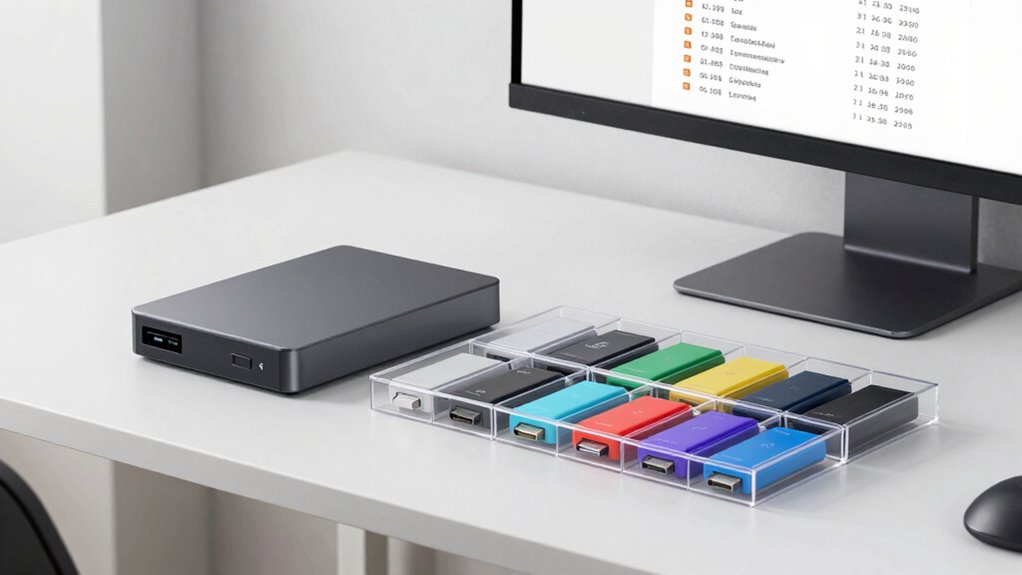

To store footage so you can easily find it later, set up a clear folder hierarchy organized by projects, dates, and scenes. Use consistent, descriptive file names that include details like project name and shoot date. Embed metadata and tags for quick searching. Regularly back up your files to the cloud to prevent data loss. Keep your system tidy by reviewing and deleting duplicates. Keep exploring for more tips to maintain a smooth and reliable storage system.

Get business pricing on garage and car supplies
- Business-only prices and quantity discounts
- Tax-exempt purchasing
- Multiple users, one account, clear invoices
Key Takeaways
- Implement a consistent hierarchical folder structure organized by project, date, and scene for easy navigation.
- Use descriptive file naming conventions with relevant details like project name, date, and scene.
- Embed metadata and keywords into files to enhance searchability and filtering.
- Regularly back up footage to cloud storage using automated processes to ensure safety and remote access.
- Periodically review and clean storage, deleting duplicates and updating organization systems for long-term efficiency.

Ever wondered how to keep your footage organized so you can find it quickly when you need it? The key lies in establishing a solid system for storage and retrieval. First, consider implementing a reliable cloud backup. Cloud storage not only protects your footage from hardware failures or accidental deletions but also allows you to access files remotely from any device. With cloud backup, you can sync your footage regularly, guaranteeing you always have a recent copy stored safely off-site. This setup minimizes the risk of losing important clips and makes collaboration easier if you’re working with a team.
Use reliable cloud backup to protect footage, enable remote access, and simplify collaboration.
However, relying solely on cloud backup isn’t enough. You need a consistent way to label and categorize your files. That’s where file naming becomes essential. Instead of vague names like “video1” or “clip,” develop a naming convention that provides meaningful information at a glance. For example, include details like the project name, shoot date, scene number, or take number. Something like “Wedding_2023-03-15_Scene5_Take2” instantly tells you what the footage contains, when it was shot, and its sequence. This systematic approach helps you locate specific clips without opening each file individually, saving you time and frustration.
As you organize your footage, create a hierarchical folder structure that mirrors your projects or shoots. For instance, have a main folder for each project, with subfolders for different days, scenes, or camera angles. Keep your naming conventions consistent across all files and folders, and update them whenever you add new footage. Consistency in file naming conventions makes it easier to search and sort files later on. Additionally, add metadata or tags where possible; some editing software allows you to embed keywords into your files, further streamlining your search process. Maintaining an organized folder structure also prevents clutter from accumulating over time, helping you stay efficient. Regularly reviewing your organization system and metadata tagging can further improve long-term access to your footage.
Regularly review and tidy your storage system. Delete duplicate or unusable files, and back up your organized folders to your cloud service. Automate backups if you can, so you’re not constantly reminded to do it manually. Over time, this disciplined approach to file naming, folder structure, and cloud backup guarantees your footage remains accessible and well-organized. When you need to find a particular shot for editing or review, you’ll appreciate how quickly and effortlessly you can locate it, rather than wasting hours digging through cluttered folders or searching through disorganized drives.
As an affiliate, we earn on qualifying purchases.
Frequently Asked Questions
What Are the Best Software Options for Organizing Footage?
You should consider software like Adobe Bridge, which excels at metadata management and helps you organize footage efficiently. Cloud storage options like Google Drive or Dropbox also let you access your files from anywhere, making organization easier. These tools allow tagging, creating folders, and adding metadata, so you can quickly locate your footage later. Combining metadata management with reliable cloud storage guarantees your footage stays organized and accessible whenever you need it.
How Often Should I Back up My Footage?
You should back up your footage daily if possible, as studies show data loss occurs most often within 24 hours of a failure. Regular backups help maintain a solid storage hierarchy and guarantee your metadata management stays accurate. By backing up frequently, you minimize risks and keep your footage organized, making retrieval easier later. Use automated systems to streamline this process, so your valuable content remains safe and accessible at all times.
Should I Label Footage During the Recording Process?
Yes, you should label footage during the recording process. Labeling best practices involve adding clear, descriptive names immediately, which helps with quick identification later. Incorporate metadata importance by including details like date, location, and scene info in your labels. This proactive approach guarantees your footage is organized, making it easier to locate specific clips, saving you time and reducing frustration during editing or review.
How Do I Handle Large Video Files Efficiently?
Handle large video files efficiently by using clear file naming—think of it as giving each clip a unique, descriptive label that sparks your memory. Opt for storage formats like ProRes or H.264 for a balance of quality and size. Organize your files into folders based on projects or dates, creating a digital library that’s easy to navigate. This way, you streamline access and avoid drowning in a sea of huge files.
What Are Common Mistakes to Avoid in Footage Storage?
You should avoid neglecting metadata management and access permissions, as these are common mistakes. Without proper metadata, locating footage becomes a nightmare, and lacking access controls risks unauthorized viewing or accidental deletion. Always organize your files with clear labels and tags, and set appropriate permissions to protect sensitive content. Regularly review and update these settings to guarantee your footage remains organized, secure, and easily accessible when needed.
video file organization software
As an affiliate, we earn on qualifying purchases.
As an affiliate, we earn on qualifying purchases.
Conclusion
Now that you know the secrets to organized storage, imagine opening your folders and instantly finding that perfect clip, no stress, no endless searching. With a clear system in place, your footage becomes a treasure chest instead of a cluttered mess. But beware—one overlooked detail could turn your neatly stored files into a confusing maze. Stay vigilant, stay organized, and your future self will thank you when the next project demands swift access. The key to effortless finding is in your hands.
external hard drive for video storage
As an affiliate, we earn on qualifying purchases.
As an affiliate, we earn on qualifying purchases.
metadata tagging software for videos
As an affiliate, we earn on qualifying purchases.
As an affiliate, we earn on qualifying purchases.
Fall Picks
fall essentials
As an affiliate, we earn on qualifying purchases.