To fix dash cam timestamp drift and DST issues, start by checking and updating the firmware to improve time synchronization and DST handling. Guarantee your internal or backup battery is functioning properly, as a failing battery can cause time inaccuracies. Regularly format your SD card to prevent storage-related errors that disrupt timestamps. If automatic DST adjustment isn’t working, manually set the correct time zone and enable DST features if available. For more detailed steps, keep exploring the solutions you can try.

Get garage and car supplies delivered free — and shop member deals
- Fast, free delivery on millions of items
- Access to Prime Big Deal Days deals on October 6–7
- Prime Video, Amazon Music and more included
Key Takeaways
- Ensure the dash cam’s internal clock is set correctly and manually update it if automatic sync fails.
- Enable automatic Daylight Saving Time (DST) adjustment features in the dash cam settings or update firmware for better accuracy.
- Regularly check and replace the backup or internal battery to prevent clock drift during vehicle off periods.
- Maintain sufficient storage space and format the SD card regularly to prevent time synchronization issues.
- Perform firmware updates to fix bugs related to time stamps and improve overall clock synchronization.
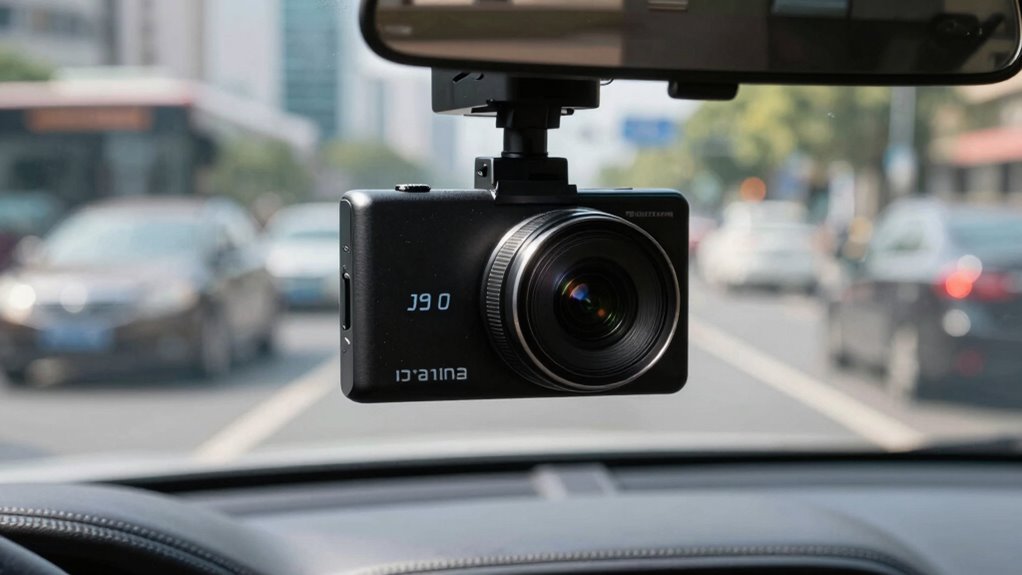
Have you ever wondered how dash cam time stamps help capture essential details during a drive? These timestamps are crucial because they provide precise information about when events occur, which can be vital for insurance claims, legal evidence, or simply reviewing your trip. But sometimes, the time stamps drift or show incorrect times due to issues like daylight saving time (DST) adjustments or battery management problems. If you notice your dash cam’s time stamps aren’t accurate, it’s likely because of a few common causes, and fixing them can be straightforward once you understand the root of the issue.
Battery management plays a significant role in maintaining accurate time stamps. Many dash cams rely on a small internal or backup battery to keep the clock running when the vehicle is off. If this battery starts to fail or runs out of power, your device may lose track of time, causing drift. To prevent this, you should periodically check the battery’s health and replace it if needed. Ensuring your dash cam has a stable power source minimizes the risk of losing accurate timestamps and helps preserve data integrity. Proper battery management ensures your dash cam continues recording with accurate time stamps, especially during long drives or in cold weather when batteries tend to deplete faster.
Proper battery management keeps dash cam time stamps accurate and ensures reliable footage recording.
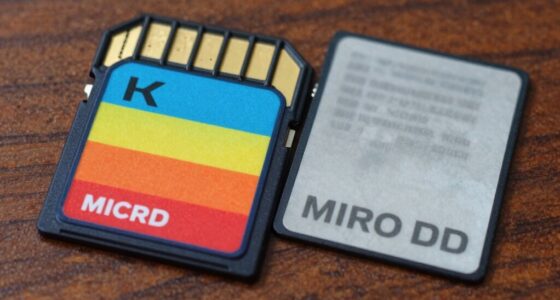
Data storage is another crucial aspect to consider. When your dash cam’s memory card is nearly full or corrupted, it can interfere with the time synchronization process. Some dash cams automatically sync time stamps when they are first set up, but if the device is not properly stored or if the storage is compromised, the device may revert to default or incorrect times. Regularly formatting your SD card and ensuring ample storage space helps maintain accurate time stamps. Additionally, some models offer manual time setting features, which you should update after each firmware upgrade or if you notice discrepancies. Keeping your data storage organized and free of errors ensures your dash cam maintains precise time stamps, preventing issues like drift or incorrect DST adjustments.
Regarding DST problems, some dash cams automatically adjust the clock when daylight saving time begins or ends, but others may require manual adjustment. Double-check your device’s settings to see if it has an automatic DST feature, and ensure it’s enabled if so. If your dash cam isn’t adjusting correctly, you might need to update its firmware or manually set the correct time zone and DST options. When you manage both battery health and data storage properly, you markedly reduce the chances of inaccurate timestamps, making the recorded footage more reliable and trustworthy. Additionally, understanding the importance of accurate time management can help you troubleshoot and prevent future timestamp issues more effectively. By staying attentive to these factors, you guarantee that your dash cam’s time stamps remain precise, giving you confidence that your footage accurately reflects the timeline of your journeys.
As an affiliate, we earn on qualifying purchases.
Frequently Asked Questions
Can Drift Affect the Video Footage Quality?
Yes, drift can affect your video footage quality by causing timestamp synchronization issues, making it harder to accurately review footage. When the camera’s internal clock drifts, it disrupts the timestamp alignment, which is vital for evidence or documentation. Regular camera calibration helps prevent this drift, ensuring your timestamps stay accurate. Keeping the clock synchronized, especially after power outages or resets, enhances the overall quality and reliability of your footage.
Do All Dash Cams Support Automatic Time Zone Adjustments?
Imagine your dash cam as a diligent traveler, always on time. Not all models support automatic timezone configuration, but many newer ones do. These cameras automatically synchronize timestamps, adjusting for timezone changes, so your footage remains accurate. To guarantee your dash cam keeps perfect time, check its timestamp synchronization features and whether it offers automatic timezone adjustments. This way, your recordings stay precisely aligned, no matter where your journeys take you.
How Often Should I Check the Timestamp Accuracy?
You should check your timestamp accuracy weekly to make certain proper timestamp synchronization. Regularly verifying the date and time helps catch drift or DST issues early. Use simple calibration techniques like manually adjusting the time or syncing with GPS signals if available. Frequent checks prevent data discrepancies, especially after power outages or firmware updates. Staying proactive ensures your dash cam records accurate and reliable footage for any situation.
Are There Universal Settings to Fix DST Issues?
There aren’t universal settings to fix DST issues because dash cams vary wildly. You should focus on steady timezone synchronization, ensuring your device automatically updates for daylight saving changes. If not, a manual adjustment becomes necessary. Regularly review your timestamp settings, especially during seasonal shifts, so your dash cam stays precise. Customizing these configurations helps prevent drift and keeps your footage timestamped accurately, regardless of daylight saving time changes.
Can Firmware Updates Resolve Timestamp Drift Problems?
Yes, firmware updates can resolve timestamp drift problems if they’re compatible with your dash cam. Regularly checking for firmware compatibility guarantees your device receives the latest fixes, including those for timestamp accuracy. Updating your firmware frequently is essential because manufacturers often release updates to address bugs like drift and DST issues. Always follow the manufacturer’s instructions during updates to prevent issues and keep your dash cam functioning correctly.
dash cam backup battery replacement
As an affiliate, we earn on qualifying purchases.
As an affiliate, we earn on qualifying purchases.
Conclusion
To keep your dash cam’s time stamps accurate, you need to understand the causes of drift and DST issues, know how to adjust settings, and regularly verify the time. By staying vigilant, updating firmware, and double-checking your adjustments, you guarantee your recordings are trustworthy, your evidence is clear, and your records are precise. Keep your dash cam synchronized, keep it reliable, and keep your drive safe—because accurate time stamps matter every mile of the way.
As an affiliate, we earn on qualifying purchases.
automatic DST adjustment dash cam
As an affiliate, we earn on qualifying purchases.
As an affiliate, we earn on qualifying purchases.
Fall Picks
fall essentials
As an affiliate, we earn on qualifying purchases.