
Freeze frame data captures a snapshot of key vehicle and sensor parameters at the exact moment a DTC is triggered. It records things like engine speed, vehicle speed, temperatures, and throttle position to help you understand what was happening when the fault occurred. This info is vital for diagnosing intermittent or hard-to-find issues. Keep in mind its limits, and you’ll discover how to use it effectively for troubleshooting.

Get business pricing on garage and car supplies
- Business-only prices and quantity discounts
- Tax-exempt purchasing
- Multiple users, one account, clear invoices
Key Takeaways
- Freeze frame data captures a snapshot of key sensor readings at the moment a DTC (fault code) is triggered.
- It includes parameters like engine speed, vehicle speed, coolant temperature, and throttle position to provide diagnostic context.
- Accessed via an OBD-II scanner, it helps identify operating conditions during the fault for targeted troubleshooting.
- Since it records only one moment, quick retrieval is essential to prevent data loss, especially for intermittent issues.
- Interpreting freeze frame data alongside live data enhances diagnostic accuracy and pinpoints root causes of vehicle faults.
OBD-II scanner with freeze frame data
As an affiliate, we earn on qualifying purchases.
As an affiliate, we earn on qualifying purchases.
What Is Freeze Frame Data and Why Does It Matter?
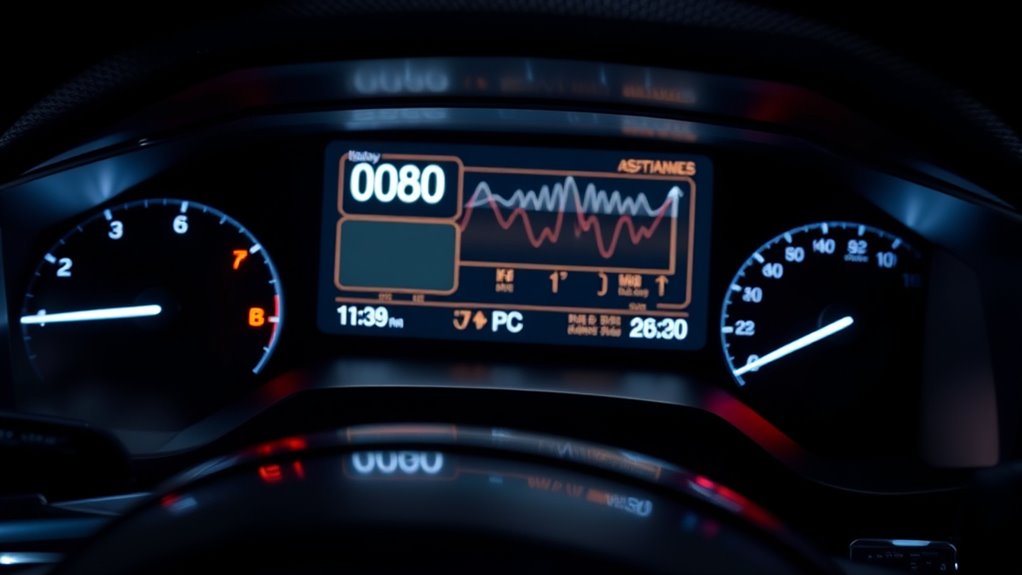
Freeze frame data is a snapshot of key sensor and system parameters captured by your vehicle’s ECU at the exact moment a Diagnostic Trouble Code (DTC) sets. It records conditions like engine speed, vehicle speed, coolant temperature, and throttle position, providing critical context for the fault. This snapshot helps you understand what was happening when the issue occurred, saving time during diagnosis. Unlike live data, which streams continuously, freeze frame captures a single moment, offering a clear picture of the operating environment at fault detection. This information is essential for diagnosing intermittent or hard-to-reproduce problems, as it shows whether the fault happened during idle, acceleration, or other driving conditions. Ultimately, freeze frame data guides you toward accurate repairs faster and more efficiently.
vehicle diagnostic tool for fault codes
As an affiliate, we earn on qualifying purchases.
As an affiliate, we earn on qualifying purchases.
Typical Parameters Captured During a Fault Event

During a fault event, the ECU captures key parameters that help clarify what was happening when the issue occurred. These typically include engine speed, vehicle speed, coolant temperature, and throttle position, among others. Understanding these data points allows you to interpret the fault context accurately and target your diagnostic efforts effectively. Additionally, smart home automation systems can utilize similar data-driven insights to optimize device responses and improve overall efficiency. Recognizing fault data analysis as a crucial aspect of diagnostics enables smarter troubleshooting and system management. Moreover, leveraging European cloud servers can enhance data security and ensure reliable access to diagnostic information across various systems. Incorporating real-time data monitoring techniques further improves diagnostic precision and response times. In the realm of electric dirt bikes, monitoring parameters like horsepower and speed during faults can aid in diagnosing performance issues more effectively.
Commonly Recorded Data Points
When a fault triggers a diagnostic trouble code, the vehicle’s ECU captures a set of key parameters that provide insight into the operating conditions at that moment. These typically include engine speed (RPM), which indicates load and engine activity, and vehicle speed, helping you understand whether the vehicle was idling, cruising, or accelerating. Coolant temperature and intake air temperature reveal thermal states, while throttle position and engine load show driver demand and combustion conditions. Battery voltage and fuel trims, if available, offer clues about electrical health and fuel system behavior during the fault. These data points help diagnose whether issues occur under specific conditions, distinguish sensor problems from system failures, and reveal patterns that aid in pinpointing root causes during intermittent faults. Additionally, understanding the diagnostic framework behind data collection can improve your troubleshooting accuracy and efficiency. Recognizing the importance of sensor calibration ensures the data reflects true operating conditions, further refining diagnosis.
Sensor and Parameter Types
At the moment a fault triggers a DTC, the vehicle’s ECU captures a range of sensor readings and parameter values that help you understand the operating conditions. Typical parameters include engine speed (RPM), which shows load during the fault; vehicle speed, indicating whether the vehicle was idling or accelerating; coolant and intake air temperatures, revealing thermal states; throttle position and engine load, reflecting driver demand and combustion conditions; and battery voltage and fuel trims, showing electrical and fuel system status. Some ECUs also record fuel level and ignition timing. These parameters provide a snapshot of the engine’s environment at failure, helping you identify if the fault occurred during specific conditions like cold starts or heavy throttle, guiding diagnosis effectively.
Interpretation and Usage
Interpreting freeze frame data involves analyzing the key parameters recorded at the moment a fault occurs to understand the operating conditions that triggered the DTC. You use this snapshot to identify patterns, such as whether the vehicle was idling, accelerating, or under load. This helps narrow down the root cause and determine if a sensor issue, thermal problem, or fuel system fault is involved. Consider the table below for common parameters:
| Parameter | Usage |
|---|---|
| Engine RPM | Indicates engine load and workload during fault |
| Coolant Temperature | Shows thermal state when the fault happened |
| Vehicle Speed | Differentiates driving conditions (idle, cruise) |
Cross-reference these values with live data and history for accurate diagnosis. Additionally, evaluating system response during the fault can offer further insights into possible malfunctions.
car code reader for engine trouble
As an affiliate, we earn on qualifying purchases.
As an affiliate, we earn on qualifying purchases.
How and When the Vehicle Records Freeze Frame Snapshots

You can access freeze frame snapshots when the vehicle detects a fault that triggers a DTC, typically recorded at the moment the problem occurs. The ECU stores this data based on manufacturer-specific thresholds, and it may overwrite previous snapshots if new faults happen frequently. To get the most useful information, check the freeze frame promptly, as the system might clear or replace it over time. Additionally, understanding the wave and wind conditions can help interpret how external factors might influence vehicle performance and the recorded data. Recognizing the connected technology involved can also offer insights into how the system manages and preserves diagnostic information. Being aware of the diagnostic protocols can further aid in understanding how the freeze frame data is generated and utilized during troubleshooting. Moreover, system behavior varies depending on the vehicle’s make and model, which impacts how and when the snapshots are stored or cleared. External environmental factors can also affect the accuracy of the recorded data, making timely access even more critical.
Trigger Event Detection
Trigger events for freeze frame data recording occur when the vehicle’s ECU detects a fault that meets specific criteria, causing it to capture a snapshot of operating conditions. Typically, this happens when a diagnostic trouble code (DTC) shifts from a “pending” to a “confirmed” status based on manufacturer-defined thresholds. The ECU monitors parameters like engine speed, temperature, and sensor signals, and when certain thresholds are crossed—such as high coolant temperature or low voltage—it records the current state. Some systems initiate freeze frame capture immediately upon fault detection, while others do so after multiple occurrences. This guarantees the snapshot reflects the precise moment the fault was validated, providing valuable context for diagnosing intermittent or hard-to-reproduce issues.
Data Storage and Overwrite
When a vehicle’s ECU detects a fault that meets its criteria, it records freeze frame data to capture the operating conditions at that moment. This snapshot is stored in memory, usually alongside the first logged occurrence of a DTC. Most vehicles record this data when the fault status shifts from “pending” to “logged,” based on manufacturer-specific thresholds. Typically, only one freeze frame per DTC is saved, and new events can overwrite older ones if the system is set to do so. The data retention depends on the vehicle’s design, and some ECUs store timestamps or occurrence counts. Once recorded, the freeze frame remains until overwritten or the vehicle’s memory is cleared. Accessing this data requires an OBD-II scanner, and quick retrieval helps prevent loss of valuable diagnostic information. The vetted nature of this data makes it a reliable tool for diagnosing vehicle issues efficiently.
professional automotive diagnostic scanner
As an affiliate, we earn on qualifying purchases.
As an affiliate, we earn on qualifying purchases.
Diagnosing Intermittent Faults Using Freeze Frame Data
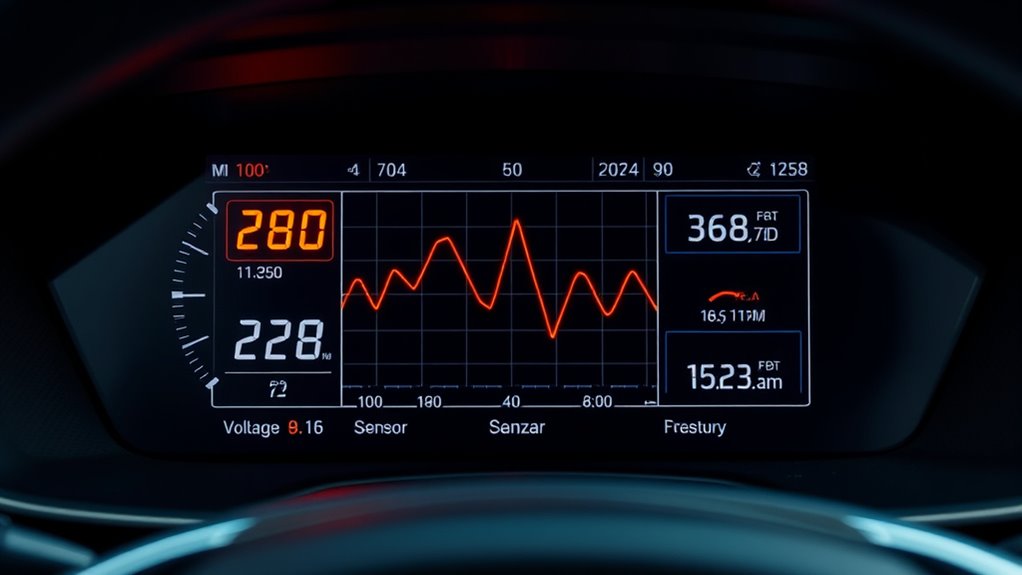
Intermittent faults can be challenging to diagnose because they occur sporadically and often leave little trace in live data. Freeze frame data helps by capturing the exact conditions when the fault occurs, providing vital context. You can analyze parameters like engine speed, vehicle speed, coolant temperature, and throttle position recorded at the moment the DTC was set. This snapshot reveals whether the fault happened during idle, acceleration, or cruising, narrowing down potential causes. Since these faults are hard to reproduce, freeze frame data offers a valuable clue to identify patterns or environmental triggers. Cross-referencing multiple freeze frames can uncover recurring conditions, helping you confirm the fault’s nature. Understanding diagnostic data allows you to interpret these snapshots more effectively, reducing guesswork and speeding up pinpointing intermittent issues. Recognizing the importance of vehicle history can also assist in correlating faults with previous repairs or patterns, further aiding diagnosis.
Limitations and Common Pitfalls to Watch Out For

While freeze frame data provides valuable snapshots of operating conditions during fault events, it has notable limitations that can lead to misinterpretation if not used carefully. Since it captures only a single moment, it might not reflect the full picture of the fault or its causes. Overwriting of previous frames can erase critical context, especially with intermittent issues. The data set varies by vehicle; some ECUs record limited parameters, reducing diagnostic usefulness. It also doesn’t show trends leading up to the fault, which live data could reveal. Relying solely on freeze frame values without corroborating tests or live data can be misleading. Always interpret freeze frame data as part of a broader diagnostic process to avoid jumping to incorrect conclusions. Understanding these limitations can help technicians make more informed decisions during diagnostics. Additionally, awareness of data recording frequency can influence how effectively you interpret the captured information. Being aware of sensor placement is also crucial, as it affects what data is captured and its relevance to the fault. Moreover, understanding sensor accuracy can prevent misinterpretation caused by faulty or imprecise readings. Recognizing the impact of environmental factors on sensor readings can further improve diagnostic accuracy.
Practical Tips for Accessing and Interpreting Freeze Frame Information

Accessing freeze frame data effectively requires using the right tools and understanding the steps involved. First, connect an OBD-II scanner or manufacturer-specific diagnostic tool. Navigate to the DTC menu and select “Freeze Frame” to view stored snapshots. Always read this data promptly, as some vehicles overwrite or clear frames after resets. Cross-check freeze frame parameters with live data and past fault records for pattern recognition. Use freeze frame info to guide tests—if coolant temp was high, inspect cooling components; if RPM was low, check idle controls. Remember that parameter definitions vary by vehicle, so consult the service manual for precise interpretation. This approach helps you quickly pinpoint conditions at fault occurrence and avoid unnecessary repairs.
| Step | Tool Needed | Key Tip |
|---|---|---|
| Access freeze frame data | OBD-II scanner or manufacturer tool | Read promptly to prevent data loss |
| Navigate to DTC menu | Diagnostic software | Locate freeze frame option |
| Cross-check with live data | Live data logging device | Confirm patterns for accuracy |
| Interpret parameters | Service manual | Understand vehicle-specific PIDs |
| Use data for testing | Standard diagnostic tools | Focus on conditions recorded |
Frequently Asked Questions
Can Freeze Frame Data Be Reset or Cleared by the Driver?
Yes, as a driver, you can reset or clear freeze frame data by disconnecting the battery or performing a factory reset, but it’s not recommended. Doing so erases valuable diagnostic information that helps identify fault conditions. Typically, freeze frame data resets automatically when the vehicle’s ECU clears the DTCs or after certain repair procedures. To preserve it, avoid unnecessary resets and use diagnostic tools to read and document the data before clearing codes.
How Often Does the ECU Update or Overwrite Freeze Frame Records?
You might think freeze frame data updates constantly, like live streaming, but it actually isn’t. Instead, the ECU records a snapshot when a fault triggers, then overwrites it with new data only if another DTC occurs. The frequency varies by vehicle, often limited to one or a few snapshots per DTC. So, it’s more like a diary entry that gets replaced rather than a real-time feed that refreshes regularly.
Is Freeze Frame Data Available on All Vehicles Regardless of Age?
Freeze frame data isn’t available on all vehicles, especially older models. If your vehicle is post-1996 and supports OBD-II, chances are it records freeze frame data when a DTC sets. However, some manufacturers or early OBD-II vehicles may lack this feature or store only limited info. To find out, check your vehicle’s manual or use an OBD-II scanner to see if freeze frame data is accessible for your specific make and model.
How Can I Differentiate Between a Real Fault and a False Alarm Using Freeze Frame?
Think of freeze frame data as your vehicle’s crime scene photos—sometimes, it captures a false alarm. To tell if it’s real, check if the fault reoccurs under similar conditions, like same RPM or temperature. Cross-reference freeze frame snapshots with live data and vehicle history. If the fault appears only once and the parameters look abnormal, it might be a false alarm. Consistent patterns confirm a genuine issue.
What Are the Best Tools for Accessing and Interpreting Freeze Frame Data?
You should use an OBD-II scanner or manufacturer-specific diagnostic tool to access and interpret freeze frame data. These tools connect easily to your vehicle’s port and display freeze frame information directly. Look for features that let you view DTCs, freeze frame snapshots, and live data side-by-side. Cross-reference the freeze frame with real-time data and vehicle history, ensuring you accurately analyze conditions during faults for effective diagnosis.
Conclusion
Understanding freeze frame data can substantially improve your vehicle diagnostics. Did you know that nearly 60% of intermittent faults are identified faster when using freeze frame snapshots? By mastering how to access and interpret this data, you’ll save time, avoid costly repairs, and gain confidence in troubleshooting. Keep these insights in mind, and you’ll be better equipped to pinpoint issues quickly—making your repairs more efficient and less stressful.
Halloween Picks
halloween
As an affiliate, we earn on qualifying purchases.