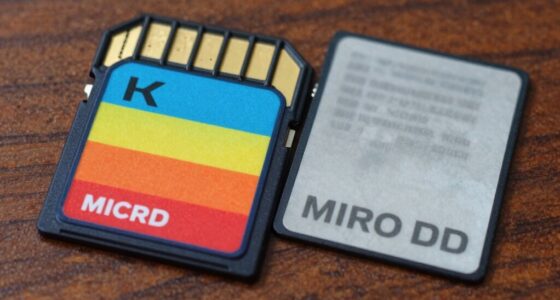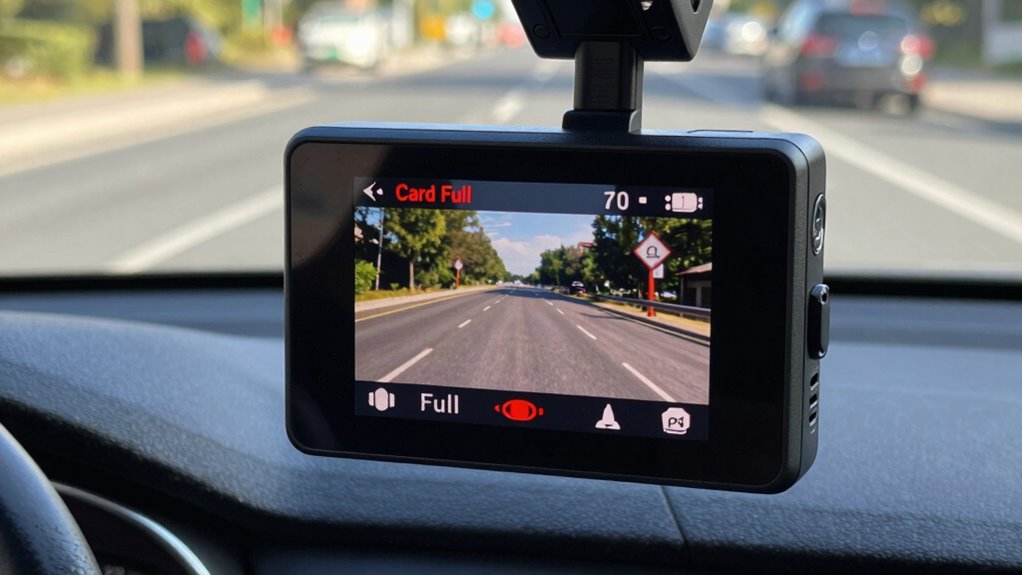

If your dash cam shows a ‘card full’ error, the cause is often incorrect storage settings. You might not have enabled loop recording, which automatically overwrites old files, or your file retention settings may be too strict. Using high resolutions can fill your storage faster. Regularly formatting your SD card and adjusting clip sizes can help prevent these errors. Keep these tips in mind—you’ll discover more ways to optimize your dash cam’s storage.
Key Takeaways
- Loop recording must be enabled to automatically overwrite old footage and prevent ‘Card Full’ errors.
- Using high video resolution settings like 4K or 1080p quickly consumes storage, leading to full cards.
- Not setting a maximum file size per recording can cause storage to fill up faster.
- Failing to regularly format the SD card can cause fragmentation and storage errors.
- Recording in non-loop mode without manual deletion increases the risk of reaching storage capacity.

If your dash cam displays a ‘Card Full’ error, it’s a clear sign that the storage device has reached its capacity and can no longer save new footage. This typically happens because of insufficient storage management or settings that don’t automatically delete old recordings. When you rely on your dash cam for video recording, it’s essential to understand how its storage system works and how to keep it running smoothly. Otherwise, you risk losing important footage when the memory card is full and new recordings can’t be saved.
The most common cause of this error lies in how your dash cam handles storage. Many models are set to record continuously or in loop mode, meaning they overwrite the oldest files when the memory reaches capacity. If this feature isn’t enabled or configured properly, your device will simply stop recording once the card is full, triggering the error message. To prevent this, you need to check your settings and ensure that loop recording is activated, which automatically manages storage by deleting the oldest videos to make room for new ones. Proper storage management is crucial because it keeps your dash cam functioning without interruptions, ensuring you always have recent footage available.
Ensure loop recording is enabled to automatically delete old files and prevent your dash cam from stopping recording when storage is full.
Another setting that can contribute to storage issues is the video recording quality. Higher resolutions like 4K or 1080p generate larger files, filling up the SD card faster. If you’re not mindful of your recording quality settings, you might quickly run out of space. Adjusting the video quality to a lower resolution, or changing the recording length per clip, can help conserve storage and extend the period your dash cam can record before reaching full capacity. Many dash cams also allow you to set a maximum file size for each recording, which can help manage storage more efficiently.
Additionally, some users neglect to format their SD cards regularly, which can cause storage inefficiencies. Formatting clears out corrupted or fragmented files that take up unnecessary space, improving performance and freeing up storage. Understanding storage management is essential for ensuring your dash cam operates reliably. Always format your SD card using the dash cam’s menu rather than just deleting files from a computer, as this ensures the card’s file system remains compatible and optimized for video recording.

VIRROW Dash Cam Front and Rear: 4K+2.5K Dash Camera for Cars with Touch Screen 3.39" - Dashcam with WiFi APP Control 64GB Parking Mode Night Vision Loop Recording Emergency Lock (X5)
[4K+2.5K Dual Dash Cam Front and Rear] - The front dash cam records stunning 4K videos, while the...
As an affiliate, we earn on qualifying purchases.
Frequently Asked Questions
How Can I Recover Footage From a Full Dash Cam Card?
You can recover footage from a full dash cam card by using data recovery software. First, stop using the card to prevent overwriting existing footage. Connect the card to your computer, then run the recovery software to scan for deleted or lost files. Once detected, you can transfer the recovered footage to your device. This process guarantees you retrieve important recordings without damaging the data.
Are There Specific Storage Capacities Recommended for Dash Cams?
Did you know that most dash cams recommend at least 32GB to 128GB of storage? For best performance, consider storage recommendations based on your recording habits, like higher resolutions or continuous recording. Card capacity considerations are key to avoiding ‘card full’ errors; choose a card with ample space for your needs. Regularly check and upgrade your storage to make sure your footage stays safe and accessible.
Can Using High-Resolution Settings Increase the Likelihood of Card Errors?
Yes, using high-resolution settings can increase the likelihood of card errors because larger video files require more storage space and intensive data writing, which can strain your card’s capacity and speed. This can lead to video compression issues and reduce card longevity. To avoid errors, consider balancing resolution with storage needs and choosing high-quality cards designed for high data transfer rates, ensuring your dash cam operates smoothly and efficiently.
What Are the Best Practices for Regularly Managing Dash Cam Footage?
Think of your dash cam footage as a garden that needs regular tending. To keep it thriving, you should regularly delete old videos or back them up to avoid card full errors. Practice good footage organization by creating folders for different dates or trips, and perform video backups to cloud or external drives. This way, you prevent clutter and make certain your footage stays safe and accessible whenever you need it.
Do Different Brands of SD Cards Have Varying Error Rates?
Different brands of SD cards can have varying error rates because of differences in brand compatibility and card durability. You might notice that some brands, like SanDisk or Samsung, tend to be more reliable and less prone to errors over time. Choosing a reputable brand guarantees your dash cam functions smoothly, reduces the chances of ‘card full’ errors, and guarantees better durability, especially under extreme conditions.

TERUNSOUl 4K Dash Cam Front and Rear, Full HD 3 Channel Dashcam, Free 128GB MicroSD Card, Built-in 5.8GHz WiFi Built-in GPS, Collision Sensor, Night Vision, HDR, 3.16" IPS, 24H Parking Mode(Black)
UHD 4K Front + 1080 Rear + 1080P Cabin Recording: Supports simultaneous triple-channel recording, delivering crystal-clear details for...
As an affiliate, we earn on qualifying purchases.
Conclusion
To keep your dash cam running smoothly, make sure you’re aware of the settings that can turn a full card into a headache. Regularly check and format your memory card, and avoid filling it to the brim. Think of your dash cam as a garden—if you don’t tend to it, weeds (or errors) will take over. Stay vigilant with your settings, and your footage will always be ready to tell your story when you need it most.

REDTIGER 4K Dash Cam Front Rear, STARVIS 2 Sensor, Free Card Included, 5.8GHz WiFi-20MB/s Fast Download, Dash Camera for Cars with GPS, WDR Night Vision, 170°Wide Angle, 24H Parking Mode(F7NP)
[4K+1080P Front & Rear Recording] REDTIGER F7NP dash cam captures every detail with stunning 4K front and 1080P...
As an affiliate, we earn on qualifying purchases.
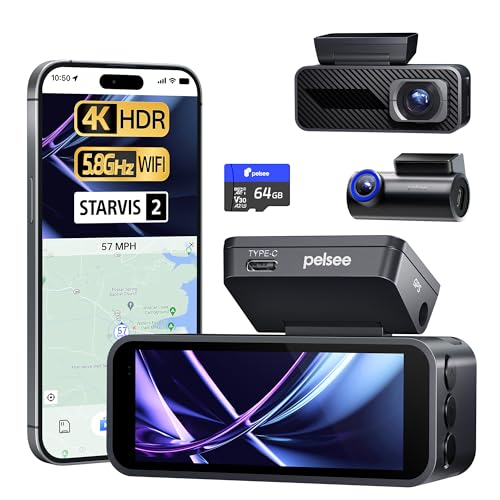
Pelsee P1 Pro 4K Dash Cam Front and Rear, STARVIS 2 Sensor, 64GB Card, Dual Dash Camera for Cars with Full-Color Night Vision, HDR WDR, ADAS, GPS, WiFi & Voice Control, 24H Parking Mode, 3.39" Screen
【HDR Front & WDR Rear Recording】The front 4K HDR dash cam slices through blinding sunlight, capturing license plates...
As an affiliate, we earn on qualifying purchases.