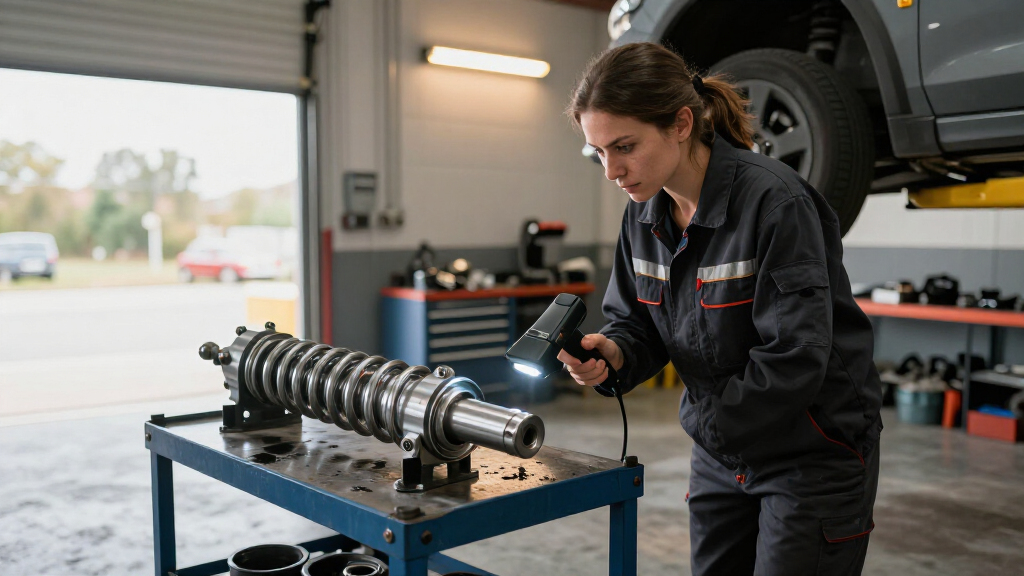

For scanning car parts, the Creality CR-Scan Raptor Pro is my best overall pick for buyers who need a handheld system suited to detailed automotive work. The Creality CR-Scan Otter offers a more versatile route across different part sizes, while the Revopoint RANGE is better matched to larger components where coverage matters more than fine detail. The main tradeoff is between capturing small features accurately and scanning larger, reflective or awkwardly shaped parts with less repositioning. Your software workflow, surface preparation, and tolerance needs matter as much as the scanner’s headline specifications. Read on for how the nine options compare and which type of car-part project each one suits.

Get business pricing on garage and car supplies
- Business-only prices and quantity discounts
- Tax-exempt purchasing
- Multiple users, one account, clear invoices
Complete the kit


Key Takeaways
- The Raptor Pro earns the lead for detail-focused work: its role is a better fit for small automotive features than a scanner chosen mainly for broad coverage.
- The Otter models make a versatility case: they are the more balanced picks when a car-part workflow includes objects of different sizes.
- The RANGE favors larger components: its place in the lineup reflects coverage needs, not a claim that it captures the finest small-part detail.
- The two Fox listings serve different format needs: compare the standard Fox and Fox Medium-Format around the size of the parts you scan, rather than assuming the names mean interchangeable setups.
- Duplicate Raptor Pro listings and two Otter Lite versions complicate comparison: check included accessories, connection method, and package contents before treating similarly named listings as different scanner capabilities.
| Creality CR-Scan Otter Lite Basic Handheld 3D Scanner |  | Best for Outdoor Scanning | Accuracy: Up to 0.05 mm | Scanning speed: Up to 30 fps | Supported object size: 20–2,000 mm | VIEW LATEST PRICE | See Our Full Breakdown |
| Creality Otter Lite Wireless 3D Scanner |  | Best for Mobile Scanning | Connection: Wi-Fi 6, Pogo Pin | Scanning speed: 30 FPS | Weight: 330 g (0.73 lbs) | VIEW LATEST PRICE | See Our Full Breakdown |
| Creality CR-Scan Otter 3D Scanner |  | Best Overall for Detailed Car Parts | Scanning precision: Up to 0.02 mm | Scanning speed: Up to 20 fps | Scanning range: 10 × 10 × 10 mm to 2,000 × 2,000 × 2,000 mm | VIEW LATEST PRICE | See Our Full Breakdown |
| Matter and Form THREE 3D Scanner |  | Best for Cross-Platform Workflows | Accuracy: 0.033 mm (33 microns) | Cameras: Dual 13 MP autofocus cameras | Alignment: Feature-based; no tracking dots required | VIEW LATEST PRICE | See Our Full Breakdown |
| Creality CR-Scan Raptor Pro Handheld 3D Scanner |  | Best Premium for Large and Reflective Parts | Measurement accuracy: Up to 0.02 mm | Volume accuracy: 0.02 mm + 0.08 mm/m | Capture speed: Up to 660,000 points/sec | VIEW LATEST PRICE | See Our Full Breakdown |
| 3DMakerpro Fox 3D Scanner with 0.07 mm Accuracy |  | Best Markerless Pick for Medium Car Parts | Scanning technology: Near-infrared (NIR) | Accuracy: Up to 0.07 mm | Supported object size: 40–1,200 mm | VIEW LATEST PRICE | See Our Full Breakdown |
| Revopoint RANGE Handheld 3D Scanner, Standard Edition |  | Best for Large Car Panels and Assemblies | Single-frame precision: Up to 0.1 mm | Single capture range: 360 × 650 mm at 600 mm | Scanning distance: 300–800 mm | VIEW LATEST PRICE | See Our Full Breakdown |
| 3DMakerpro Fox Medium-Format 3D Scanner |  | Best for Beginners Scanning Medium Parts | Format: Medium-format | Accuracy: 0.07 mm | Resolution: 0.10 mm | VIEW LATEST PRICE | See Our Full Breakdown |
| Creality CR-Scan Raptor Pro 3D Scanner |  | Best for Mixed-Size Parts and Dark or Metallic Surfaces | Scanning technologies: 22 crossed blue laser lines, 7 parallel blue laser lines, and infrared structured light | Laser scanning accuracy: Up to 0.02 mm | Scan size: 5 × 5 × 5 mm³ to 4,000 × 4,000 × 4,000 mm³ | VIEW LATEST PRICE | See Our Full Breakdown |
| 3D scanners for car part | Scanning speed |
|---|---|
| Creality CR-Scan Otter Lite Ba | Up to 30 fps |
| Creality Otter Lite Wireless 3 | 30 FPS |
| Creality CR-Scan Otter 3D Scan | Up to 20 fps |
| Matter and Form THREE 3D Scann | — |
| Creality CR-Scan Raptor Pro Ha | — |
| 3DMakerpro Fox 3D Scanner with | — |
| Revopoint RANGE Handheld 3D Sc | Up to 18 fps |
| 3DMakerpro Fox Medium-Format 3 | — |
| Creality CR-Scan Raptor Pro 3D | Up to 660,000 dots per second |
More Details on Our Top Picks
Creality CR-Scan Otter Lite Basic Handheld 3D Scanner
The Otter Lite Basic suits car-part scanning where the work may move between a garage and an outdoor workspace. Its stated support for up to 30,000 lux and for black or metallic surfaces without spray can reduce setup steps on dark brackets and reflective trim. It also spans objects from 20 mm to 2,000 mm, giving it more flexibility than a scanner aimed only at small components. Compared with the CR-Scan Otter, it offers a higher stated capture rate of 30 fps, while the CR-Scan Otter lists finer precision at up to 0.02 mm. That makes this Basic model a practical fit for broad part capture, but less compelling when fine dimensional detail is the priority. It also depends on a compatible device and software, so buyers should account for that in their workflow.
Pros:- Handles objects from 20 mm to 2,000 mm
- Supports black and metallic surfaces without spray
- Full-color capture can retain visual references for trim and interior pieces
- Up to 30 fps capture and anti-shake tracking support smoother scanning
Cons:- Requires a compatible device and software for capture and processing
- Its stated accuracy is less fine than the CR-Scan Otter’s 0.02 mm precision
Best for: DIY restoration builders who need to scan dark or metallic car parts in a garage or bright outdoor workspace
Not ideal for: Reverse-engineering specialists who need the finer stated precision of the CR-Scan Otter or a scanner workflow independent of a compatible computer
- Accuracy:Up to 0.05 mm
- Scanning speed:Up to 30 fps
- Supported object size:20–2,000 mm
- Color scanning:24-bit full color
- Outdoor light performance:Up to 30,000 lux
- Weight:4.4 pounds
Our verdict“Choose the Otter Lite Basic if your car-part scans span different sizes and lighting conditions, and prioritize the CR-Scan Otter when finer stated precision matters more.”
Creality Otter Lite Wireless 3D Scanner
When a car part is awkward to carry to a bench, the Otter Lite Wireless makes the scanning setup more portable. At 330 g, with Wi-Fi 6 and a built-in battery rated for up to three hours, it can move around a vehicle or between work areas without a cable tether. Its quad-lens arrangement is intended to handle both small details and larger parts, a useful range for scanning clips, brackets, and body components. Compared with the Otter Lite Basic, its clearest distinction is mobility rather than the Basic model’s listed 24-bit color and outdoor-light specification. The tradeoff is that three hours sets a practical limit for longer sessions, and the listed connection choices are Wi-Fi and Pogo Pin. Buyers who want a scanner for sustained bench work may prefer a model with a more explicitly specified precision target, such as the CR-Scan Otter.
Pros:- Light 330 g body is easy to carry around a vehicle
- Wi-Fi 6 connection supports wireless scanning
- Battery is specified for up to three hours of use
- Quad-lens system is designed for small details and larger objects
Cons:- Up to three hours of battery life may not cover extended scanning sessions
- Product data does not specify an accuracy figure
- Listed connection options are limited to Wi-Fi and Pogo Pin
Best for: Mobile mechanics and restoration hobbyists who scan parts around a vehicle or across multiple work areas
Not ideal for: Shop users planning long uninterrupted scan sessions or buyers who need a stated accuracy figure to judge dimensional work
- Connection:Wi-Fi 6, Pogo Pin
- Scanning speed:30 FPS
- Weight:330 g (0.73 lbs)
- Battery capacity:3,400 mAh
- Battery life:Up to 3 hours
- Lenses:Quad-lens system with dual long- and short-focus lenses
- Software:CrealityScan, lifetime use
Our verdict“Pick the Wireless Otter Lite for portable scans around a car, but choose a scanner with a stated precision specification for measurement-led work.”
Creality CR-Scan Otter 3D Scanner
The CR-Scan Otter earns the lead spot for car-part work by combining a wide scanning range with the lineup’s finest stated precision among the standard Otter models: up to 0.02 mm. That gives it a stronger case for capturing small features on brackets, housings, and trim than the Otter Lite Basic, whose stated accuracy is 0.05 mm. Four stereo depth cameras and anti-shake tracking support capture across both small and large objects, while the RGB camera adds color reference. The scanner is also listed for black and metallic surfaces without spray, which can spare prep on common automotive finishes. Its compromise is a slower stated rate of up to 20 fps compared with the Basic’s 30 fps. Wireless use on iOS and Android also requires accessories, so the most direct setup is a Windows or macOS computer.
Pros:- Up to 0.02 mm stated scanning precision
- Scans objects from 10 mm to 2,000 mm
- Can scan black and metallic surfaces without spray
- Anti-shake tracking and four depth cameras support varied capture
Cons:- Wireless iOS and Android scanning requires accessories
- Up to 20 fps is slower than the Otter Lite Basic’s stated 30 fps
Best for: Automotive hobbyists and small repair shops digitizing parts where fine features and varied part sizes matter
Not ideal for: Buyers who need a fully wireless phone workflow out of the box or who prioritize the 30 fps rate of the Otter Lite Basic
- Scanning precision:Up to 0.02 mm
- Scanning speed:Up to 20 fps
- Scanning range:10 × 10 × 10 mm to 2,000 × 2,000 × 2,000 mm
- Scanning distance:110–1,200 mm
- Cameras:4 stereo depth cameras and 1 RGB camera
- Compatibility:Windows and macOS; iOS and Android wireless scanning with accessories
- Item weight:3.72 lb
Our verdict“Choose the CR-Scan Otter as the strongest general pick when fine detail and broad part-size coverage matter more than maximum capture rate or accessory-free mobile scanning.”
Matter and Form THREE 3D Scanner
The Matter and Form THREE is a useful fit for a mixed-device workshop: its software supports Windows, Mac, Linux, iOS, Android, and Chromebooks. Its dual 13 MP autofocus cameras and feature-based alignment can capture surface detail without asking the user to place tracking dots, which may simplify work on a one-off replacement piece. Compared with the CR-Scan Otter, the THREE offers broad operating-system support and a 0.033 mm accuracy specification, while the Otter lists finer precision at up to 0.02 mm and a much wider object-size range. The THREE’s stated capture distance of 20–100 cm better suits parts that can be positioned within that working range. At 9.46 pounds, it is also the heaviest option here, making it less convenient to carry around a vehicle or move frequently between workstations.
Pros:- Dual 13 MP autofocus cameras are specified for detail capture
- Feature-based alignment avoids the need for tracking dots
- Software supports Windows, Mac, Linux, iOS, Android, and Chromebooks
Cons:- At 9.46 pounds, it is comparatively cumbersome to move around a vehicle
- Its 0.033 mm accuracy is less fine than the CR-Scan Otter’s stated 0.02 mm precision
- The stated capture distance is limited to 20–100 cm
Best for: Small fabrication teams and hobbyists who need scanning software across a mix of computer and mobile operating systems
Not ideal for: Mobile technicians or precision-focused reverse-engineering users who need a lighter scanner or finer stated precision than 0.033 mm
- Accuracy:0.033 mm (33 microns)
- Cameras:Dual 13 MP autofocus cameras
- Alignment:Feature-based; no tracking dots required
- Capture distance:20–100 cm
- Compatibility:Windows, Mac, Linux, iOS, Android, and Chromebooks
- Item weight:9.46 pounds
Our verdict“Choose the THREE if operating-system flexibility and dot-free alignment matter more than portability or the finer stated precision of the CR-Scan Otter.”
Creality CR-Scan Raptor Pro Handheld 3D Scanner
For buyers scanning anything from a tiny fastener to a large body component, the CR-Scan Raptor Pro has the broadest stated reach in this group: 5 mm to 4,000 mm. Its combination of crossed and parallel blue lasers with infrared structured light is aimed at different scan conditions, and the product data specifically says it can capture black, glossy, and metallic surfaces without spray. A capture rate of up to 660,000 points per second supports dense data collection, while the stated measurement accuracy reaches 0.02 mm. Against the CR-Scan Otter, it covers larger objects and lists laser modes for outdoor light, but it calls for a much stronger computer configuration than the provided Otter specs establish. That hardware demand can add complexity for a home garage workflow. The Raptor Pro makes the most sense when its range and scanning modes solve real shop needs.
Pros:- Covers a stated scan size from 5 mm to 4,000 mm
- Up to 0.02 mm measurement accuracy and 660,000 points per second capture
- Blue laser modes and infrared structured light support different surfaces and scan conditions
- Product data says black, glossy, and metallic objects can be scanned without spray
Cons:- Recommended computer configurations call for substantial processor, graphics, and memory resources
- The supplied product details do not specify wireless connection options
Best for: Professional restoration shops and fabricators digitizing reflective automotive panels, large parts, and small components
Not ideal for: Casual garage users with modest computers or those who only need to scan mid-sized parts and do not need the Raptor Pro’s broad scan range
- Measurement accuracy:Up to 0.02 mm
- Volume accuracy:0.02 mm + 0.08 mm/m
- Capture speed:Up to 660,000 points/sec
- Scan size:5 mm to 4,000 mm
- Laser configuration:22 crossed blue lasers and 7 parallel blue lasers
- Additional scanning technology:NIR infrared structured light
- Outdoor light tolerance:50,000 lux for parallel lasers; 100,000 lux for crossed lasers
- Recommended Windows configuration:Intel i7 10th Gen, Nvidia graphics with 8 GB VRAM, 32 GB RAM, Windows 10/11 64-bit
Our verdict“Choose the Raptor Pro for demanding shop work across reflective finishes and widely varying part sizes, provided your computer can support its scanning workflow.”
3DMakerpro Fox 3D Scanner with 0.07 mm Accuracy
The 3DMakerpro Fox suits scanning brackets, trim pieces, and other parts that fit its 40–1,200 mm capture range. Its markerless tracking means you can skip placing target dots, while anti-shake support may help keep a handheld scan on track. Compared with the Revopoint RANGE, which is designed for larger subjects such as whole cars, the Fox is a better fit for parts that need closer-range work. Its stated 0.07 mm accuracy is appealing for detailed capture, though the supplied data does not describe accuracy across every surface or workflow. JMStudio exports common mesh formats, but learning to refine scans and prepare printable models takes patience. I’d choose it for flexible part scanning if you have a capable PC and are willing to learn the software.
Pros:- Markerless tracking avoids applying target dots to parts
- 0.07 mm stated accuracy suits detailed part capture
- Anti-shake technology helps compensate for minor hand movement
- Exports OBJ, STL, PLY, and ASC files
Cons:- Setup and mesh refinement have a learning curve
- A capable PC, preferably with a dedicated GPU, is recommended
- Preparing scans for 3D printing may require prior workflow knowledge
Best for: Hobbyists and restoration shops scanning medium-size trim, brackets, or housings who want markerless tracking and can use a capable PC.
Not ideal for: Anyone scanning whole vehicles or seeking a ready-to-use professional mesh workflow; the RANGE targets larger objects, while Fox setup and refinement take practice.
- Scanning technology:Near-infrared (NIR)
- Accuracy:Up to 0.07 mm
- Supported object size:40–1,200 mm
- Optimal working distance:150–400 mm
- Tracking:Markerless
- Stabilization:Anti-shake technology
- Software:JMStudio
- Export formats:OBJ, STL, PLY, ASC
Our verdict“Choose the Fox for markerless scanning of medium-size car parts if you have suitable computer hardware and time to learn its mesh workflow.”
Revopoint RANGE Handheld 3D Scanner, Standard Edition
For a door panel, seat, or broad body section, the Revopoint RANGE has the clearest role here: it is built around large-object capture, with a single capture range of 360 × 650 mm at 600 mm. That makes it a more natural choice for expansive parts than the 3DMakerpro Fox, whose stated object range tops out at 1,200 mm and whose optimal working distance is closer. RANGE scans at up to 18 fps and supports full-color capture, which can help record surface appearance alongside shape. Its 0.1 mm single-frame precision is a stated figure, not a guarantee for every complete scan or car-part surface. The scanner works across several platforms, though its listed minimum system requirement specifies Windows 10/11. I’d pick it for large pieces, not tiny, intricate components.
Pros:- Designed for large objects, including cars
- 360 × 650 mm single capture range at 600 mm
- Up to 18 fps scanning with full-color capture
- Compatible with Windows, macOS, iOS, and Android
Cons:- Listed minimum system requirement specifies Windows 10/11 (64-bit)
- Up to 0.1 mm precision is specified per frame, not as whole-scan accuracy
- Large-object focus makes it less suited to very small, intricate parts
Best for: Automotive restorers and fabricators capturing large interior panels, body sections, or assemblies who need a handheld scanner.
Not ideal for: Model makers focused on tiny clips or fine mechanical features; the product is designed for large subjects and its listed precision is single-frame.
- Single-frame precision:Up to 0.1 mm
- Single capture range:360 × 650 mm at 600 mm
- Scanning distance:300–800 mm
- Scanning speed:Up to 18 fps
- Connection:USB, Wi-Fi
- Optical sensor:CMOS
- Compatible platforms:Windows, macOS, iOS, Android
- Warranty:2 years
Our verdict“Pick the RANGE when large panels and assemblies matter more than capturing the finest small-part details.”
3DMakerpro Fox Medium-Format 3D Scanner
This Fox is positioned for beginners and hobbyists who want one tool for scanning, editing, and model optimization. Its markerless AI feature recognition can reacquire an object after movement, a useful aid when circling an awkwardly shaped part. The listed 0.07 mm accuracy and 0.10 mm resolution give it a detail-focused brief, while JMStudio covers several stages of the workflow. Compared with the Revopoint RANGE, it is the more appropriate direction for medium-format parts rather than large body sections, though the supplied specs do not give a numeric size range for this version. Its entry-level positioning can make it approachable, but does not establish that it will meet every professional inspection or production workflow. I’d shortlist it for learning and hobby projects, then check software and workflow requirements before relying on it for shop deliverables.
Pros:- 0.07 mm stated accuracy and 0.10 mm resolution
- Markerless AI tracking can reacquire an object after movement
- JMStudio includes scanning, editing, and optimization tools
- Supports modeling, measurement, inspection, and 3D printing uses
Cons:- Entry-level positioning may not fit every professional workflow
- Provided specifications do not state a numeric supported object-size range
Best for: Beginners and hobbyists digitizing medium-size car parts for modeling, measurement, or 3D printing.
Not ideal for: Professional inspection teams that need documented workflow requirements or a numeric capture range before selecting equipment.
- Format:Medium-format
- Accuracy:0.07 mm
- Resolution:0.10 mm
- Tracking:Markerless AI feature recognition
- Software:JMStudio
- Supported workflows:3D printing, modeling, measurement, and inspection
Our verdict“Choose this Fox to learn medium-part scanning and handle hobby workflows, but verify its fit before adopting it for professional inspection.”
Creality CR-Scan Raptor Pro 3D Scanner
The CR-Scan Raptor Pro is the most versatile surface-and-size pick in this batch. Its combination of blue laser lines and infrared structured light covers objects from 5 mm up to 4,000 mm, while the product data says it can scan black and metal surfaces without powder. Those qualities matter when car parts vary from small components to larger assemblies and surface prep is unwelcome. Compared with the Revopoint RANGE, which is expressly aimed at large objects, the Raptor Pro spans both small and large capture jobs; compared with either Fox, it also lists integration with professional design tools such as SolidWorks and Rhino. The stated laser accuracy reaches 0.02 mm, but the data does not say that figure applies to every mode. I’d favor it for varied shop work, with that mode-specific limitation in mind.
Pros:- Scans black and metal surfaces without powder, according to the product description
- Wide stated scan-size range from 5 mm to 4,000 mm
- Up to 0.02 mm laser scanning accuracy is specified
- Compatible with Geomagic, Rhino, ZBrush, Maya, and SolidWorks
Cons:- The supplied data does not clarify whether stated accuracy applies to every scanning mode
- Specific Mac system requirements are not provided
- Listed 24-bit color texture capture may be unnecessary for shape-focused part work
Best for: Automotive fabrication and restoration teams scanning a mix of small and large parts, especially black or metallic surfaces, for design software workflows.
Not ideal for: Buyers who need confirmed accuracy for each scan mode or clear Mac system requirements before purchase.
- Scanning technologies:22 crossed blue laser lines, 7 parallel blue laser lines, and infrared structured light
- Laser scanning accuracy:Up to 0.02 mm
- Scan size:5 × 5 × 5 mm³ to 4,000 × 4,000 × 4,000 mm³
- Scanning speed:Up to 660,000 dots per second
- Frame rate:60 fps laser; 30 fps infrared
- Color capture:24-bit full-color textures
- Supported platforms:Windows and Mac
- Compatible software:Geomagic, Rhino, ZBrush, Maya, SolidWorks
Our verdict“Choose the Raptor Pro for varied part sizes and challenging dark or metallic surfaces if its mode-specific accuracy details fit your workflow.”

How We Picked
I ranked these scanners around common automotive jobs: capturing small brackets and fittings, copying trim or housings, and recording larger components for inspection or fabrication. I weighed stated detail and accuracy alongside the scanner’s intended object size, handheld or fixed workflow, ease of handling, and how readily a buyer can manage difficult part surfaces. A fine-detail focus matters for reproducing mounting points and edges; a wider-format focus matters when scanning larger parts without excessive passes. I also considered practical setup factors such as wireless operation, package differences, and whether a scanner’s format appears suited to the buyer’s part mix.
The Raptor Pro ranks first for its detail-oriented role in automotive work, with the Otter following as the more flexible all-round option. The RANGE ranks higher for larger-part coverage than for small-feature reproduction. The two Fox entries and the desktop-oriented Matter and Form THREE fill more specific workflow needs, while the Otter Lite listings appeal to buyers prioritizing a simpler or more portable setup. Since the list includes repeated model names with different listing descriptions, I treat package and connectivity differences as purchase checks rather than evidence of distinct scanning performance.
Factors to Consider When Choosing Best 3D Scanners For Car Parts
Before choosing, I would start with the job the scan must support: visual reference, fit checking, reverse engineering, or producing a replacement part. Those goals place different demands on resolution, scale, software, and cleanup time. A scanner that captures a component’s overall shape may still miss the small surfaces needed to reproduce a clip or bolt hole.
Match Scan Detail to the Part’s Function
Look at the smallest feature that affects fit, such as a locating pin, sealing groove, or connector tab. A scanner’s stated accuracy is only one part of that decision; it does not by itself describe the final quality of every mesh or guarantee a manufactured part will fit. For a decorative cover, a clean overall surface may be enough, while a bracket with tight mating points calls for closer attention to fine detail and repeatability. Avoid buying based on the smallest advertised number without checking the conditions and workflow behind it. If the scan will guide machining or safety-related repairs, plan to verify critical dimensions with suitable measuring tools.
Choose for the Largest Part You Will Scan
Think about the largest regular job, not just the smallest component that sounds technically demanding. A scanner suited to compact parts can turn a broad panel or housing into a slow series of overlapping passes. A larger-format option can capture more area efficiently, though it may not be the best fit for tiny clips or engraved detail. Part size also affects workspace: a door trim piece needs room to move around, while a small sensor bracket can be handled on a bench. If your work spans both extremes, check whether the scanner and software support that range before assuming one device will cover every job equally well.
Plan for Reflective, Dark, and Transparent Surfaces
Automotive components often combine glossy paint, black plastic, bare metal, and translucent materials, which can make scanning less predictable. Surface preparation may involve cleaning, changing the lighting, or applying a removable scanning spray when appropriate for the part. That preparation adds time and may be unsuitable for delicate finishes or parts that must remain untouched. Ask whether the scanner’s workflow can handle your usual materials, and factor in the cost and effort of preparing them. A scanner that works well on a matte test object may need more careful handling on a polished or dark component.
Account for the Full Capture-to-CAD Workflow
A scanner creates geometry data; it does not automatically produce an editable, dimensionally reliable CAD model. Most reverse-engineering jobs require alignment, mesh cleanup, hole reconstruction, and CAD work after capture. Check which export formats and software tools are available, and confirm that they fit the CAD package you already use. File handling can matter as much as capture speed when parts have many hidden surfaces or multiple scan positions. Before buying, map one real project from scanning through inspection or fabrication so the software steps do not come as a surprise.
Decide Whether Handheld or Fixed Scanning Fits Your Bench
Handheld scanning suits irregular parts and lets you move around a component, but it asks you to keep a steady, consistent path and manage tracking. A fixed or turntable-based workflow can feel more controlled for small objects, though bulky parts may not fit its setup comfortably. Consider how often you scan away from your main workstation, whether cables get in the way, and how much room you have to position the part. Wireless operation can simplify movement, but connectivity and battery management become part of the workflow. Choose the setup that matches the shape and location of your typical work, not the one that sounds easiest in isolation.
Check Package Contents Before Comparing Listings
Similar product names can describe different bundles, connection options, or included accessories. This roundup has two Otter Lite listings and two Raptor Pro listings, so compare the exact package and model details before deciding that one entry represents an upgraded scanner. Confirm what cables, stands, turntables, markers, calibration pieces, and software access come with the listing. Missing accessories can slow a first project or require a separate purchase. For a shop replacing an existing setup, compatibility with current accessories and computers may matter more than a minor bundle difference.
Frequently Asked Questions
Can a handheld 3D scanner capture a car part accurately enough to make a replacement?
It can provide useful geometry for reverse engineering, but a scan alone does not guarantee a replacement will fit. Small mounting features and mating surfaces may need separate measurement and CAD refinement. Material, surface finish, scanner setup, and the way scans are aligned can all affect the result. I would verify critical dimensions with calipers or other appropriate metrology tools before manufacturing. For safety-critical components, use qualified engineering review rather than relying on a mesh as the sole specification.
Which matters more for car parts: accuracy or scanning range?
It depends on the part and the intended use. Detail and repeatability carry more weight for small brackets, clips, and interfaces, while scanning range helps when capturing larger housings or body components without many passes. A broad scan can be useful for reference but may not resolve fine features that control fit. Start by identifying the smallest dimension you need to preserve and the largest object you expect to scan. If both are demanding, compare the scanner’s supported size range and practical workflow rather than relying on one specification.
Do I need to coat a car part before scanning it?
Some reflective, very dark, or transparent surfaces can be harder to capture, so a removable scanning spray may help in certain workflows. It is not automatically needed for every part, and coating can be inappropriate for sensitive finishes, optics, or components that must remain untouched. Clean the part and control lighting first, then follow the scanner maker’s guidance for difficult surfaces. If coating is part of your routine, include its application and removal time in your job estimate. Test on a noncritical sample before treating a finished or valuable component.
Can I turn a scan directly into an editable CAD model?
Usually, the scan is a mesh that serves as a reference or starting point, rather than a finished parametric model. You may need to align scans, remove noise, close gaps, and rebuild features such as holes or flat faces in CAD software. The amount of work depends on part complexity and how the model will be used. Check the scanner’s export formats and your CAD tools before choosing a device. For a one-off visual comparison, mesh data may be enough; for design changes or production, plan for reconstruction work.
Which of these scanners makes the most sense for a small garage scanning mixed parts?
The Creality CR-Scan Otter is the most balanced starting point in this lineup when jobs vary in size. Choose the Raptor Pro if small features and detail dominate your work, or the RANGE if larger components are your regular focus. A garage buyer should also weigh setup time, available bench space, computer compatibility, and how often surface preparation will be needed. Check the exact listing contents for the Otter Lite and Raptor Pro variants, since similarly named packages may differ. Your part mix and downstream CAD workflow should settle the choice.
Conclusion
For a broad range of automotive scanning jobs, I would choose the Creality CR-Scan Otter as my best overall option. The Creality Otter Lite is my best value and beginner-oriented pick for buyers who want a simpler handheld route; check the basic and wireless bundles to see which package matches your setup. For detail-led reverse engineering, the Creality CR-Scan Raptor Pro is my premium recommendation, while the Revopoint RANGE is the specific-needs choice for larger parts. I would look at the 3DMakerpro Fox Medium-Format when its format matches recurring jobs, and the Matter and Form THREE for a more bench-centered workflow. Choose by the parts you scan most, then confirm software compatibility and package contents before ordering.
Halloween Picks
halloween
As an affiliate, we earn on qualifying purchases.