TL;DR
A car diagnostic scanner is a device or app that reads information from your vehicle’s onboard computer, including trouble codes and, on some models, live data. It helps you narrow down a problem, but a code points to a system or condition rather than proving a particular part has failed. Check vehicle and system compatibility before buying, and get professional help for safety systems or high-voltage repairs.
A glowing check-engine light can turn an ordinary drive into a guessing game. A car diagnostic scanner gives you a way to read the clues stored in your vehicle’s computer, often before you decide whether to keep driving, check something simple, or book a repair.

Get business pricing on garage and car supplies
- Business-only prices and quantity discounts
- Tax-exempt purchasing
- Multiple users, one account, clear invoices
This guide explains what a scanner reads, why a trouble code does not name a failed part, and how basic readers differ from more capable tools. You’ll also learn what to check before buying one and when the safest move is to call a mechanic.
Think of the scanner as a flashlight under the hood: useful for finding where to look, but not a replacement for knowing what you’re seeing. A code for an oxygen sensor, for example, can point to the sensor circuit while the real cause sits in damaged wiring or an exhaust leak.
A scanner reads vehicle computer information, but a trouble code points to a condition or system rather than proving a part has failed.
Record the exact code and available freeze-frame data before clearing anything.
Check support for your exact make, model, year, market, and target system before buying a scanner.
Clearing codes can reset emissions readiness monitors, so a car may not be ready for inspection afterward.
Use a certified mechanic for brake or airbag faults, and trained specialists for high-voltage hybrid or EV work.
What a car diagnostic scanner can tell you
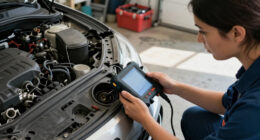
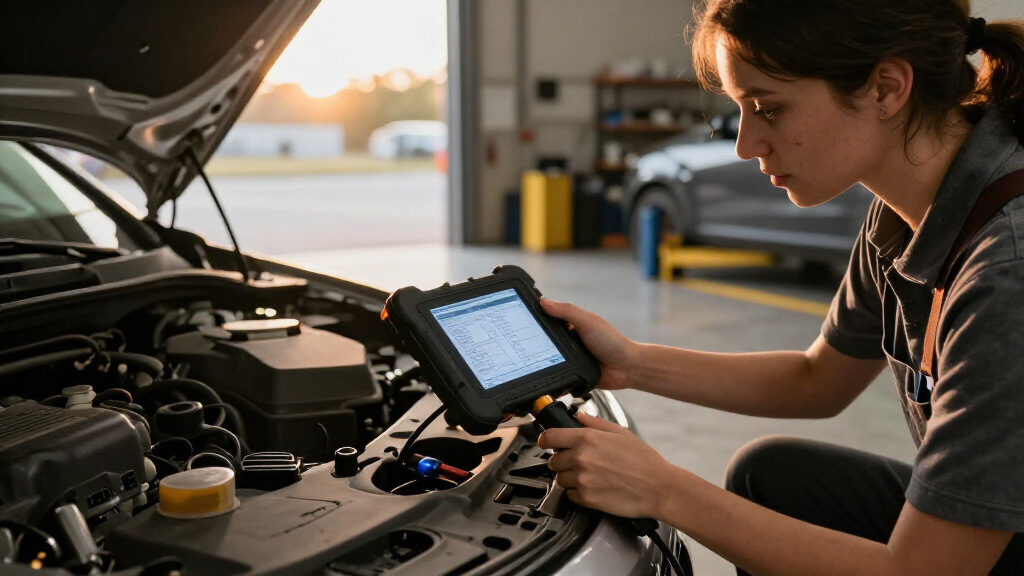
A car diagnostic scanner reads information from a vehicle’s onboard computer, including stored trouble codes and, on some tools, live sensor readings. It can help you identify which system needs attention, check emissions readiness, and gather clues before a repair. It cannot automatically confirm which part has failed.
Most modern cars in the United States, model year 1996 onward, use OBD-II, though other markets adopted similar rules on different schedules. The standard 16-pin connector is usually beneath the dashboard, often near the steering column. If you can’t spot it, check the owner’s manual; the port’s position varies.
For example, a driver sees the check-engine light after filling up and scans the car at home. The reader shows a code related to the evaporative emissions system. That narrows the search, but the cause could be a loose fuel cap, a leak, a valve, or wiring. The scanner has handed over a clue, not a verdict.
Some tools display freeze-frame data, a snapshot of conditions such as engine speed and temperature when the computer logged a fault. That snapshot can help a mechanic reproduce an intermittent issue. Save the code and data before clearing anything: wiping the record can remove context that makes the diagnosis easier.
Products Worth Considering

Milwaukee 2798-22CT M18 Compact Brushless Drill and Impact Driver Combo Kit

NOCO Boost GB70 2000A 12V Lithium Jump Starter

Garmin Dash Cam 47, 1080p HD, 140° Field of View, Voice Control, Includes 16 GB Memory Card
As an affiliate, we earn on qualifying purchases.
Why a trouble code points to a problem, not a part
A diagnostic trouble code describes a detected condition or affected system; it does not prove that a particular component caused it. The computer spots readings outside expected limits, but a sensor, its wiring, a leak, or another mechanical issue can produce similar symptoms. That distinction can save you from buying a part you didn’t need.
Suppose a scanner reports an oxygen-sensor-related code. You might assume the sensor has worn out and order a replacement. But an exhaust leak can change the reading, and a damaged connector can interrupt the signal. A careful technician checks the circuit and the surrounding system before deciding what to replace.
Use the scanner as the first step in a simple investigation: note the exact code, record when the light appeared, and compare the result with symptoms such as rough idling or poor fuel economy. One code can have several causes, so avoid treating a search result or app suggestion as a repair order.
A code narrows the search; testing identifies the cause. If you erase the code before recording it, you may lose useful clues without changing the fault.
This is especially relevant when a warning light comes and goes. The car may run smoothly during a quick trip but store a fault from a particular temperature or driving condition. Freeze-frame information can show that moment like a small photograph from the engine’s recent past.
How to use a scanner without losing useful clues
To get useful results, connect the scanner, read and record the vehicle’s information, then decide what to check before clearing any codes. A steady warning light with normal driving may allow time to gather information, while a flashing light or severe symptoms calls for prompt professional advice. Start with the car’s manual and the scanner instructions.
- Park safely. Turn the vehicle off and follow the scanner maker’s instructions for connection.
- Find the OBD-II port. Look beneath the dashboard, commonly near the steering column.
- Read the stored codes. Write down each code and any plain-language description shown by the tool.
- Save available context. Record freeze-frame data and note when the warning appeared or what the car was doing.
- Check before clearing. Research the code using reliable vehicle-specific information or share it with a mechanic.
For example, if your car logs a code after a cold morning start, note the outside temperature and whether the engine stumbled. That detail may help explain an intermittent fault. If you clear the code immediately, you can lose both the stored record and the conditions around it.
Clearing a code does not repair its cause. It can also reset emissions readiness monitors, which may need driving time and particular conditions to complete again. If an inspection is coming up, check local rules instead of assuming a cleared light means the car is ready to pass.
Choose a scanner that matches your car and your needs
The right scanner depends on your vehicle, the systems you need to access, and the information you want to see. A basic reader may handle common engine codes, while other tools can show live data or access modules such as ABS and transmission. Features advertised for a vehicle brand may still vary by model, year, and market.
| Scanner type | What it may offer | Good fit when |
|---|---|---|
| Basic code reader | Common engine codes and clearing | You want a simple first clue |
| Wireless adapter and app | Phone-based codes and sometimes live data | You prefer a compact setup and have checked app costs |
| Professional scan tool | Broader system access and service functions | You need more detailed vehicle diagnostics |
| Manufacturer or dealer tool | Brand-specific information and functions | Your repair needs a specialized factory-level tool |
Before you buy, check support for the exact make, model, year, and market. A low-cost adapter might read the engine code in your hatchback but lack access to the ABS module. If your goal is to investigate an airbag warning, verify that the specific tool supports that system for your exact car.
Also compare the app, subscription, and update costs. A wireless adapter is only part of the setup; the app determines what information you can view, and some advanced functions require paid access. Check whether your phone is supported, whether the display is readable, and whether basic use works without an internet connection.
Know when a warning needs a professional
A scanner can inform a repair conversation, but safety-critical repairs and high-voltage systems need qualified handling. Get professional help when a warning involves brakes, airbags, or an electric or hybrid vehicle’s high-voltage components. A general-purpose reader may show limited information on those systems, and a code alone is not a safe repair procedure.
Imagine an ABS warning appears on a rainy commute. A basic engine-code reader may show no fault at all because it cannot access the braking module. A tool with the right coverage might retrieve a code, but diagnosing the sensor, wiring, or hydraulic system still requires suitable testing. Have a certified mechanic inspect brakes and airbag systems.
If your car has an open safety recall, a scanner won’t tell the whole story. In the United States, check the vehicle identification number through the NHTSA recall lookup or ask a dealer to check it. A recall repair may be available at no charge, and it is separate from the fault codes stored by your car.
Electric and hybrid vehicles add another boundary. Some scanners read general OBD-II data, while battery and high-voltage diagnostics can require vehicle-specific equipment and training. Don’t open or probe high-voltage components based on an app prompt. A bright warning on the dashboard is a reason to arrange qualified service, not experiment with orange cables.
What scanners can’t promise about emissions or repairs
A scanner can show whether emissions readiness monitors report as complete, but it cannot guarantee that your car will pass an inspection. Clearing trouble codes often resets those monitors, and they may need driving time under particular conditions before they report ready. Inspection rules differ by location, so check your local requirements.
Picture a commuter who clears a check-engine code the night before an inspection. The light goes out, but the readiness screen now shows several monitors incomplete. The inspection station may not accept the result until the car completes the required checks. The code disappeared from view; the underlying fault may still be there.
Wireless adapters also deserve a little practical care. Whether you can leave one plugged in depends on the device and the vehicle: some draw power continuously or stay connected to a phone. Follow the maker’s guidance, and remove the adapter if you notice battery drain, connection problems, or a security concern.
Scanner technology keeps expanding into more vehicle systems, and newer cars may restrict certain functions or require manufacturer-approved access, accounts, or subscriptions. Those rules vary by make, model, year, and region. Before paying extra for a claimed feature, confirm that it works on your specific vehicle rather than relying on a broad brand label.
Frequently Asked Questions
Will a scanner tell me exactly what is wrong with my car?
Usually, no. It retrieves codes and data that help narrow the search, but a technician may need to inspect wiring, sensors, or mechanical parts to confirm the cause. An oxygen-sensor-related code, for instance, can come from an exhaust leak or wiring fault.
Can I use one scanner on any car?
No. Many modern cars support standard OBD-II engine functions, but access to other systems and manufacturer-specific features varies. Check compatibility for your exact vehicle and the system you want to read.
Can a scanner turn off the check-engine light?
Many scanners can clear a stored code, which may switch the light off temporarily. If the cause remains, the light can return, and clearing the code may erase useful data or reset emissions readiness monitors.
Can a basic reader diagnose an ABS or airbag warning?
Often it cannot. Basic readers commonly focus on generic engine codes, so you need a scanner that explicitly supports the relevant module and your specific vehicle. Have brake and airbag faults checked by a qualified mechanic.
Can I pass an emissions inspection after clearing codes?
Not necessarily. Clearing codes commonly resets readiness monitors, which may need time and specific driving conditions to complete. Inspection rules vary, so check your local requirements and record the original codes before clearing them.
When should I take my car to a mechanic?
Get professional help if a warning light flashes, the car runs poorly, or a brake or airbag system is affected. High-voltage hybrid and EV diagnostics also call for suitable equipment and trained handling. A scanner can help you explain the warning, but it does not replace safe diagnosis and repair.
Conclusion
Use a car diagnostic scanner to collect clues, not to guess at parts. Write down the code, save any available data, and check that your tool supports the system you need before treating its result as a diagnosis.
When the warning touches brakes, airbags, or high-voltage equipment, put the scanner down and call a qualified professional. A useful scan can start the conversation; the right repair turns the warning light back into an ordinary dot of dashboard color.