
To estimate battery runtime easily, convert your watt-hours to your device’s wattage by dividing Wh by device wattage in watts. For more accuracy, adjust for inverter efficiency and the battery’s usable depth of discharge (DoD). Remember to account for surge power for starting appliances. Master these conversions and adjustments, and you’ll confidently predict how long your power supply will last—keep going to learn even more precise tips and tricks.
Key Takeaways
- Convert battery capacity from Ah to Wh using voltage for accurate energy assessment.
- Account for inverter efficiency and Depth of Discharge (DoD) to refine runtime estimates.
- Sum device wattages and convert to kW to determine total load for precise calculation.
- Use the formula: Runtime = (Battery Wh × DoD × Efficiency) ÷ Total load in W.
- Practice with real-world examples to understand how load, capacity, and efficiency impact runtime predictions.
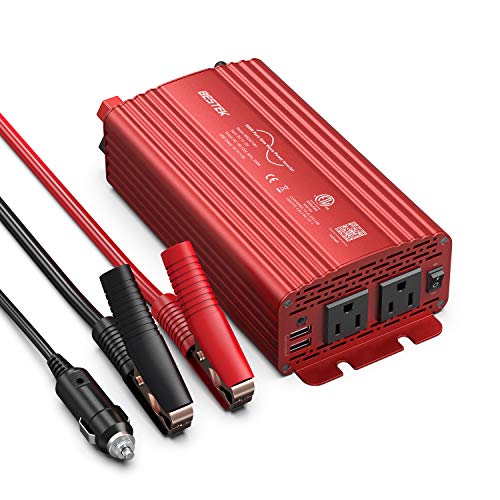
BESTEK 500W Pure Sine Wave Power Inverter DC 12V to AC(2 Outlets) 110V Car Charger Plug Inverter Adapter Converter with 4.2A Dual USB Charging Ports, ETL Listed
BESTEK 500W Pure Sine Wave Car Inverter:Its output waveform is same as the AC power waveform of mains...
As an affiliate, we earn on qualifying purchases.
Understanding Basic Runtime Calculations

Understanding basic runtime calculations is essential for estimating how long your battery can power your devices. You can determine this by dividing your battery’s capacity by your device’s power consumption. For example, if you have a 10 kWh battery and a 0.22 kW load, the runtime is approximately 45.45 hours. Alternatively, if you know your device’s wattage, divide it by 1000 to get kilowatts, then divide the battery capacity in Wh by this number. For instance, a 100 W device running on a 1000 Wh battery lasts about 10 hours. Keep in mind, these calculations are simplified; real-world factors like inverter efficiency and depth of discharge will affect actual runtime. Proper wiring and ventilation are also important considerations to ensure safe and efficient operation of your system. Additionally, understanding battery capacity helps you select the right system size for your needs. Being aware of projector technology principles, such as contrast ratio and color accuracy, can also inform your choices for home cinema setups. Knowing how to perform these calculations can also help you optimize energy use and extend your device’s operational time. Incorporating energy monitoring tools can further enhance your ability to manage and predict runtime more accurately.

BELTTT 2000W Pure Sine Wave Inverter, Inverter 12V DC to 120V AC for Solar, RV, Truck, Outdoor, Power Inverter with Dual AC and 20A Socket, 5V 2.1A USB, Surge 4000W, Hardwire Port, Remote Controller
【POWERFUL DC to AC CONVERTER】: This solar inverter delivers 2000W of continuous battery DC 12V to AC 110V...
As an affiliate, we earn on qualifying purchases.
Converting Ah and Wh for Accurate Battery Assessment
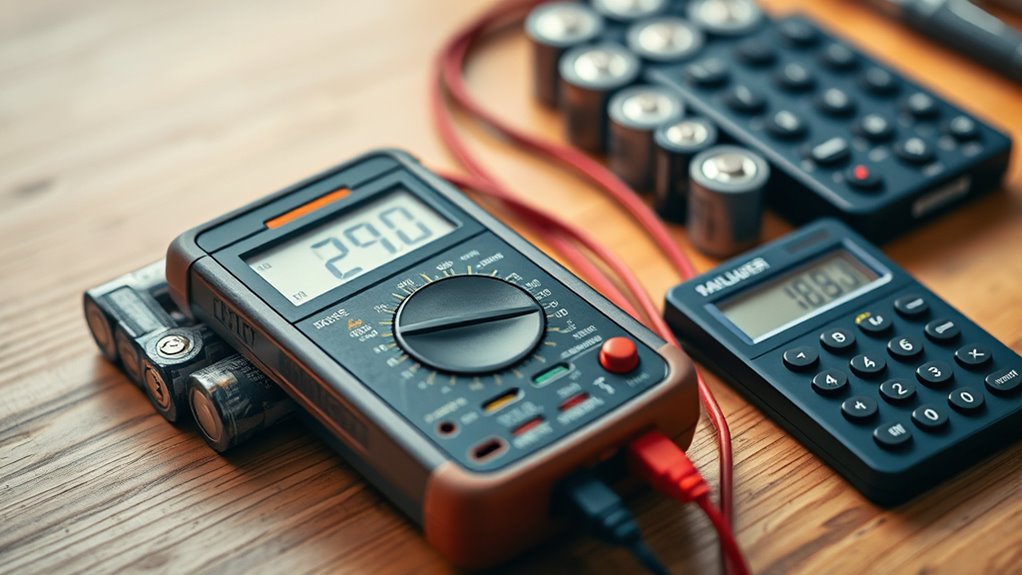
Converting amp-hours (Ah) and watt-hours (Wh) allows you to accurately assess your battery’s capacity and suitability for specific applications. To convert Ah to Wh, multiply the Ah rating by the battery voltage: for example, 100 Ah at 12 V equals 1200 Wh. This conversion helps you compare batteries with different voltages and understand their true energy content. Conversely, if you have Wh and need Ah, divide the Wh by the voltage. For instance, a 2400 Wh battery at 48 V is equivalent to 50 Ah. These conversions are essential for selecting the right battery for your load, ensuring you get an accurate picture of capacity, runtime, and compatibility with your devices. Mastering Ah and Wh conversions makes your battery assessment precise and effective.

Cantonape 3000W Power Inverter 12V to 110V/120V DC to AC with LCD Display, Remote Controller 4 x AC Outlets and 4 x 3.1A USB Car Adapter for Car Truck Boat RV Solar System
POWERFUL OUTPUT: Convert power of DC 12V to AC 110V/120V 60Hz. Provides 3000 Watts continuous modified sine wave...
As an affiliate, we earn on qualifying purchases.
Adjusting Runtime Estimates With Efficiency and Dod

To get accurate runtime estimates, you need to account for both efficiency losses and the battery’s depth of discharge (DoD). Ignoring these factors can lead to overestimating your runtime. Here’s how to adjust:
- Factor in DoD: Use the actual DoD percentage, like 85% instead of full capacity, to reflect real usable energy. Knowing your battery specifications can help you make more precise calculations for your project. Incorporating battery chemistry considerations can also influence your DoD and overall performance estimates. Additionally, understanding the state of charge can provide a clearer picture of remaining capacity during use.
- Include inverter efficiency: Multiply your adjusted capacity by efficiency (usually around 90%), since inverters waste some power.
- Combine both factors: The formula becomes Runtime = (Battery Capacity × DoD × Inverter Efficiency) / Total Load, giving a more realistic estimate. Additionally, understanding your tool specifications can help you make more precise calculations for your project.

Pro Chaser 400W Power Inverters for Vehicles - DC 12v to AC 110v Car Inverter Converter, 6.2A Dual USB Charging Ports, Dual AC Adapter for Laptops Air Compressor
【Pro Chaser Power Inverter Basics】: This inverter provides a steady 400W of DC to AC power with a...
As an affiliate, we earn on qualifying purchases.
Calculating Load and Power Requirements Effectively

Accurately calculating your load and power requirements is essential for determining the right size of your battery system. Start by listing all devices and noting their wattage ratings. Convert these watts into kilowatts by dividing by 1000, then sum all to find your total load in kW. For example, a 60 W bulb running for 3 hours consumes 180 Wh. Use this total load to estimate runtime with your battery capacity. Remember to account for inverter efficiency and depth of discharge for more precise calculations. Keep track of surge or startup wattages, especially for appliances like refrigerators or compressors. By understanding your actual power draw and how long devices run, you ensure your system can handle your needs without over-investing or risking insufficient power. Additionally, understanding the importance of efficient water purification methods can help reduce energy consumption in off-grid setups. Recognizing energy-efficient appliances can further optimize your system and extend battery life. Incorporating system monitoring tools can also provide real-time insights into power usage and system performance. Being aware of your power consumption patterns helps in planning future upgrades and ensuring sustainable energy use.
Practical Examples to Master Runtime Estimation

Practical examples can help you better understand how to estimate runtimes for different battery setups and loads. Let’s look at some real-world scenarios:
- You have a 100 Ah, 12 V battery (1200 Wh) powering a 60 W light bulb. Divide 60 W by 1000 to get 0.06 kW. Using the formula, runtime = 1200 Wh / 60 W, giving you 20 hours.
- A 200 W refrigerator runs 24 hours daily. The total energy consumption is 200 W × 24 h = 4800 Wh or 4.8 kWh. If your battery is 5 kWh, you can run it roughly a day.
- For a 500 W inverter with a 2 kWh battery and 90% efficiency, the adjusted runtime is (2 kWh × 0.9) / 0.5 kW, giving 3.6 hours.
Frequently Asked Questions
How Do Inverter Efficiencies Impact Overall Runtime Estimates?
Inverter efficiencies directly affect your runtime estimates because they determine how much of your battery’s energy gets converted into usable power. When efficiency is high, more energy reaches your devices, extending runtime. If efficiency is lower, energy loss occurs, reducing runtime. You need to include inverter efficiency in your calculations—typically around 90%—to get accurate estimates, ensuring you don’t overestimate how long your power source will last.
What Are the Best Methods to Measure Actual Device Power Consumption?
To measure your device’s actual power consumption, use a wattmeter or power meter plugged directly into the outlet. Turn on your device and record the reading over a period, ideally a typical usage cycle. For more accuracy, measure during different times or loads. This method gives you real-world data, helping you estimate runtime more precisely and avoid relying solely on manufacturer specifications.
How Does Temperature Affect Battery Capacity and Runtime?
If you ignore temperature effects, you’re risking your battery’s lifespan and runtime shrinking faster than a snowman in July. Cold temperatures can slash capacity by up to 50%, making your battery barely last a quarter of what it normally would. Conversely, excessive heat can cause permanent damage, drastically reducing runtime and risking dangerous failures. Always keep your batteries within the ideal temperature range to maximize their capacity and extend your runtime.
Can Runtime Estimations Account for Battery Aging and Degradation?
Yes, your runtime estimations should consider battery aging and degradation. Over time, batteries lose capacity, so you need to adjust your calculations by reducing the effective capacity based on their age and usage history. This way, you’ll get a more accurate estimate of how long your battery will truly last, preventing unexpected power loss and helping you plan better for your energy needs.
How to Prioritize Loads for Optimal Runtime Extension?
You should prioritize essential loads by identifying devices that are critical and running them first. Turn off or delay non-essential appliances to reduce overall load, which extends runtime. Use your capacity efficiently by staggering high-power devices and maintaining a manageable load. Regularly assess your power consumption, and consider upgrading your battery or inverter if you need longer runtimes for essential devices, ensuring your system remains reliable during outages.
Conclusion
Now that you’ve revealed the secrets of battery math, you’re armed to navigate the energy landscape like a seasoned captain steering through a storm. With these tools, estimating runtime becomes second nature—no more head-scratching or guesswork. Think of it as wielding a lighthouse in the fog, guiding your devices safely to shore. Keep practicing, and soon you’ll master the art of energy management, turning complex calculations into a smooth sailing adventure.