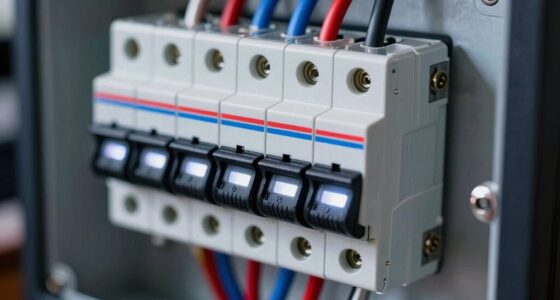
Inverter beeps and alarms signal that there’s a system issue needing your attention. For example, continuous beeps often indicate a critical fault like overheating, while quick beeps usually mean a warning such as low battery voltage. Alarm patterns and indicator lights help you identify specific problems, like loose wires or battery issues. Addressing these alerts promptly can prevent damage. If you want to understand each sound better, keep exploring for more detailed explanations.

Get business pricing on garage and car supplies
- Business-only prices and quantity discounts
- Tax-exempt purchasing
- Multiple users, one account, clear invoices
Key Takeaways
- Beep patterns and alarm lights indicate specific issues like low battery, overheating, or connection problems requiring attention.
- Continuous beeps often signal critical faults, while quick beeps warn of less urgent concerns such as low battery voltage.
- Refer to the inverter manual for accurate interpretation of alarm codes and indicators to identify the root cause.
- Regular maintenance, like checking battery connections and replacing aging batteries, helps prevent false alarms and system failures.
- External factors such as power surges or high temperatures can trigger alarms, emphasizing the importance of proper environment and surge protection.
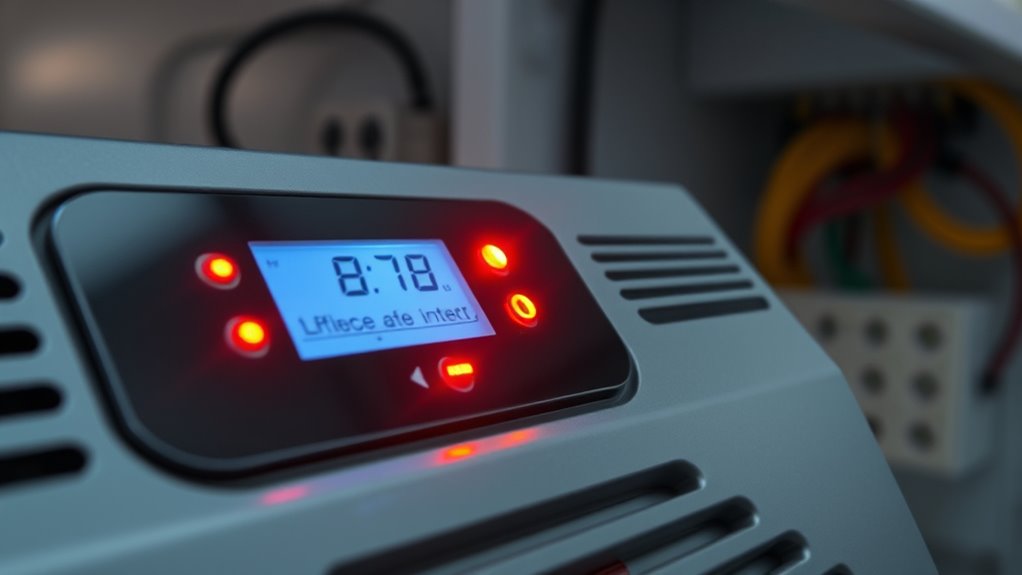
Inverter beeps and alarms can be confusing and disruptive, but they often serve as important indicators of system issues or malfunctions. When your inverter emits a sound or displays a warning light, it’s trying to tell you something about its current state. Understanding what these signals mean can help you respond quickly and prevent further damage. One of the most common causes of alarms is related to battery maintenance. If your inverter detects that the battery voltage is too low or the battery is not charging properly, it may beep or flash an alarm. This is a clear sign that you need to check your batteries, guarantee they are connected correctly, and verify that their terminals are clean and secure. Regular battery maintenance includes inspecting for corrosion, assure proper electrolyte levels if applicable, and replacing aging batteries before they fail completely. Ignoring these alarms can lead to system shutdowns or reduced performance, so it’s vital to troubleshoot promptly.
Inverter alarms often signal battery issues; regular maintenance prevents system shutdowns and ensures optimal performance.
Alarm troubleshooting begins with identifying the specific pattern and type of alarm. Many inverters have indicator lights or codes that help you determine the root cause. For example, a continuous beep might signal a critical fault, such as overheating or a short circuit, while a series of quick beeps could indicate a warning like low battery voltage. Once you recognize the alarm pattern, consult your inverter’s manual to interpret the signals correctly. Resetting the system after addressing the issue is often necessary, but only after confirming that the root cause is resolved—whether that’s replacing a faulty battery, clearing debris from vents, or reconnecting loose wires. Additionally, staying informed about proper maintenance practices can help prevent false alarms and extend the lifespan of your system.
If your inverter alarms are related to battery issues, focus on battery maintenance first. Check the connections for corrosion or looseness, and replace any batteries that no longer hold a charge. If the system continues to alarm after maintenance, consider deeper troubleshooting, such as testing the battery voltage with a multimeter or inspecting the inverter’s charging circuitry. Sometimes, alarms are false or triggered by external factors like power surges or temperature extremes, so make sure your environment is suitable for your inverter’s specifications.
As an affiliate, we earn on qualifying purchases.
Frequently Asked Questions
How Can I Reset My Inverter After an Alarm?
To reset your inverter after an alarm, first turn it off and disconnect the battery if needed. Check if your battery requires replacement—faulty batteries can trigger alarms. Once you’ve replaced the battery if necessary, press the reset button or power switch on your inverter. Wait for the system to restart, then verify the alarm stops. This inverter reset process helps clear errors and restores normal operation.
Are Inverter Beeps Always a Sign of Danger?
Inverter beeps aren’t always a siren of danger; sometimes, they’re just gentle warnings. If your battery health is declining or the inverter’s lifespan is nearing its end, it might beep to alert you. Pay attention to these sounds—ignoring them can lead to bigger issues down the line. While not always critical, it’s prudent to verify your inverter’s status to ensure everything’s running smoothly and avoid surprises.
Can I Disable Inverter Alarms Permanently?
You can disable inverter alarms permanently through alarm troubleshooting and inverter customization, but it’s not always recommended. Check your inverter’s manual for specific instructions, as some models allow you to turn off alarms via settings. Keep in mind, disabling alarms might hide important alerts. Always make certain you understand the potential risks and consult a professional if needed to avoid missing critical issues or voiding warranty coverage.
How Often Should I Check My Inverter’s Alarm System?
You should check your inverter’s alarm system regularly, ideally once a month, to maintain proper power and prevent problems. During your check, focus on battery maintenance and confirm the inverter placement is secure and well-ventilated. Keeping an eye on alarms ensures your inverter operates at its best, avoiding unexpected shutdowns. Stay proactive, prevent problems, and promote peace of mind by periodically inspecting your system’s signals and staying vigilant with routine maintenance.
What Maintenance Prevents False Alarms in Inverters?
To prevent false alarms in your inverter, you should regularly perform battery maintenance and inverter cleaning. Keep the battery terminals clean and make sure they’re properly connected to avoid false alerts caused by poor contact. Additionally, clean dust and debris from the inverter’s vents and components to prevent overheating. Regular checks and maintenance help keep your inverter running smoothly, reducing unnecessary alarms and extending its lifespan.
battery maintenance tools for inverters
As an affiliate, we earn on qualifying purchases.
As an affiliate, we earn on qualifying purchases.
Conclusion
Understanding your inverter’s beeps and alarms can save you time and prevent damage. Did you know that over 60% of inverter failures are caused by overlooked alarms? By paying attention to these signals, you can troubleshoot issues early and keep your system running smoothly. Remember, each beep or alert is your inverter’s way of communicating crucial information—so don’t ignore them. Stay alert, and your inverter will serve you reliably for years to come.
As an affiliate, we earn on qualifying purchases.
As an affiliate, we earn on qualifying purchases.
Halloween Picks
halloween
As an affiliate, we earn on qualifying purchases.