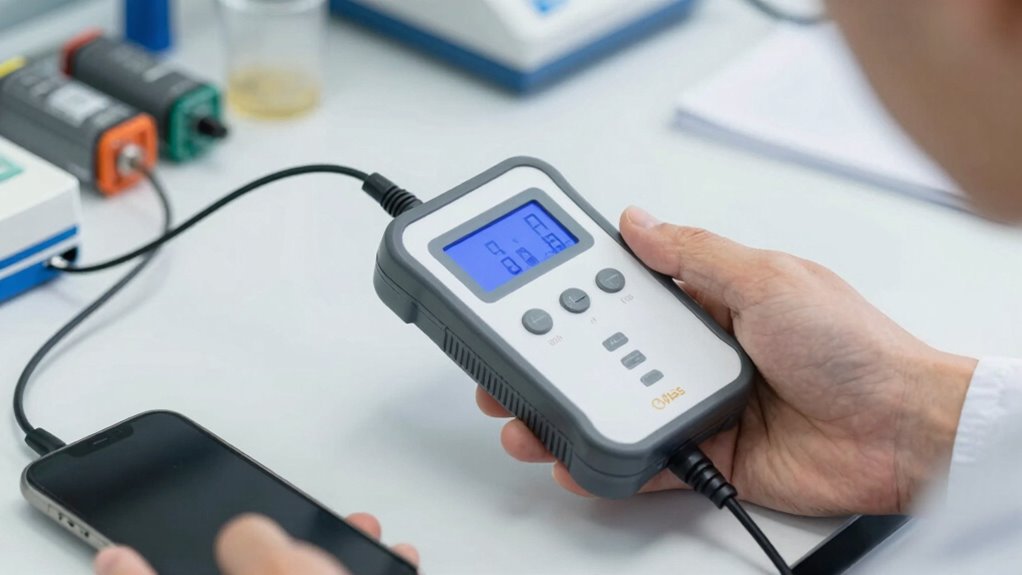

To perform a real-world battery health test, fully charge your device, then use it normally until the battery drops to around 10-20%. Keep track of how long it lasts during regular activities and note if the performance drops quickly over multiple days. This test helps you see how well your battery holds a charge in daily use. If you want to know more about interpreting results and optimizing your battery life, keep exploring these strategies.

Get business pricing on garage and car supplies
- Business-only prices and quantity discounts
- Tax-exempt purchasing
- Multiple users, one account, clear invoices
Key Takeaways
- Fully charge the device to 100%, then use it normally until 10-20% remains, repeating over multiple days.
- Monitor how quickly the battery drains during typical usage to assess capacity decline.
- Track the number of charging cycles completed to estimate battery wear.
- Observe changes in daily device runtime to identify performance deterioration.
- Consistently perform real-world tests to determine if a battery replacement is necessary.

Ever wondered how healthy your device’s battery truly is? The answer lies in understanding its battery lifespan, which is often measured by the number of charging cycles it can handle before its capacity markedly diminishes. Every time you charge and discharge your device, you complete a charging cycle. Over time, these cycles wear down the battery’s ability to hold a full charge, leading to shorter usage periods between charges. Knowing this helps you gauge whether your battery is still in good shape or if it’s time for a replacement.
A practical, real-world test for battery health involves monitoring how your device performs during daily use. Instead of relying solely on software diagnostics, you can observe how long your device lasts on a full charge and how quickly it drains during typical activities. If your device used to last a full day and now only manages a few hours, that’s a clear sign the battery’s capacity has declined. Tracking this over several days gives you a realistic picture of its health, more so than raw data from diagnostic tools.
Another key indicator is how many charging cycles your battery has gone through. Most batteries are rated for a certain number of cycles—say, 300 to 500—before their capacity drops below 80%. If you keep an eye on your charging habits, you can estimate how close you are to that limit. For example, if you typically recharge your device twice a day, you’re completing roughly 730 cycles a year, which might mean your battery is nearing its end of life sooner than expected. Being aware of your battery cycle count can help you plan for replacements more effectively. Additionally, understanding your device’s battery degradation over time can provide further insights into its remaining lifespan.
To conduct a more precise real-world test, fully charge your device to 100%, then use it normally until it’s about 10-20% before recharging. Repeat this process over several days, noting how long the device lasts and how many charging cycles it accumulates. If you notice rapid deterioration in battery performance or a high number of cycles, it may be time to think about a replacement or professional battery health testing.
Additionally, understanding your device’s battery capacity and how it changes over time can provide further insights into its health. In essence, understanding your device’s battery health through real-world testing involves paying attention to its daily performance and tracking your charging habits. This approach provides a clear, practical view of its true condition, helping you make informed decisions about maintenance or replacement before unexpected failures occur.
smartphone battery health tester
As an affiliate, we earn on qualifying purchases.
As an affiliate, we earn on qualifying purchases.
Frequently Asked Questions
How Often Should I Perform Battery Health Tests?
You should perform battery health tests every three to six months to keep your device running smoothly. Regular testing helps identify issues early, especially after many charging cycles. To maintain accuracy, calibrate your battery by fully draining and then charging it to 100%. This practice guarantees your battery’s capacity readings stay reliable, allowing you to catch potential problems before they worsen.
Can Battery Health Testing Damage My Device?
Battery health testing, including battery calibration and power cycle testing, generally won’t damage your device if done properly. Did you know that improper calibration can lead to inaccurate battery readings? During power cycle testing, the process involves fully discharging and recharging the battery, which is safe if done carefully. Just avoid excessive or aggressive testing, and your device remains safe. Properly performed tests help maintain battery accuracy without risking damage.
What Are the Best Tools for Real-World Battery Testing?
The best tools for real-world battery testing include apps like CoconutBattery or AccuBattery, which monitor charging cycles and battery calibration over time. These tools track how your battery performs during daily use, providing insights into its health and capacity. By analyzing charging cycles and calibrating your battery periodically, you can effectively assess its condition without risking damage, ensuring your device’s longevity and peak performance.
How Accurate Are Consumer-Grade Battery Health Tests?
Like a knight evaluating their armor before battle, you might wonder how accurate consumer-grade battery health tests are. They provide a decent estimate, especially after several charging cycles, but aren’t perfect. Battery calibration can improve accuracy, yet these tests often miss subtle issues. So, while handy for a quick check, they can’t replace professional diagnostics for precise health assessments. Be cautious, and don’t rely solely on them.
Does Battery Age Affect Test Results?
Yes, battery age impacts test accuracy because as batteries age, they experience degradation that skews results. Older batteries tend to show lower capacity and performance, which might make test outcomes appear worse than they are for newer batteries. This battery degradation can influence test accuracy, so it’s essential to take into account age when evaluating battery health, ensuring you get a realistic picture of its current performance.
As an affiliate, we earn on qualifying purchases.
Conclusion
Think of your battery like a car’s engine—over time, wear and tear happen, and its performance dips. Just like regular tune-ups keep your car running smoothly, proper battery testing guarantees you catch issues early. I once ignored my phone’s slowing battery, and it died during an important call—like a car breaking down on the highway. Regular testing isn’t just maintenance; it’s your safeguard to keep everything running seamlessly, no matter what.
portable battery capacity tester
As an affiliate, we earn on qualifying purchases.
As an affiliate, we earn on qualifying purchases.
As an affiliate, we earn on qualifying purchases.
Halloween Picks
halloween
As an affiliate, we earn on qualifying purchases.