To use your smartphone as a data logger safely, activate voice commands to start, pause, or stop data collection without touching your device. Set up personalized app settings and shortcuts before driving, so interactions remain minimal. Regularly update your apps and test voice controls beforehand. By focusing on voice activation and pre-configurations, you keep your attention on the road. Keep exploring for more tips to maximize safety without sacrificing data logging efficiency.
Key Takeaways
- Activate data logging apps and set configurations before driving to avoid distractions on the road.
- Use voice commands to start, pause, or stop data logging without manual interaction.
- Customize dashboards and shortcuts for quick access, reducing the need to interact with the device while driving.
- Keep software and voice command functionalities updated to ensure smooth, hands-free operation.
- Focus on safety by minimizing screen interaction and verifying voice control functions before travel.
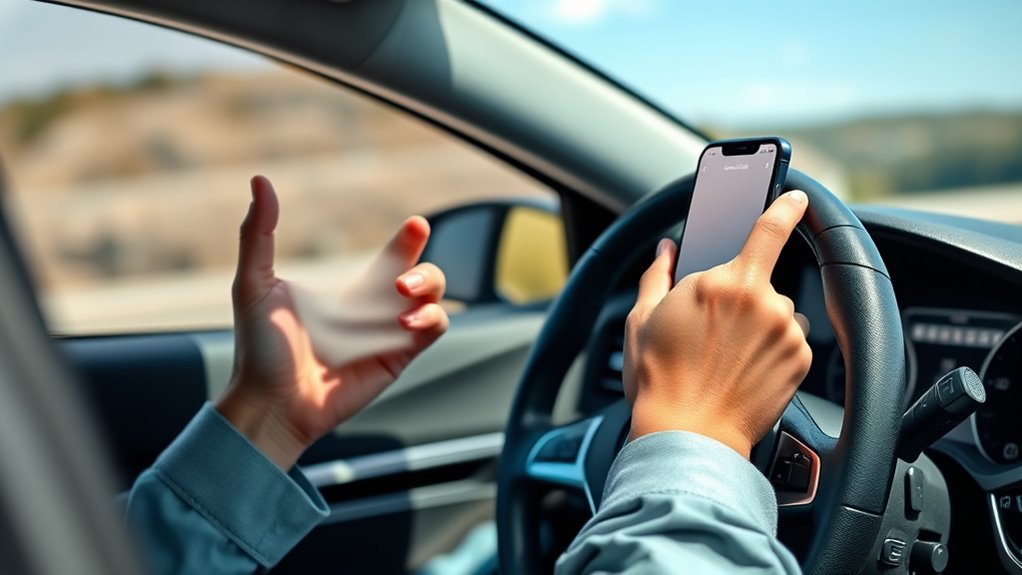
Using a smartphone as a data logger offers a convenient and cost-effective way to monitor and record various environmental or technical parameters. Whether you’re tracking temperature, humidity, or system performance, your phone can serve as a reliable tool without the need for bulky equipment. However, it’s vital to prioritize safety, especially when using your device during travel. The key is to leverage features like voice commands and app customization to minimize distractions and keep your focus on the road.
Voice commands are your best friend when it comes to safe data logging while driving. Instead of fumbling with buttons or screens, you can activate your data logger app through voice prompts. Many apps support voice activation, allowing you to start, stop, or adjust logging parameters hands-free. This not only keeps your attention on driving but also makes data collection more efficient. Learning the specific voice commands for your app can save you time and reduce the risk of distraction. For example, saying “Start logging” or “Pause data collection” can be enough to control your app without diverting your eyes from the road.
App customization further enhances safety by tailoring your data logger to your specific needs while simplifying the user interface. You can set up personalized dashboards, quick-access buttons, or preset configurations that require minimal interaction. Customizing notification settings ensures you only receive alerts relevant to your current task or environment, reducing unnecessary interruptions. Some apps allow you to create shortcuts or voice-activated routines that streamline your workflow, so you don’t have to navigate complex menus during driving. By configuring your app intelligently, you limit the need to look at your screen, keeping your attention where it needs to be. Additionally, understanding European cloud innovation can help you choose apps and services that prioritize data security and reliability, making your data logging safer and more trustworthy.
Customize your app with dashboards, shortcuts, and alerts to stay focused and safe while driving.
To maximize safety, always prepare your smartphone before you start driving. Set up voice commands and customize your app with the necessary parameters and shortcuts. Once you’re on the road, rely on voice activation and minimal interface interactions. This way, you can monitor your parameters without risking distracted driving. Remember, the goal isn’t just to use your phone as a data logger but to do so responsibly. Keep updates, firmware, and app settings current to ensure smooth operation, and double-check that all voice command features work reliably before hitting the road.
Frequently Asked Questions
Can I Use Voice Commands to Operate the Data Logger Safely?
Yes, you can use voice command integration for hands-free operation of your data logger, making it safer. By activating voice commands, you avoid distractions and keep both hands on the wheel. Confirm your voice recognition is accurate and test it beforehand. This way, you can control your data logger efficiently while driving, reducing the risk of distraction and maintaining safety on the road.
What Are the Best Mounting Options to Prevent Distraction?
You should choose a mounting option that offers high mounting stability and ergonomic placement, like a sturdy adjustable mount or a dash clip. Position it within your line of sight to minimize distraction, ideally near your dashboard or windshield. Avoid shaky or unstable mounts, and make sure it’s easy to access voice commands. This way, you stay focused on driving while safely monitoring your data logger.
How Do I Ensure My Data Logging App Is Secure?
Imagine your data’s safety depends on a fortress—because it does. You guarantee your data logging app is secure by enabling data encryption, creating an impenetrable shield. Check app permissions carefully, granting only what’s necessary, like a vigilant gatekeeper. Keep your app updated, like upgrading your fortress walls. These steps lock out hackers and keep your data safe, so your information stays private and protected at all times.
Can I Use a Secondary Device for Data Logging?
Yes, you can use a secondary device for data logging. Using a secondary device helps you stay focused on driving while collecting data, reducing distractions. Make sure the secondary device is dedicated to data logging, with a secure setup and stable connection. Keep the device mounted properly, so it doesn’t interfere with your driving. This way, you guarantee safe, effective data logging without risking distracted driving.
How to Monitor Battery Life During Extended Data Collection?
To monitor battery life during extended data collection, keep an eye on your device’s battery status through the notification bar or settings. Use power management features like low power mode and disable unnecessary apps or notifications. Consider connecting your phone to a portable charger or power bank to guarantee continuous operation. Regularly check battery levels to prevent shutdowns and maintain efficient data logging without risking distracted driving.
Conclusion
By following these simple tips, you’ll turn your smartphone into a supercharged data logger without ever risking a single distracted glance. Imagine your device silently capturing every detail like a vigilant robot, all while you stay fully focused on the road. No more dangerous distractions—just smooth sailing and safe driving. With these precautions, your phone becomes your silent, loyal co-pilot, guarding your journey like a fortress. Drive smart, log smart, and stay safe out there!