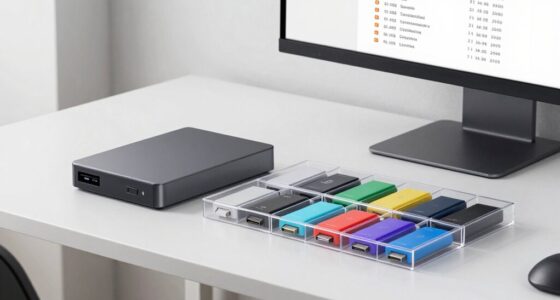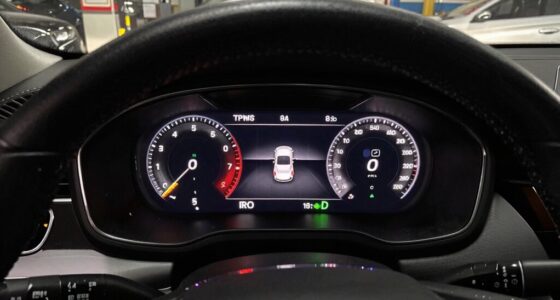
Choosing the right MicroSD file system, like FAT32 or exFAT, is key to making your devices work smoothly in your car and beyond. FAT32 offers universal compatibility but can’t handle files larger than 4GB, while exFAT supports bigger files and is optimized for flash memory. Picking the right one prevents connection issues and data loss. Stay with us to discover how each system impacts your device performance and what suits your needs best.

Get business pricing on garage and car supplies
- Business-only prices and quantity discounts
- Tax-exempt purchasing
- Multiple users, one account, clear invoices
Key Takeaways
- FAT32 is highly compatible with older devices and car infotainment systems but cannot handle files larger than 4GB.
- exFAT supports larger files and offers better performance, making it ideal for modern smartphones and tablets.
- Choosing the right file system ensures seamless media playback and prevents recognition issues in cars.
- FAT32’s limitations can lead to data corruption if improperly ejected, highlighting the need for regular backups.
- Understanding device compatibility with FAT32 or exFAT helps prevent data loss and optimizes MicroSD card performance in vehicles.

MicroSD cards are widely used for expanding storage in smartphones, cameras, and other portable devices, but understanding their file systems is essential to guarantee compatibility and peak performance. When you insert a MicroSD into a device, it relies on a specific file system to organize and access data. Choosing the right one can prevent compatibility issues, minimize data loss, and make data recovery easier if something goes wrong. The most common file systems for MicroSD cards are FAT32 and exFAT, each with its own strengths and limitations.
FAT32 has been around for decades and is compatible with nearly every device you might connect your MicroSD to, including older cameras, gaming consoles, and car infotainment systems. Its widespread support makes it a safe choice if you want maximum compatibility. However, FAT32 has notable limitations. It cannot handle files larger than 4GB, which can be frustrating if you’re recording high-definition videos or storing large files. Additionally, FAT32’s architecture can lead to corruption if the card gets improperly ejected or experiences power failure. When that happens, data recovery can become a challenge, especially if the corruption affects the file system itself. This is why understanding FAT32’s limitations and regularly backing up your data is critical. If your card corrupts or becomes unreadable, data recovery tools can sometimes retrieve lost files, but success isn’t always guaranteed, especially if the corruption is severe.
On the other hand, exFAT was developed as a successor to FAT32, designed to address its shortcomings. It supports larger files—over 16 exabytes in theory—and is optimized for flash memory like MicroSD cards. Modern smartphones, tablets, and computers tend to prefer exFAT because it combines compatibility with large files and improved performance. Still, compatibility issues can arise, especially with older devices or certain car infotainment systems that might only support FAT32. Before formatting your card as exFAT, check your device’s specifications to avoid issues where the device refuses to recognize or read the card. Choosing the appropriate file system based on your device’s capabilities and your storage needs will help you avoid compatibility issues. It also reduces the risk of data corruption, making data recovery easier if problems do occur. European cloud servers are increasingly supporting diverse storage solutions, emphasizing the importance of selecting compatible and reliable file systems for data security and integrity.
Frequently Asked Questions
How Do I Choose the Best Microsd File System for My Device?
You should choose a microsd file system based on your device’s compatibility and storage needs. If your device supports FAT32, it’s ideal for smaller storage capacities up to 32GB, offering broad compatibility. For larger storage capacities beyond 32GB, exFAT is better, providing faster transfer speeds and support for bigger files. Always verify your device’s specifications to confirm the file system you select is compatible and meets your storage requirements.
Can I Convert Between Different Microsd File Systems Without Data Loss?
You can’t directly convert between different microsd file systems without safeguarding data loss. To do a safe file system migration, back up your data first using data recovery methods like copying files to another device. Then, reformat your microsd card to the new file system. This process ensures your data stays protected while you switch between FAT32, exFAT, or other formats.
Are There Compatibility Issues With Certain Car Models and Specific File Systems?
Yes, some car models have compatibility issues with certain file systems, affecting vehicle firmware and multimedia playback. You might find that FAT32 works better with older models, while newer vehicles support ExFAT more reliably. Always check your vehicle’s manual or multimedia system specifications to verify your microsd card’s file system aligns with your car’s requirements. Using incompatible formats can cause playback problems or firmware errors.
What Are the Security Implications of Using FAT32 Versus Exfat on Microsd Cards?
Think of FAT32 as an open book—easy to read but vulnerable to malware, lacking strong encryption methods. ExFAT, on the other hand, acts like a secure vault, offering better protection with enhanced security features. Using FAT32 exposes your data to malware vulnerabilities, while ExFAT’s modern design helps safeguard your files. So, if security matters, choose ExFAT to keep your microsd card’s contents safer from digital intruders.
How Do File System Choices Affect Microsd Card Longevity and Performance?
Choosing the right file system impacts your microsd card’s longevity and performance. FAT32 may cause more file fragmentation, slowing access and stressing the card over time. Exfat, designed for larger files, supports better wear leveling, which evenly distributes data writes and extends the card’s life. By selecting a suitable system, you confirm smoother performance and reduce wear, helping your microsd card last longer and operate efficiently.
Conclusion
Understanding microSD file systems like FAT32 and exFAT helps you choose the right one for your car’s needs. It guarantees compatibility, improves performance, and prevents data loss. Knowing the differences helps you decide when to prioritize speed, capacity, or reliability. By making informed choices, you protect your data, enhance your driving experience, and keep your car tech running smoothly. Ultimately, understanding these file systems empowers you to make smarter, safer, and more confident decisions every time you insert your microSD card.
Fall Picks
fall essentials
As an affiliate, we earn on qualifying purchases.