To prevent summer shutdowns, regularly clean and inspect your solar panels to keep them cool and efficient. Park in shaded areas whenever possible, use sunshades, or install window tinting to reduce interior heat. Ensure proper ventilation and consider adding fans or cooling pads near your dash cam. Maintaining ideal temperatures helps prevent overheating. Keep these tips in mind, and discover more ways to maximize your dash cam’s performance during hot days.

Get business pricing on garage and car supplies
- Business-only prices and quantity discounts
- Tax-exempt purchasing
- Multiple users, one account, clear invoices
Key Takeaways
- Regularly inspect and clean solar panels to prevent dirt buildup and overheating.
- Park in shaded areas and use sunshades to reduce interior temperatures during hot days.
- Ensure proper ventilation and consider installing cooling accessories inside the vehicle.
- Follow dash cam manufacturer guidelines for temperature limits and use thermal cutoffs if available.
- Monitor dash cam performance regularly, especially after exposure to high heat, and perform maintenance as needed.
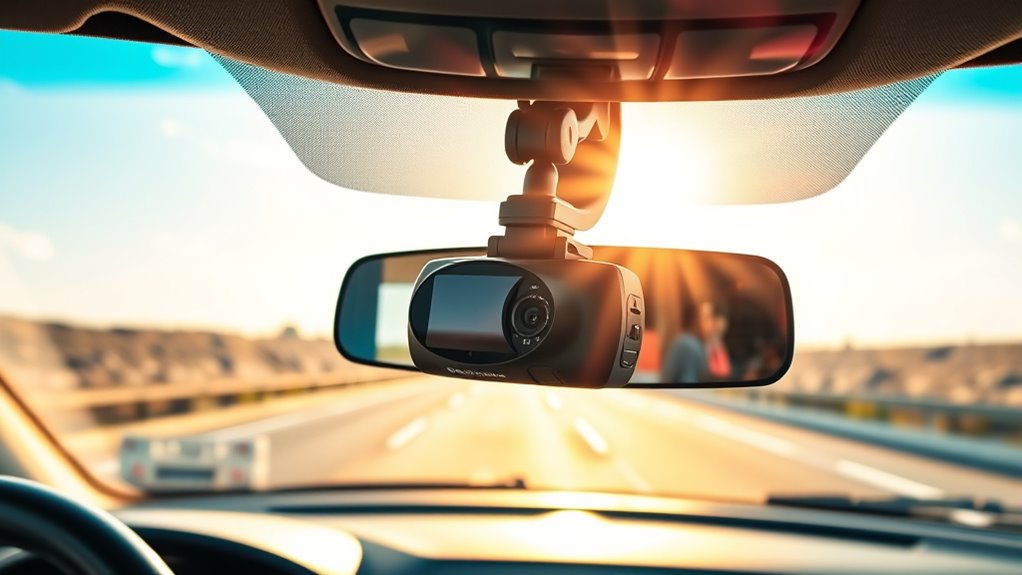
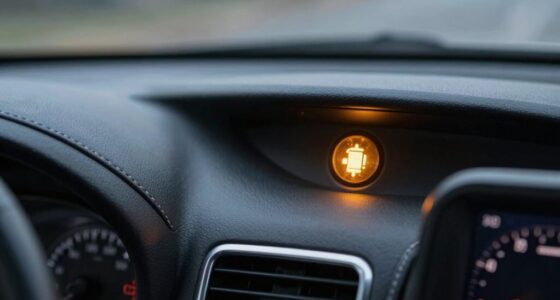
When your dash cam is exposed to scorching heat, its performance and lifespan can suffer if you’re not careful. High temperatures can cause overheating, leading to system shutdowns or even permanent damage. To prevent this, you need to focus on proper solar panel maintenance and interior cooling techniques. Solar panels, which some dash cams rely on for power, can become excessively hot under direct sunlight. Regularly inspecting and cleaning your solar panel ensures it’s functioning efficiently and not trapping unnecessary heat. Dirt, debris, or grime can reduce cooling efficiency and lead to overheating. Using a soft cloth to wipe the panel gently helps maintain its ideal performance.
Regularly inspect and clean your solar panel to prevent overheating and ensure optimal dash cam performance.
In addition to maintaining your solar panel, adopting effective interior cooling techniques can considerably lower the risk of your dash cam overheating. Park your vehicle in shaded areas whenever possible, especially during peak sunlight hours. If parking in the shade isn’t an option, consider using sunshades or reflective visors to block direct sunlight from hitting your windshield. Keeping the interior cooler reduces the temperature inside your vehicle, which in turn helps keep your dash cam operating within safe limits. Ventilation also plays a role—leave windows slightly cracked if it’s safe to do so, allowing hot air to escape and cooler air to circulate.
Another effective method is to install a small fan or cooling pad directed at your dash cam or its housing. These devices can help dissipate heat more quickly, especially in prolonged exposure to sunlight. Additionally, consider applying interior cooling techniques like tinted window film, which blocks a substantial amount of UV and infrared rays, reducing the interior temperature notably. Proper insulation around your vehicle’s dashboard area can also prevent heat transfer, keeping the environment around your dash cam cooler. Moreover, understanding the thermal limits of your device can help prevent damage by ensuring it operates within safe temperature ranges.
Finally, always check your dash cam’s manual for specific temperature limits and recommended maintenance routines. Many models have built-in thermal cutoffs to prevent damage from overheating, but these measures aren’t foolproof if the environment remains excessively hot. Regularly inspecting your dash cam after long drives or during hot days helps catch potential issues early. By combining solar panel maintenance with smart interior cooling techniques, you create a protective environment that extends your dash cam’s lifespan and ensures it functions reliably even during the hottest summer days. Staying proactive about heat management means fewer shutdowns, better recordings, and peace of mind when you need your dash cam the most.
Products Worth Considering

Autel MaxiCharger Level 2 EV Charger, 40A, 240V, 25-Foot Cable, NEMA 14-50 Plug

NOCO Boost GBX45 1250A 12V Lithium Jump Starter

VIOFO A229 Pro 4K HDR Front and Rear Dash Cam
As an affiliate, we earn on qualifying purchases.
Frequently Asked Questions
Can Extreme Heat Cause Permanent Damage to My Dash Cam?
Extreme heat can cause permanent damage to your dash cam if it’s not heat resistant or lacks proper thermal protection. Over time, high temperatures can degrade internal components, leading to malfunctions or failure. To prevent this, make sure your dash cam has thermal protection features and is designed to withstand summer heat. Additionally, park in shaded areas and use sunshades to keep temperatures down, protecting your device from heat-related damage.
Are There Specific Brands Better Suited for Hot Climates?
You’d think some dash cams are practically invincible in scorching heat, right? Well, for hot climates, look for brands with superior heat resistant features like super-efficient cooling systems and rugged build quality. Brands like BlackVue and Thinkware often outperform others in the heat comparison, because they’re engineered to handle extreme temperatures without melting down or shutting off. Choosing a model with these features keeps your dash cam running smoothly all summer long.
How Long Can a Dash Cam Operate Safely in High Temperatures?
A dash cam can safely operate for several hours in high temperatures, but it depends on features like heat-resistant lenses and cooling accessories. You should monitor your device regularly, especially during peak heat, and use cooling accessories such as vented mounts or small fans. Avoid leaving your dash cam in direct sunlight, and verify it’s rated for high-temperature environments to prevent shutdowns and extend its lifespan.
Does Parking Mode Increase Overheating Risk?
Parking mode can increase overheating risk if your dash cam lacks proper thermal management. When you enable parking mode, it stays on for extended periods, which can cause heat buildup, especially in high temperatures. To prevent overheating, verify your dash cam has good ventilation, use a shaded or cooled parking area, and consider models with heat-resistant features. Taking these steps helps reduce the chance of overheating during parking mode.
What Are the Signs My Dash Cam Is Overheating?
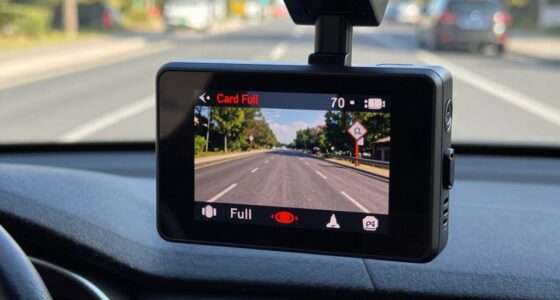
You’ll notice your dash cam overheating if it suddenly shuts off or displays a warning message. Think of it like a phone overheating on a hot day—you see signs before failure. To prevent this, use ventilation tips like parking in shaded areas and consider cooling accessories such as vented cases. These steps help keep your dash cam cool, ensuring it runs smoothly during the scorching summer months.
Conclusion
Think of your dash cam as a brave explorer venturing through a scorching desert. With proper precautions—like shading it from the sun and ensuring proper ventilation—you keep your device resilient, ready to capture every moment without faltering. Just as a seasoned traveler prepares for the heat, you safeguard your dash cam’s survival in summer’s fiery grip. Stay vigilant, stay cool, and let your dash cam continue its journey without interruption.