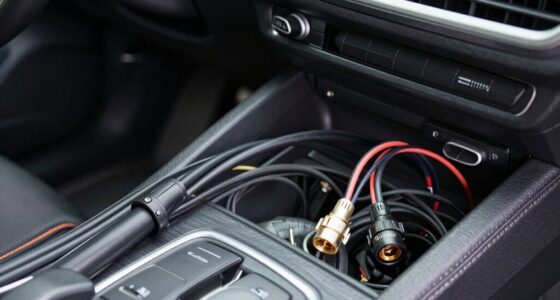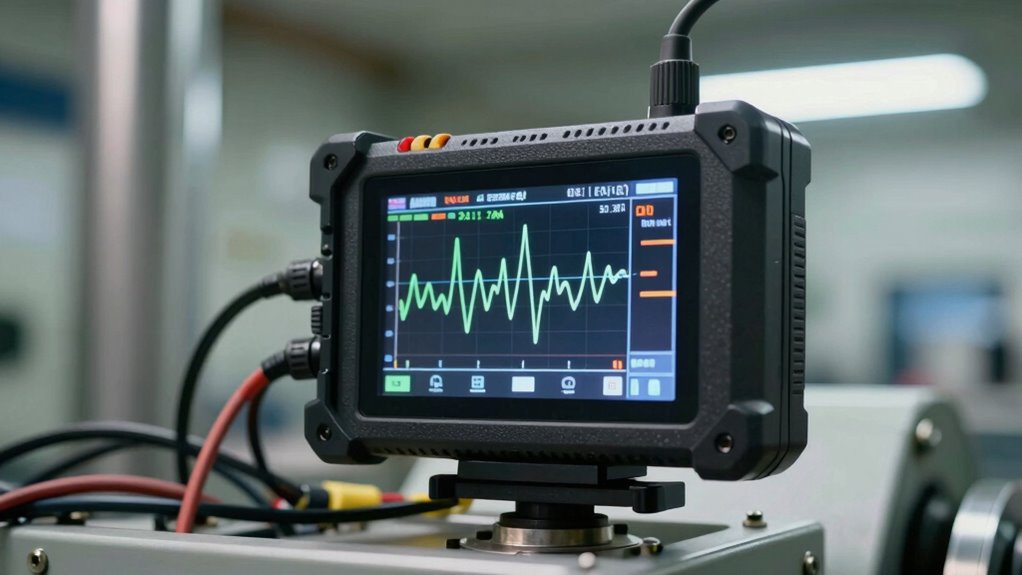
To capture an intermittent issue with data logging, set up continuous recording of relevant parameters like voltage, temperature, or pressure, adjusting the sampling rate during peak times or when issues tend to occur. Use triggers to record only when thresholds are crossed, saving storage space. Monitor environmental factors and check connections, as external influences can cause sporadic faults. Regularly review and visualize your data to identify patterns or anomalies, and keep detailed records. If you keep exploring, you’ll find more tips to improve your troubleshooting.

Get business pricing on garage and car supplies
- Business-only prices and quantity discounts
- Tax-exempt purchasing
- Multiple users, one account, clear invoices
Key Takeaways
- Use high-frequency sampling during peak times to increase the chance of capturing transient faults.
- Set up triggers to record data only when parameters exceed predefined thresholds.
- Log multiple parameters simultaneously to identify correlations with intermittent issues.
- Monitor environmental factors and connections that may influence sensor readings.
- Regularly review and visualize logged data to detect patterns or anomalies linked to the fault.

Intermittent issues can be frustrating to diagnose because they don’t happen consistently, making it hard to pinpoint the root cause. When dealing with such problems, data logging becomes an essential tool. By continuously recording data over time, you can identify patterns or anomalies that might otherwise go unnoticed. To effectively capture these issues, start by ensuring your sensors are properly calibrated. Sensor calibration is vital because inaccurate readings can mimic or mask intermittent faults, leading you down the wrong troubleshooting path. Regular calibration checks help confirm that your sensors provide accurate data, reducing false positives during analysis.
Proper sensor calibration ensures accurate data, preventing false alarms and aiding in effective troubleshooting of intermittent issues.
As you set up your data logging system, keep user troubleshooting in mind. Make sure your logging device captures relevant parameters—such as voltage, temperature, or pressure—at suitable intervals. Too short an interval might generate unnecessary data, making it hard to analyze, while too long a gap could cause you to miss critical transient events. Adjust the sampling rate based on the problem’s nature. For example, if the issue occurs sporadically, a higher sampling rate during peak times may be necessary. Many data loggers also allow you to set triggers, so they only record data when specific thresholds are crossed, conserving storage and focusing your attention on potential problem periods.
Monitoring the environment around your equipment can also provide clues. Sometimes, external factors like humidity or vibrations influence sensor outputs, causing intermittent faults. Incorporate environmental sensors into your data logging setup to correlate these variables with the primary issue. During user troubleshooting, document every step you take—what you changed, when, and what the results were. This systematic approach helps eliminate potential causes and builds a clearer picture of the problem. Additionally, understanding sensor drift and its impact can be crucial because it can gradually lead to inaccurate readings over time. Recognizing external influences and how they can affect sensor performance can be instrumental in diagnosing intermittent problems.
Remember, capturing an intermittent issue requires patience and precision. Review your logged data regularly, looking for irregular spikes, drops, or patterns that coincide with the problem’s occurrence. Use visualization tools like graphs to see trends more clearly. If your data shows inconsistent readings, revisit your sensor calibration, as drift over time might be contributing to the inconsistency. It can also be helpful to analyze environmental conditions, as fluctuations in temperature or humidity may be influencing sensor data. Also, consider the possibility that loose connections or faulty wiring could be causing sporadic signals, so inspect your setup thoroughly.
data logger with trigger thresholds
As an affiliate, we earn on qualifying purchases.
As an affiliate, we earn on qualifying purchases.
Frequently Asked Questions
What Types of Sensors Are Best for Data Logging?
You should choose sensors that suit your specific application, like temperature, pressure, or humidity sensors, to guarantee ideal data logging. Make sure they’re properly calibrated for accuracy, which is essential for reliable results. Opt for durable, high-quality sensors that can withstand your environment, and regularly verify their calibration to maintain data accuracy. Using the right sensors with proper calibration helps you capture precise data, even during intermittent issues.
How Often Should Data Be Recorded During Intermittent Issues?
Think of sampling frequency like a camera shutter, capturing fleeting moments. For intermittent issues, record data frequently—every second or even faster if possible—to catch elusive glitches. Balance data resolution and sampling rate; higher resolution provides detailed insights, but too high can flood your storage. Adjust your data logging interval based on the issue’s nature, ensuring you don’t miss critical events while managing data effectively.
Can Data Logging Interfere With Normal Device Operation?
Data logging can interfere with normal device operation if you’re not careful, especially if sensor calibration isn’t optimized. Excessive data collection might slow down processing, and data compression issues could lead to delayed or lost information. To avoid this, set appropriate logging intervals and guarantee your system manages data efficiently. Regularly calibrate sensors and choose suitable compression methods to minimize impact on device performance while capturing essential data during intermittent issues.
What Are Common Causes of Intermittent Technical Problems?
Intermittent problems often stem from root cause analysis challenges, where faulty connections, environmental factors, or software glitches cause sporadic failures. Troubleshooting techniques like systematic testing, checking logs, and isolating variables help identify these elusive issues. You should closely examine patterns and use data logging to monitor changes over time, enabling you to pinpoint the root cause efficiently. Consistent testing and detailed analysis are essential to resolving intermittent technical problems.
How Do You Analyze Large Data Logs Effectively?
Imagine reviewing a data log where sudden temperature spikes signal equipment failure. To analyze large data logs effectively, you should use data visualization tools to identify patterns and anomalies quickly. Employ anomaly detection algorithms to flag irregularities that merit further investigation. This approach helps you spot issues early, understand their root causes, and optimize system performance, saving time and reducing downtime during troubleshooting.
high frequency data logger for intermittent faults
As an affiliate, we earn on qualifying purchases.
As an affiliate, we earn on qualifying purchases.
Conclusion
So, armed with your trusty data logger, you’re now ready to tame the elusive beast of intermittent issues. Remember, patience is key—think of yourself as a detective in a noir film, waiting for that elusive clue. If you capture every blip and anomaly, you’ll soon reveal the mystery behind the sporadic malfunction. Or, at the very least, impress your colleagues with your relentless persistence—and maybe, just maybe, finally get some sleep.
environmental sensors for data logging
As an affiliate, we earn on qualifying purchases.
As an affiliate, we earn on qualifying purchases.
As an affiliate, we earn on qualifying purchases.
Fall Picks
fall essentials
As an affiliate, we earn on qualifying purchases.