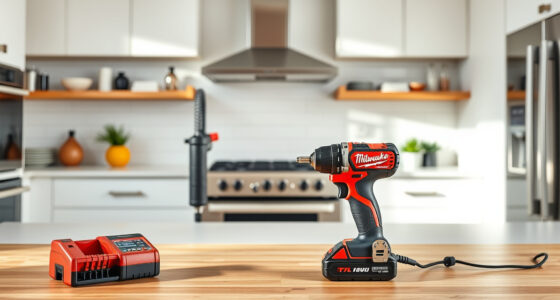
If your Milwaukee power tool charger is blinking red, it signals a problem that needs attention. This common issue can be caused by several factors, from battery health to charger malfunction. Fortunately, most problems are fixable with some simple troubleshooting steps. In this guide, you’ll learn how to identify the root cause and resolve the blinking red light safely, ensuring your Milwaukee tools are ready for work.

Get garage and car supplies delivered free — and shop member deals
- Fast, free delivery on millions of items
- Access to Prime Big Deal Days deals on October 6–7
- Prime Video, Amazon Music and more included
Before starting, make sure you have your Milwaukee charger, batteries, and the relevant tools on hand. Always prioritize safety—disconnect batteries before inspecting or handling components and work in a clean, dry environment.
Key Takeaways
| Identify the blinking pattern | Different blinking sequences indicate specific issues. |
| Check battery compatibility and condition | Ensure batteries are fully charged and compatible with your charger. |
| Inspect for physical damage | Look for dirt, corrosion, or damage on the charger and batteries. |
| Reset or replace components if needed | Sometimes a simple reset or replacing a faulty battery solves the problem. |
| Prevent future issues | Proper storage and regular maintenance extend charger and battery life. |
Understanding the Red Blinking Pattern
Milwaukee chargers use blinking lights to communicate their status. A steady red light often indicates a charging issue, while blinking patterns can signal errors such as overheating, incompatible batteries, or faults. Observe the specific pattern of blinking—number of blinks and speed—as this helps diagnose the problem accurately. For example, a rapid blinking might indicate a battery fault, whereas a slow, steady blink could signal overheating.
Initial Troubleshooting Steps
- Unplug and Reset the Charger: Disconnect the charger from power, wait 30 seconds, then plug it back in to reset the system.
- Inspect the Battery: Remove the battery from the charger and examine for dirt, debris, or damage. Clean contacts gently with a dry cloth.
- Try a Different Battery: Use another compatible Milwaukee battery, preferably a fully charged one, to see if the issue persists.
- Check for Overheating: If the charger feels hot, allow it to cool down in a well-ventilated area before retrying.
Assessing Battery and Charger Condition
If the blinking red persists, test the battery’s health. Batteries like the Milwaukee 48-11-1850R 5.0 Ah XC or the M18 REDLITHIUM HIGH Output XC 6.0Ah are designed for durability, but over time, they can degrade. Use a known good battery to verify if the problem is with the battery or the charger. Also, inspect the charger for visible damage or corrosion on the contacts. If damage is evident, replacing the charger may be necessary.
Replacing or Repairing Faulty Components
If the battery is faulty, replacing it with a compatible model such as the Milwaukee 48-11-1850R or the M18 XC6.0 is recommended. If the charger continues to blink red despite healthy batteries, consider contacting Milwaukee support or consulting a professional. In some cases, internal circuit issues could be causing the fault, and repair or replacement of the charger might be the only option.
Preventative Maintenance and Tips
To avoid future charging issues, store batteries in a cool, dry place and avoid exposing them to extreme temperatures. Regularly clean the charger contacts and avoid overloading the system by using incompatible or damaged batteries. Keep your tools and charger free of dirt and moisture, and perform periodic checks to ensure optimal performance.
The Products in This Guide

Milwaukee M18 18V Cordless Power Tool Combo Kit
- ✔ Voltage: 18V
- ✔ Battery Capacity: Up to 5.0 Ah
- ✔ Number of Tools: 8

Milwaukee Shockwave 100pcs Impact Driver Bit Set Packout
- ✔ Number of Bits: 100
- ✔ Case Type: Packout
- ✔ Material: Impact-rated steel
Milwaukee M18 18V Cordless Power Tool Combo Kit
The Milwaukee M18 18V Cordless Power Tool Combo Kit offers a comprehensive collection of tools, batteries, and accessories, making it ideal for various construction and maintenance tasks. Its reliable power system and included charger make it a top choice for professionals and DIY enthusiasts alike.
Pros:
- Includes 8 tools for versatile applications
- Comes with 3 batteries for extended work time
- High-quality Milwaukee REDLITHIUM batteries
- Includes durable tool bags for transport
Cons:
- Bulkier for tight spaces
- Some tools may be more suited for professional use
- Additional batteries may be needed for heavy workloads
Best for: Construction, remodeling, and maintenance tasks requiring multiple tools
Not ideal for: Light-duty or occasional DIY projects
Bottom line: A versatile, reliable kit perfect for demanding jobsites, with excellent power and storage solutions.
Milwaukee Shockwave 100pcs Impact Driver Bit Set Packout
The Milwaukee Shockwave 100pcs Impact Driver Bit Set Packout provides a comprehensive selection of bits in a durable case, perfect for expanding your tool’s capabilities. It complements your Milwaukee tools, especially if you frequently switch bits during projects.
Pros:
- 100 impact driver bits for various applications
- Includes a Packout case for organized storage
- Durable, impact-rated bits
- Versatile for different materials
Cons:
- Bits may wear over heavy use
- Case size might be bulky for small toolkits
- Not suitable for non-impact drivers
Best for: Professional contractors and serious DIYers needing a broad bit selection
Not ideal for: Occasional hobbyist use
Bottom line: A comprehensive set that enhances your impact driver’s versatility and durability.
Frequently Asked Questions
What does a blinking red light on my Milwaukee charger mean?
A blinking red light typically indicates a charging error, such as overheating, incompatible battery, or internal fault. Check the blinking pattern for specific diagnostics.
How do I reset my Milwaukee charger?
Unplug the charger from power, wait about 30 seconds, then plug it back in. This simple reset can resolve minor electronic glitches.
Can I use any Milwaukee battery with my charger?
Only use batteries designed for the M18 platform and compatible with your charger. Using incompatible or damaged batteries can cause blinking errors.
What should I do if my battery still won’t charge?
Try a different, fully charged battery. If it still doesn’t charge, inspect the charger contacts, clean them if dirty, and consider replacing the charger if needed.
How can I prevent my charger from blinking red in the future?
Store batteries in a cool, dry place, avoid exposing the charger and batteries to extreme temperatures, and regularly clean the contacts to ensure good connection.
Keeping Your Milwaukee Charger Running Smoothly
By understanding the meaning behind blinking red lights and following these troubleshooting steps, you can quickly diagnose and fix common issues with your Milwaukee charger. Regular maintenance, proper storage, and using compatible batteries will extend the life of your equipment and keep your power tools ready for any task. Always prioritize safety, and when in doubt, consult Milwaukee support for professional assistance.
Affiliate disclosure: As an Amazon Associate we earn from qualifying purchases. Prices and availability are accurate as of the time of publishing.
Halloween Picks
halloween
As an affiliate, we earn on qualifying purchases.