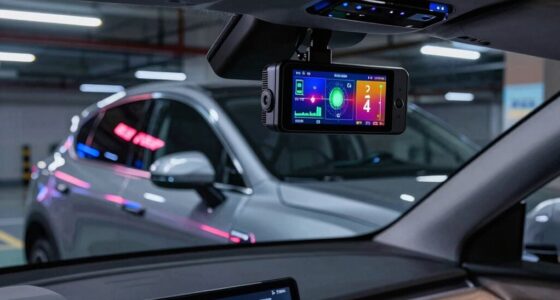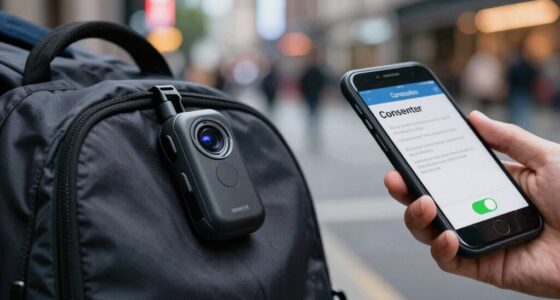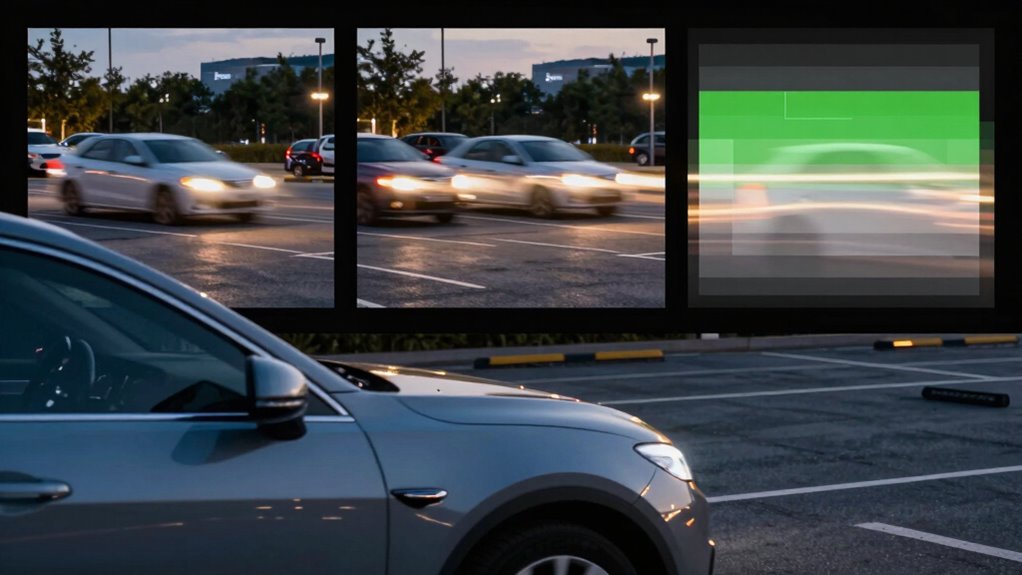

Parking Mode protects your vehicle by recording incidents even when you’re away. Buffered mode creates a loop of pre-recorded clips, saving footage only when triggered by impact. Motion detection records only when movement is sensed around your vehicle, saving storage. Time-lapse captures images at set intervals, ideal for long-term surveillance. Proper calibration guarantees all modes work accurately and reliably. Keep exploring to discover how to optimize each mode for your needs.

Get business pricing on garage and car supplies
- Business-only prices and quantity discounts
- Tax-exempt purchasing
- Multiple users, one account, clear invoices
Key Takeaways
- Buffered mode records short clips before and after an incident, triggered by sensors, ideal for capturing sudden impacts.
- Motion detection mode starts recording only when movement is detected around the vehicle, conserving storage space.
- Time-lapse mode captures images at intervals to create a summarized video, suitable for long-term surveillance.
- Proper calibration is essential across all modes to ensure footage accuracy, focus, and prevent false triggers.
- Each mode serves different security needs: incident review, threat detection, or long-term scene monitoring.

Ever wondered how your dash cam keeps recording even when you’re not driving? It’s a feature designed to boost your vehicle security, guaranteeing you have footage if an incident occurs while parked. When you activate parking mode, your dash cam shifts from its usual driving recordings to a different recording style tailored for stationary use. This switch relies on proper camera calibration, which verifies the footage is clear and accurate, even when capturing details in low-light or complex scenes. Calibration helps the camera maintain focus, correct distortions, and optimize image quality, so the footage remains reliable as evidence or for review.
Parking mode activates to record incidents while stationary, relying on calibration for clear, accurate footage in low-light and complex scenes.
There are several parking mode options, with buffered, motion, and time-lapse modes standing out as the most common. Buffered recording works a bit like a preemptive buffer; it continuously records small segments of footage in a loop but only saves the clips if an incident triggers the sensor. This mode is excellent for capturing sudden impacts or vandalism, as it records just before and after the event, giving you a comprehensive view of what happened. Since it constantly records in the background, it requires proper camera calibration to avoid missing vital details or recording distorted images. Proper calibration also ensures the camera’s recording accuracy during critical moments, which is vital for reliable evidence. Buffered mode provides a good balance between vehicle security and storage management because it minimizes unnecessary footage. Additionally, the effectiveness of buffered mode depends on the camera’s calibration process, ensuring the footage captured is both accurate and useful. Ensuring your dash cam’s sensor sensitivity is properly calibrated is also essential for detecting incidents accurately. Consistent calibration helps maintain the reliability of all parking mode functions over time, especially as environmental conditions change.
Motion detection mode is another popular parking feature. When activated, it only records when the camera detects movement around your vehicle. This mode conserves storage space because it isn’t recording continuously, but it’s vital to ensure the camera’s motion sensors are calibrated correctly. Proper calibration prevents false triggers—like passing shadows or flickering lights—and guarantees that genuine threats or incidents are captured. When your dash cam detects motion, it automatically starts recording, giving you peace of mind knowing that suspicious activity around your vehicle doesn’t go unnoticed. Regularly checking and adjusting the sensor calibration can help maintain the accuracy of motion detection over time.
Time-lapse mode offers a different approach. Instead of recording every second, it captures images at preset intervals—say, one frame every second or every few seconds—and combines these into a video. This mode is ideal for long-term surveillance because it uses minimal storage and battery power, yet it still provides a visual record of what happens over hours or days. Camera calibration plays a critical role here too, ensuring that each frame is sharp and consistent, which is essential for analyzing scene changes or spotting subtle details. Proper calibration ensures the images remain clear and accurate over extended periods, making time-lapse an effective surveillance method. Maintaining consistent calibration is especially important in time-lapse mode, as shifts in focus or image quality could lead to misinterpretations of scene changes.
As an affiliate, we earn on qualifying purchases.
Frequently Asked Questions
How Do I Choose the Best Parking Mode for My Needs?
To choose the best parking mode, consider your vehicle security needs and the parking environment. Buffered mode offers continuous recording, ideal for thorough security. Motion detection saves storage with targeted recordings, perfect for busy areas. Time-lapse captures long periods quickly, useful for monitoring over extended times without filling storage. Assess your security benefits and how much footage you need, then select the mode that best balances protection and storage efficiency.
Can Parking Modes Drain My Car Battery Quickly?
Parking modes can drain your car battery if they’re set to high power consumption settings or left on for extended periods. While some modes, like motion detection, use less energy, continuous recording or time-lapse modes may increase battery drain. To minimize this, choose energy-efficient settings and turn off parking mode when not needed. Properly managing these settings helps prevent unnecessary battery drain and keeps your car ready to go.
Are There Any Legal Considerations for Parking Mode Recordings?
Yes, there are legal considerations for parking mode recordings. You need to guarantee legal compliance by adhering to local laws about surveillance and recording. Privacy concerns are significant, especially if your camera captures public areas or private property without consent. Always inform others if required, and avoid recording where privacy is expected. Staying informed about local regulations helps you avoid legal issues and respects others’ privacy rights.
How Much Storage Space Does Each Parking Mode Typically Require?
Think of your parking mode recordings as a garden—each mode needs different watering. Buffered mode uses more storage because it captures high-quality video snippets, extending recording duration. Motion mode conserves space by recording only when movement is detected, reducing storage needs. Time-lapse recordings are like a fast-forwarded movie, requiring the least space, but sacrificing detail. Your video quality and recording duration depend on which mode you choose, balancing detail with storage capacity.
Can I Switch Between Parking Modes Easily?
Yes, you can typically switch between parking modes easily, especially if your camera offers parking mode customization. Most modern dash cams include parking mode compatibility, allowing you to toggle between buffered, motion, or time-lapse modes through the settings menu. Just make certain your device supports multiple modes and follow the manufacturer’s instructions to switch smoothly, optimizing your parking surveillance based on your needs.
vehicle dash cam motion detection
As an affiliate, we earn on qualifying purchases.
As an affiliate, we earn on qualifying purchases.
Conclusion
Now, picture your camera silently watching over your parked car, each mode serving a different purpose—buffered captures, motion alerts, or time-lapse snapshots—like a vigilant guardian. Whether you want constant reassurance or just a quick peek when something moves, understanding these modes puts you in control. So, next time you park, imagine your camera as a watchful eye, ready to tell the story of your vehicle’s quiet vigil, keeping you secure even when you’re away.
As an affiliate, we earn on qualifying purchases.
time-lapse dash cam for vehicles
As an affiliate, we earn on qualifying purchases.
As an affiliate, we earn on qualifying purchases.
Halloween Picks
halloween
As an affiliate, we earn on qualifying purchases.