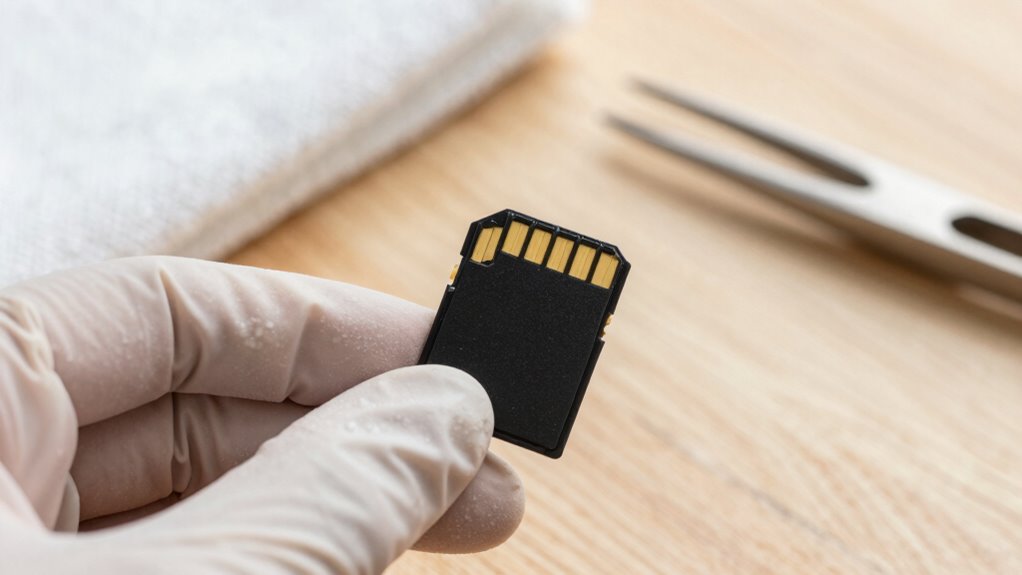

To double your MicroSD card’s reliability, handle it carefully by always ejecting it properly and avoiding physical shocks or extreme environments. Monitor its health regularly and don’t fill it to capacity, leaving free space to keep performance smooth. Store it in a protective case and keep firmware updated for better stability. Using these routines helps prevent data loss and extends its lifespan. Keep practicing these tips, and you’ll discover even more ways to guarantee your card stays in top shape.
Key Takeaways
- Regularly check storage capacity and performance using device tools; avoid filling the card to maximum capacity.
- Properly eject the MicroSD card before removal to prevent data corruption and physical damage.
- Store the card in a protective case and keep away from extreme temperatures, moisture, and shocks.
- Update device firmware and monitor card health to address issues promptly and ensure compatibility.
- Handle the card gently, avoid physical impacts, and use reputable recovery tools if data recovery is needed.
MicroSD cards are small but essential components for expanding storage on your devices, so taking good care of them is vital. These tiny storage solutions can significantly boost your device’s storage capacity, but they’re also delicate and susceptible to damage if not handled properly. When you’re mindful of how you treat your MicroSD card, you not only extend its lifespan but also improve your chances of successful data recovery if something goes wrong. Maintaining your card’s health ensures your data stays safe and accessible, whether you’re storing photos, videos, or important documents.
One of the most critical routines you can adopt is regularly checking the card’s health and performance. Many devices and computer systems offer tools to monitor storage capacity and identify potential issues early. If your MicroSD card starts to show signs of slowing down or errors, addressing these problems immediately can prevent data loss. Keeping an eye on storage capacity is also essential—you don’t want to fill the card to its maximum, as this can cause performance issues or corruption. Leave some free space to allow the card to operate smoothly, which also helps in faster data access and reduces the risk of errors during data transfer. Regularly updating your device’s firmware can also help improve compatibility and stability with your MicroSD card performance. Additionally, being aware of memory card lifespan and how usage impacts it can guide you in better managing your storage.
Regularly monitor your MicroSD card’s health and free space to prevent errors and ensure smooth performance.
Properly eject your MicroSD card before removing it from your device. This simple habit ensures that all ongoing read/write processes are completed, decreasing the likelihood of corrupting stored data. When you do need to recover data from a damaged or corrupted card, having followed these routines makes data recovery easier and more efficient. Using reputable recovery tools can often retrieve lost files, but prevention is always better. Keep your card away from extreme temperatures, moisture, and physical shocks, as these factors can harm the memory chips and compromise your data. Additionally, understanding MicroSD card care and applying best practices can greatly enhance your device’s overall performance and longevity. Proper storage in protective cases when not in use is also recommended to avoid accidental damage and extend the lifespan of your MicroSD card. Implementing proper storage practices can significantly prolong the lifespan of your MicroSD card.
As an affiliate, we earn on qualifying purchases.
Frequently Asked Questions
Can microSD Cards Be Repaired After Data Corruption?
Yes, you can often repair a microSD card after data corruption. You should start with data recovery tools to retrieve your files before attempting repair techniques. Use specialized software designed for microSD card repair, which can fix errors and recover corrupted data. If these methods don’t work, consider professional data recovery services. Remember, acting quickly increases your chances of successful data recovery and prolongs your microSD card’s lifespan.
How Often Should I Back up My microSD Card Data?
You should back up your microSD card data regularly to prevent potential pitfalls. Aim for weekly or bi-weekly backups, especially if you frequently add or change files. This proactive approach supports smart strategies like data recovery and minimizes mishaps. Implementing consistent backup strategies guarantees your data stays safe, secure, and swiftly restorable. Don’t delay—dedicate time today to protect tomorrow’s precious files with dependable, diligent backups.
What Is the Lifespan of a Typical microSD Card?
A typical MicroSD card lasts around 3 to 5 years, depending on usage and storage conditions. To maximize storage longevity, avoid frequent data recovery that can wear out the card faster. Regular backups are essential because, despite good care, data loss can happen unexpectedly. Keep an eye on the card’s performance, and replace it if you notice errors or slowdowns, ensuring your data stays safe and accessible.
Are There Specific Brands Known for Higher Durability?
Like choosing a trusty steed, picking a durable microSD brand matters. Brands like SanDisk, Samsung, and Kingston are known for higher durability, owing to superior durability factors like better NAND technology and robust construction. When comparing brands, consider their reliability records and warranty policies. These brands often withstand frequent read/write cycles, temperature changes, and physical wear better, ensuring your data stays safe and the card lasts longer.
How Do Temperature Changes Affect microSD Card Performance?
Temperature changes can considerably affect your microSD card’s performance. When temperatures fluctuate, thermal expansion and contraction can cause physical stress, potentially damaging the internal components. To maintain temperature stability, avoid exposing your card to extreme heat or cold, especially during operation. Store it in a cool, dry place and use protective cases if necessary. Keeping a consistent temperature helps preserve data integrity and prolongs your microSD card’s lifespan.
MicroSD card data recovery tools
As an affiliate, we earn on qualifying purchases.
As an affiliate, we earn on qualifying purchases.
Conclusion
By following these simple routines, you’ll keep your MicroSD card as reliable as the steady beat of a well-tuned clock—like a trusted companion through every adventure. Treat it with care, avoid sudden jolts, and always eject properly, and your data will stay safe, echoing the timeless wisdom of those who cherish their tools. Remember, a little maintenance today guarantees your memories and files remain yours tomorrow, just as the steady hand of history guides us forward.
MicroSD card health monitoring software
As an affiliate, we earn on qualifying purchases.
As an affiliate, we earn on qualifying purchases.
As an affiliate, we earn on qualifying purchases.