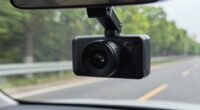
To reduce reflections on your dash cam without changing its settings, try attaching a high-quality circular polarizing filter designed for your lens size. Carefully rotate the filter while monitoring the footage to reduce glare and unwanted reflections caused by sunlight or wet surfaces. Make sure the filter is securely attached and positioned at about 90 degrees to the light source for best results. Keep exploring for detailed tips on optimizing glare control effectively.
Key Takeaways
- Attach a high-quality circular polarizing filter to the dash cam lens to reduce glare and reflections effectively.
- Position the filter at approximately 90 degrees to the sun to maximize glare reduction without altering camera settings.
- Rotate the filter while observing the display to find the optimal angle that minimizes reflections while maintaining clarity.
- Use visual cues like a clear view of the screen or license plates to fine-tune the filter’s orientation during installation.
- Ensure the filter is securely attached and compatible with your dash cam to prevent issues like image distortion or improper fit.
Understanding Glare and Reflection Challenges

Glare and reflection are common issues that can substantially impair your dash cam footage, especially in bright sunlight or when facing reflective surfaces. These reflections come from the windshield, dashboard, or wet roads, creating bright spots and reducing visibility. Glare causes washed-out images, making it hard to see license plates, road signs, or other vehicles clearly. Bright sunlight hitting the camera lens directly can also overexpose footage, losing detail. Environmental factors like curved glass windshields or shiny surfaces amplify these effects. Understanding these challenges helps you recognize when glare is affecting your recordings. By being aware of how reflections and glare work, you can better prepare to minimize their impact, whether through positioning, light management, or using accessories like filters. Additionally, proper care and maintenance of your dash cam and surroundings can help reduce glare and improve image quality. Being mindful of lighting conditions can further assist in capturing clearer footage without needing to adjust your settings. For example, choosing optimal camera angles and avoiding direct sunlight can significantly improve your recording quality. Also, utilizing anti-reflective films on your windshield can help diminish the amount of reflected light reaching your dash cam lens. Moreover, understanding the properties of light reflection can guide you in making more informed adjustments to your environment and equipment.
Selecting the Right Polarizing Filter for Your Dash Cam

Choosing the right polarizing filter for your dash cam starts with understanding its specifications and compatibility. First, check your dash cam’s lens size and thread diameter to verify a proper fit. Next, contemplate the filter type—look for a Circular Polarizer (CPL) for effective glare reduction. Third, validate compatibility with your camera model, especially if it’s a fixed-focus or ultra-compact device. Additionally, consider the filter’s construction quality to ensure long-lasting performance in various conditions. Selecting a filter with high-quality glass is essential to prevent image degradation and ensure durability. Incorporating visual and auditory cues can also assist in selecting the best filter for your needs. Recognizing the importance of weather resistance ensures your filter withstands outdoor conditions. When choosing a polarizing filter, be mindful of filter coatings that can enhance durability and ease of cleaning. It’s also beneficial to review user reviews and ratings to gauge real-world performance. Here are four key points to consider:
Choose a high-quality CPL filter matching your dash cam’s lens specifications for optimal glare reduction and clarity.
- Confirm lens thread size before purchasing
- Opt for a CPL filter designed for automotive use
- Match filter material to your dash cam’s specifications
- Invest in quality filters to preserve image clarity
Proper Techniques for Attaching and Adjusting the Filter

To properly attach your CPL filter to a dash cam, start by ensuring the filter’s threaded back matches your camera’s lens size. Hold the filter between your thumb and index finger, aligning the threads with the lens. Push firmly to secure it, but avoid cross-threading. Once attached, gently rotate the front part of the filter to calibrate glare reduction. Use the table below to visualize attachment and adjustment ideas:
| Step | Tip |
|---|---|
| Match thread size | Check lens specifications |
| Secure filter without cross-threading | Apply even pressure |
| Rotate for calibration | Adjust while monitoring screen |
| Test glare reduction | Fine-tune angle for best results |
Follow these steps to ensure a secure fit and maximum glare control. Additionally, consider how proper filtering techniques can optimize your dash cam footage by reducing reflections and enhancing image clarity.
Practical Tips for Achieving Optimal Glare Reduction

Achieving the best glare reduction with your CPL filter requires careful adjustment and testing. Start by rotating the filter slowly while observing your dash cam display or smartphone screen. Use these tips to optimize results:
- Align at 90 Degrees: Position the sun at about 90 degrees to your driving direction for maximum effectiveness.
- Test with White Paper: Hold a white paper in front of your dash cam to spot glare and adjust the filter accordingly.
- Fine-Tune Angles: Slightly rotate the filter back and forth to find the balance between reducing reflections and maintaining image clarity.
- Monitor in Different Conditions: Test during various lighting scenarios to ensure consistent glare reduction.
- Additionally, understanding how lighting conditions affect glare can help you make more informed adjustments for optimal results.
Limitations and Troubleshooting Common Issues
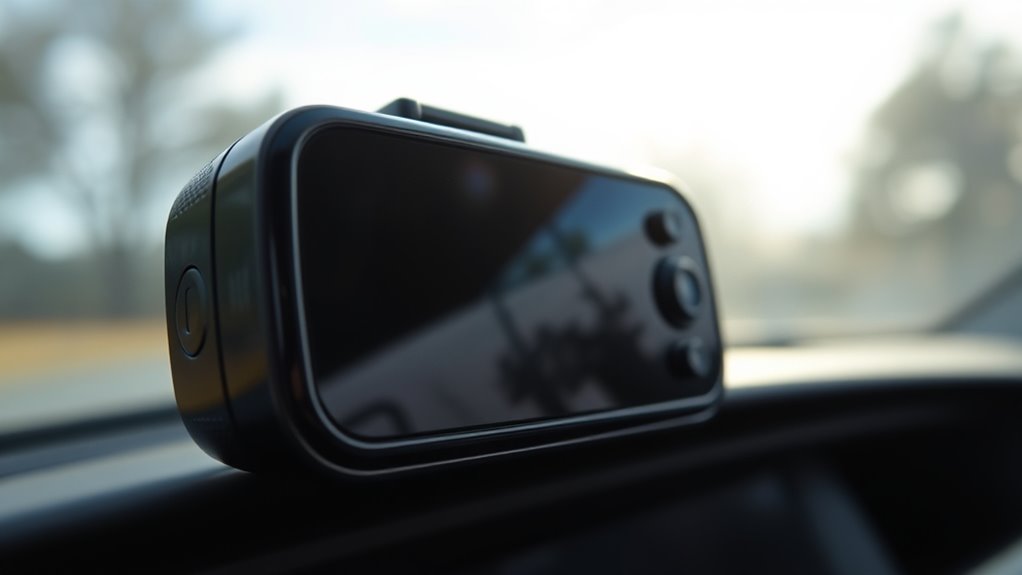
While CPL filters can considerably reduce glare, they come with certain limitations that may affect your dash cam’s performance. For example, some models, especially ultra-compact or fixed-lens dash cams, might not support external filters. Positioning can also be tricky; if the filter isn’t aligned correctly or if the windshield’s curvature causes reflections, glare reduction may be limited. Sometimes, environmental factors like strong sunlight or wet surfaces make it impossible to eliminate all reflections. Additionally, rotating the filter to find the ideal angle can be challenging, especially while driving. If you notice decreased image clarity or color distortion, try adjusting the filter’s angle or removing it temporarily. Always check your dash cam’s specifications and consult the manufacturer for compatibility issues or troubleshooting advice. Also, understanding the horsepower of electric dirt bikes can help you choose the right equipment if you decide to upgrade your vehicle for better performance. Moreover, being aware of vetted product reviews can assist in selecting the most effective glare reduction accessories for your dash cam.
Frequently Asked Questions
Can All Dash Cams Support CPL Filters?
Not all dash cams support CPL filters. You need to check if your camera has compatible lens threads, usually specified in the manual or product specs. Fixed-focus or ultra-compact models might lack the necessary threading or space for attaching filters. If you’re uncertain, contact the manufacturer or look for models explicitly designed to accommodate external accessories like CPL filters to ensure proper fit and functionality.
Do CPL Filters Affect Night Vision Footage?
Did you know that CPL filters can reduce glare by up to 90%? They can slightly dim night vision footage, but won’t substantially impair your ability to see in low light. When you use one at night, it might cause a minor decrease in image brightness, but overall, it helps cut unwanted reflections and enhances clarity. Just remember to remove or adjust it if you need ideal night recording.
How Do I Know if My Dash Cam’s Lens Is Compatible?
You can check if your dash cam’s lens is compatible by first looking at the model specifications or user manual. Measure the lens thread size, usually indicated in millimeters (e.g., 37mm), and compare it with the CPL filter’s specifications. Visit the manufacturer’s website or contact customer support for confirmation. Confirm the filter matches your lens size and type to avoid fitting issues and attain maximum glare reduction.
Will Using a CPL Filter Void My Dash Cam Warranty?
Using a CPL filter usually won’t void your dash cam warranty if it’s compatible and correctly installed, but don’t take that as gospel. Manufacturers often have strict policies about modifications, so it’s best to check your warranty details or contact customer support first. Think of it as walking a tightrope—if you’re careful and follow guidelines, you shouldn’t have issues, but proceed with caution to avoid any surprises.
Are There Alternative Glare Reduction Options Without Filters?
Yes, you can reduce glare without filters by positioning your dash cam properly. Mount it close to the top of your windshield, just behind the rearview mirror, to minimize reflections from the dashboard. Keep the camera angled slightly downward to avoid direct sunlight. Also, clean your windshield regularly, especially the inside, to prevent glare from smudges and dust. These steps help improve visibility and reduce reflections without using any additional filters.
Conclusion
By choosing the right filter and mastering proper techniques, you can turn your dash cam into a glare-free lens of clarity. Think of it as training your camera’s eye to see through the fog of reflections, revealing every detail on the road. With patience and practice, those pesky reflections won’t stand a chance. So, why settle for compromised footage when a simple fix can give you crystal-clear views—making every drive a story worth telling?