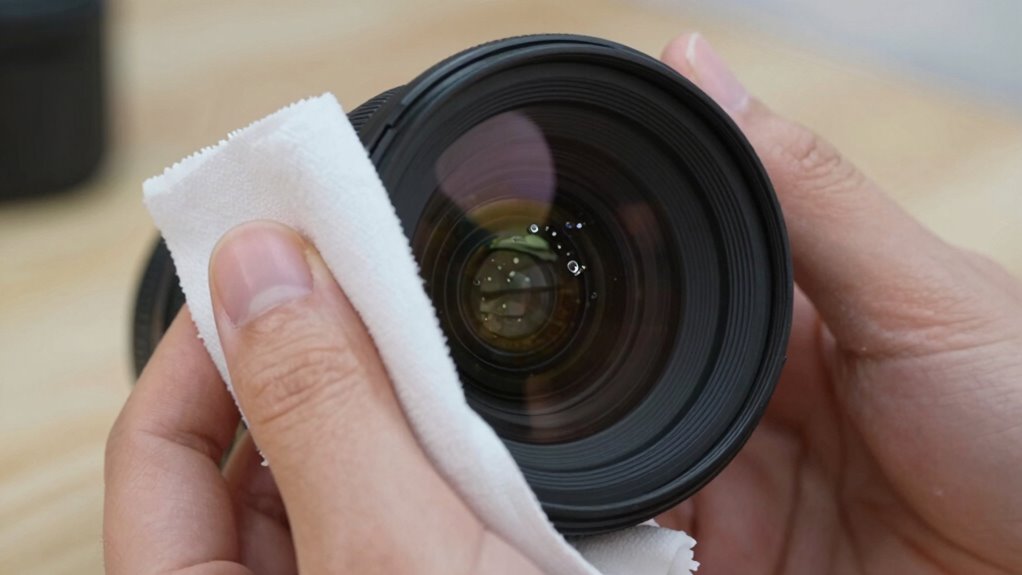

To clean your camera lens the right way and avoid micro-scratches, turn off your camera and remove the lens if possible. Use a blower or soft brush to gently remove dust, then apply a few drops of lens cleaning solution to a microfiber cloth—never directly on the lens. Clean in gentle, circular motions from the center outward, using light pressure. Keep your tools clean and avoid harsh substances. If you want to protect your lenses and keep your images sharp, here’s what you need to know next.

Get garage and car supplies delivered free — and shop member deals
- Fast, free delivery on millions of items
- Access to Prime Big Deal Days deals on October 6–7
- Prime Video, Amazon Music and more included
Key Takeaways
- Use a lens-specific cleaning solution and a microfiber cloth to prevent scratches and damage.
- Always turn off the camera and remove the lens before cleaning for better access and safety.
- Gently blow away loose dust with a bulb blower or soft brush before wiping.
- Apply cleaning solution to the cloth, not directly on the lens, and clean with light circular motions.
- Regularly replace or wash cleaning cloths to avoid reintroducing dirt and ensure optimal cleaning.

Have you ever noticed how smudges or dust can ruin a perfect shot? It’s frustrating, especially when you’ve lined up the shot just right. The key to capturing clear, sharp images is keeping your camera lens spotless, but it’s equally important to do so carefully. Using the right tools makes all the difference. When it comes to cleaning your camera lens, you want to use lens cleaning solutions designed specifically for optics. These solutions are formulated to dissolve oils, fingerprints, and dirt without damaging the coating on your lens. Avoid household cleaners or anything abrasive, as they can cause micro-scratches that degrade image quality over time. Pair the lens cleaning solution with proper cleaning cloths—preferably microfiber cloths—because they’re gentle yet effective at removing debris without leaving lint or scratches.
Before you start cleaning, turn off your camera and remove the lens if possible. This helps prevent accidental damage and gives you better access. Begin by gently blowing away loose dust or particles with a bulb blower or a soft brush. This step is essential because wiping dust directly on the lens surface can cause scratches. It’s also helpful to understand lens coatings, so you know how to clean without damaging them. Once you’ve cleared the surface, apply a few drops of lens cleaning solution to your proper cleaning cloth, not directly on the lens. Gently wipe the lens in a circular motion, starting from the center and working outward. This method ensures you lift away smudges and oils without pushing dirt into the edges or corners. Never press too hard; a light, consistent touch is enough to clean effectively and prevent micro-scratches. Proper cleaning techniques are crucial for maintaining lens quality over time. Additionally, understanding the different types of lens coatings can help you choose the most appropriate cleaning method for your lens.
Using appropriate cleaning methods can extend the lifespan of your lens coatings and preserve image clarity. If you notice stubborn smudges, repeat the process carefully. For persistent spots, use a fresh part of the cloth or a new cloth entirely—never reuse a cloth that’s already been contaminated with dirt or oil. After cleaning, inspect the lens under good light to ensure all smudges and dust are gone. Proper cleaning cloths are washable and reusable, but always keep them clean and dry. Regularly replacing or washing your cloths prevents the buildup of dirt that could scratch your lens during future cleanings. Remember, patience and gentle handling are your best tools. Rushing or using harsh materials can damage your lens, leading to micro-scratches that are invisible at first but can profoundly affect your images over time.
As an affiliate, we earn on qualifying purchases.
Frequently Asked Questions
How Often Should I Clean My Camera Lens?
You should clean your camera lens whenever you notice smudges, dust, or fingerprints, typically after every few shoots or once a week if you’re shooting frequently. Regular lens maintenance and appropriate cleaning frequency prevent dirt buildup and micro-scratches. Use a blower, microfiber cloth, and lens cleaner to gently remove debris. Avoid over-cleaning, which can damage coatings, and always handle your lens carefully to preserve clarity and performance.
Can I Use Household Glass Cleaners on My Lens?
You shouldn’t use household glass cleaner or household chemicals on your camera lens. These products often contain chemicals that can damage the lens coating or leave residues. Instead, use a lens-specific cleaner and a microfiber cloth to gently clean your lens. This prevents micro-scratches and preserves the lens quality. Always follow manufacturer instructions for cleaning, ensuring your lens stays clear and protected.
What Should I Avoid When Cleaning Camera Lenses?
When cleaning your camera lens, avoid common lens cleaning myths that suggest using household cleaners or rough materials. Stick to gentle, manufacturer-recommended cleaning tips instead of DIY cleaning tips that could scratch or damage the lens surface. Never use abrasive cloths, excessive force, or harsh chemicals. Instead, use a microfiber cloth and proper lens cleaning solution, ensuring you keep your lens free of micro-scratches and maintain peak image quality.
Is It Safe to Use Compressed Air on My Lens?
Did you know that 60% of lens damage could be avoided with proper cleaning? Using compressed air on your lens can be safe if you follow air compressor safety tips. Keep the nozzle at a safe distance, avoid tilting the can, and don’t spray directly onto the lens. This helps preserve your lens and prevents micro-scratches, ensuring your camera stays in top shape for longer.
How Do I Remove Stubborn Smudges Without Scratches?
To remove stubborn smudges without scratches, use gentle lens cleaning techniques. Start by applying a few drops of lens cleaning solution to a microfiber cloth, never directly on the lens. Use soft, circular motions to gently lift smudges. For stubborn marks, lightly dampen a clean cloth with the solution and repeat. These smudge removal tips help prevent scratches while ensuring your lens stays spotless.
As an affiliate, we earn on qualifying purchases.
Conclusion
Now that you know how to clean your camera lenses properly, you can keep your gear clear and scratch-free. Think of it like tuning a fine instrument—every gentle wipe guarantees it performs at its best. With careful cleaning, your photos will stay sharp and vibrant, just like a crystal-clear lake. Treat your lenses with respect, and they’ll reward you with stunning images every time you shoot. Happy snapping!
lens cleaning solution for cameras
As an affiliate, we earn on qualifying purchases.
As an affiliate, we earn on qualifying purchases.
As an affiliate, we earn on qualifying purchases.
Fall Picks
fall essentials
As an affiliate, we earn on qualifying purchases.