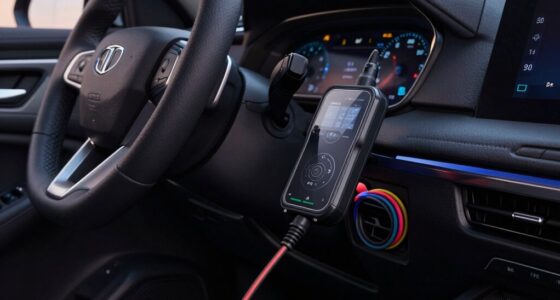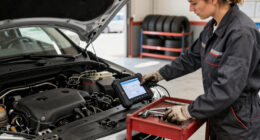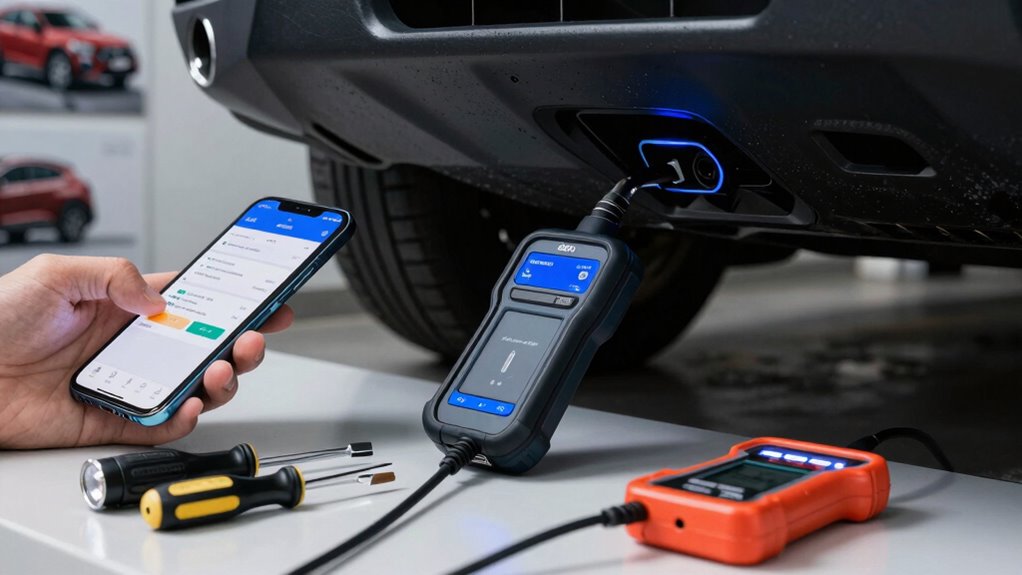
Start with a simple, reliable OBD2 scanner that reads and clears codes, perfect for beginners. Look for one that’s easy to use, affordable, and helps you understand engine issues quickly. Advanced features like data logging can wait until you’re comfortable with the basics. Focus on building your confidence first. Keep exploring, and you’ll discover even more tools and tips to enhance your diagnostic skills along the way.

Get business pricing on garage and car supplies
- Business-only prices and quantity discounts
- Tax-exempt purchasing
- Multiple users, one account, clear invoices
Key Takeaways
- Start with an affordable, user-friendly OBD2 scanner that reads and clears codes for quick vehicle health insights.
- Prioritize basic features over advanced data logging or sensor calibration initially.
- Focus on mastering code reading and clearing before exploring real-time data or logging capabilities.
- Bluetooth adapters for smartphones can wait until you’re comfortable with basic diagnostics.
- Invest in advanced tools and extra features gradually as your understanding and confidence develop.

If you’re new to OBD2 diagnostics, figuring out where to start can seem overwhelming. There are so many tools and features available, and it’s tough to know what’s essential versus what can wait. The first thing you should focus on is a reliable OBD2 scanner. A basic code reader will help you understand what’s going on with your vehicle by reading and clearing diagnostic trouble codes (DTCs). This simple device provides immediate insights into engine issues and is affordable, making it a perfect starting point. Once you’re comfortable with reading codes, you can think about more advanced features, but don’t rush—getting a good foundation is vital.
From there, consider a scanner that supports data logging capabilities. Data logging allows you to record real-time sensor data while you drive, which is invaluable for diagnosing intermittent problems or monitoring your vehicle’s performance over time. It helps you see how different sensors behave under various conditions, giving you a clearer picture of engine health. Some basic scanners include this feature, but if yours doesn’t, it might be worth investing in a more advanced model later. Additionally, understanding sensor calibration is indispensable when working with data logging, ensuring your readings are accurate and reliable. Proper sensor calibration ensures the readings you observe are accurate and meaningful. If sensor data seems off, calibration can often fix the problem, providing more reliable diagnostics. Recognizing the importance of diagnostic protocols can also help you interpret data more effectively and troubleshoot issues systematically.
While the temptation is to buy every new gadget or upgrade immediately, focus on what you need right now. A solid entry-level scanner with data logging capabilities will serve you well in building your knowledge. As you get more comfortable, you can explore additional tools like Bluetooth adapters that connect to your smartphone, or professional-grade scanners with more features. But for starters, prioritize a device that’s simple to use and offers clear insights into your vehicle’s health. This way, you won’t feel overwhelmed, and you’ll gain confidence in interpreting the data. Understanding OBD2 basics is essential to making the most of your diagnostic tools.
As an affiliate, we earn on qualifying purchases.
Frequently Asked Questions
Can I Use an OBD2 Scanner on Any Vehicle?
Yes, you can use an OBD2 scanner on most vehicles, but check vehicle compatibility first. Most cars manufactured after 1996 support OBD2, but some older or specialized vehicles might not. Look for scanner features like compatibility with your vehicle’s make and model, and confirm it supports the specific functions you need, such as live data or code reading. Always verify compatibility to get accurate readings and avoid frustration.
How Often Should I Check My Vehicle’s OBD2 Codes?
You should check your vehicle’s OBD2 codes whenever you notice performance issues or during regular maintenance, such as emission testing. Regular scans help catch sensor calibration problems early, preventing costly repairs. If you’re proactive, you can address minor issues before they affect emissions or vehicle safety. For most drivers, checking codes every few months or during annual inspections keeps your vehicle running smoothly and guarantees it passes emission tests.
Are There Budget-Friendly OBD2 Tools That Work Well?
Yes, there are affordable options that work well for OBD2 diagnostics. Look for models like the Autel AutoLink or BlueDriver, which offer good compatibility with most vehicles and reliable performance without breaking the bank. Just keep in mind, compatibility concerns can arise, so double-check that the tool supports your car’s make and model before purchasing. These budget-friendly tools provide solid functionality for basic diagnostics and code reading.
Do I Need to Clear Codes After Fixing Issues?
Yes, you should clear codes after fixing issues to guarantee your vehicle’s systems reset and reflect the repair. Code clearing is an essential part of diagnostic procedures, acting like a reset button for your car’s electronic brain. Skipping this step might hide ongoing problems or cause warning lights to stay on, making it seem like you’re ignoring the issue. Clearing codes ensures your diagnostics are accurate and your repairs are truly complete.
Can OBD2 Devices Improve My Vehicle’s Performance?
OBD2 devices can definitely improve your vehicle’s performance by enabling advanced diagnostics and performance tuning. With these tools, you can identify issues early, optimize engine settings, and fine-tune parameters for better power, efficiency, and responsiveness. They give you real-time data and control, allowing you to enhance driving experience and potentially extend your vehicle’s lifespan. Investing in a quality OBD2 device is a smart move for any car enthusiast looking to boost performance.
As an affiliate, we earn on qualifying purchases.
Conclusion
Think of your OBD2 journey as planting a seed. Start with a reliable scanner—your beacon of clarity—and watch as it illuminates the path ahead. The tools you choose first are like roots, grounding you in understanding, while the extras can wait like flowers blooming in time. With patience and the right gear, you’ll nurture your knowledge, transforming your vehicle’s mysteries into a garden of confidence and control.
As an affiliate, we earn on qualifying purchases.
Bluetooth OBD2 adapter for smartphones
As an affiliate, we earn on qualifying purchases.
As an affiliate, we earn on qualifying purchases.
Fall Picks
fall essentials
As an affiliate, we earn on qualifying purchases.