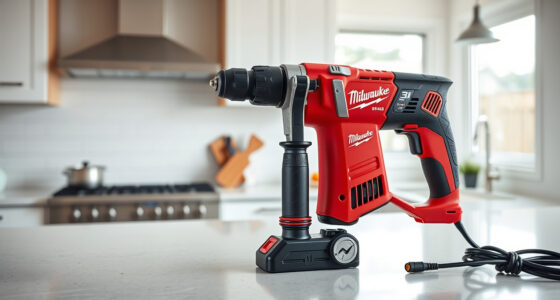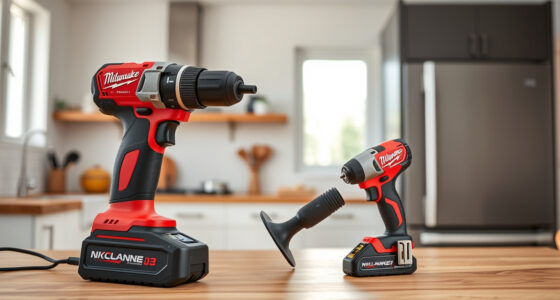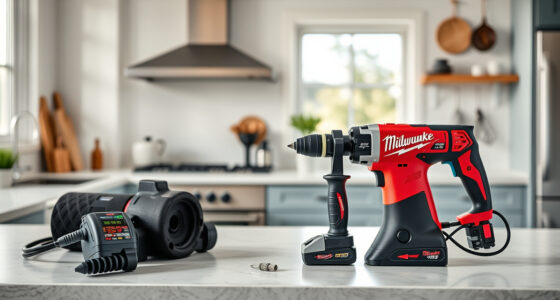

If your Milwaukee power tool charger keeps blinking red, it indicates an issue that needs troubleshooting. This guide provides clear, safe steps to identify and fix the problem, ensuring your tools stay powered and ready for work.

Get garage and car supplies delivered free — and shop member deals
- Fast, free delivery on millions of items
- Access to Prime Big Deal Days deals on October 6–7
- Prime Video, Amazon Music and more included
Understanding the cause behind the blinking red light can save you time and prevent unnecessary repairs. Follow these detailed steps for a quick, effective fix.
Key Takeaways
| Identify blinking pattern | Red blinking indicates specific issues like battery or charger faults. |
| Check battery connection | Ensure batteries are properly seated and contacts are clean. |
| Inspect for damage | Look for visible damage on the charger or batteries. |
| Reset the charger | Unplug, wait, and reconnect to reset the system. |
| Test with different batteries | Determine if the issue is with the battery or charger. |
Step 1: Confirm the Blinking Pattern
Observe the blinking pattern of the red light. A steady red might indicate charging, while blinking could signal a fault. Refer to your user manual for specific blinking codes associated with your charger model.
Step 2: Check Battery Seating and Contacts
- Remove the battery from the charger.
- Inspect the metal contacts on both the battery and charger for dirt, dust, or corrosion.
- Clean contacts gently with a dry cloth or a soft brush.
- Reinsert the battery firmly, ensuring it clicks into place.
Step 3: Reset the Charger
Unplug the charger from the power outlet. Wait for at least 30 seconds to allow internal circuits to reset. Plug it back in and attempt to charge a known good battery.
Step 4: Test with Different Batteries
If you have multiple batteries, try charging each one. If some batteries charge normally while others don’t, the issue may be with the battery rather than the charger.
Step 5: Inspect for Damage and Overheating
Check the charger and batteries for visible damage, swelling, or burns. Ensure the charger is not overheating; let it cool down if it feels hot, then try again.
The Products in This Guide

Milwaukee M18 18V Cordless Power Tool Combo Kit
- ✔ Weight: Variable per tool
- ✔ Battery type: Lithium-ion
- ✔ Warranty: Limited

Milwaukee Shockwave 100pcs Impact Driver Bit Set Packout
- ✔ Size: Varies
- ✔ Impact rating: Impact-rated steel
- ✔ Storage: Packout case
Milwaukee M18 18V Cordless Power Tool Combo Kit
The Milwaukee M18 18V Cordless Power Tool Combo Kit is a versatile set perfect for construction, remodeling, and maintenance. When facing charging issues, proper troubleshooting ensures minimal downtime.
Pros:
- Includes 8 tools for diverse applications
- Features 3 batteries for extended runtime
- Fast charger reduces wait time
- Compact storage with tool bags
Cons:
- Initial cost may be high
- Battery maintenance required
- Charger sometimes sensitive to power surges
Best for: Professional contractors and serious DIYers needing reliable power and versatile tools
Not ideal for: Light hobbyists or occasional users may find the kit too extensive
Bottom line: A comprehensive, durable kit suited for demanding tasks.
Milwaukee Shockwave 100pcs Impact Driver Bit Set Packout
Pair your Milwaukee tools with this Impact Driver Bit Set for quick, effective fastening. The durable bits and organized case make it a must-have for any toolbox.
Pros:
- 100 impact driver bits included
- Packout case for organization
- High durability and wear resistance
- Compatible with Milwaukee impact drivers
Cons:
- Limited to impact driver applications
- Bits may need replacement over time
- Case size may be bulky for some
Best for: Professional and DIY users needing versatile bits
Not ideal for: Users requiring specialized or rare bits
Bottom line: A comprehensive set that boosts productivity with Milwaukee impact drivers.
Frequently Asked Questions
Why is my Milwaukee charger blinking red?
A blinking red light typically indicates a problem such as a faulty battery, poor connection, or internal charger fault. Refer to your manual for specific blinking codes.
How do I know if my battery is the cause?
Try charging a different battery with the same charger. If that battery charges normally, the original battery may be faulty or worn out.
Can a charger be repaired?
In most cases, chargers are not user-serviceable. If troubleshooting doesn’t resolve blinking issues, contact Milwaukee customer service or consider replacement.
What safety precautions should I follow?
Always unplug the charger before inspecting, cleaning, or handling. Avoid exposing it to water, extreme heat, or physical damage. Use in well-ventilated areas.
Keep Your Milwaukee Power Tools Charging Perfectly
Dealing with a blinking red light on your Milwaukee charger can be straightforward if you follow proper troubleshooting steps. Regular maintenance, clean contacts, and testing batteries can prevent future issues, ensuring your tools are always ready for your next project.
Remember, safety first—always unplug before inspecting the charger or batteries, and consult your manual for specific blinking codes. With a little patience, you can quickly restore your charger to full working condition and keep your Milwaukee tools performing at their best.
Affiliate disclosure: As an Amazon Associate we earn from qualifying purchases. Prices and availability are accurate as of the time of publishing.
Halloween Picks
halloween
As an affiliate, we earn on qualifying purchases.