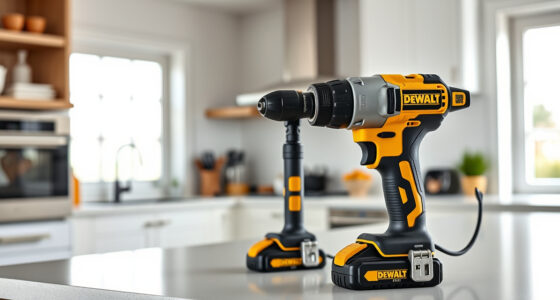

Maintaining and troubleshooting your DEWALT 20V MAX Cordless Drill Driver Set ensures it remains reliable and efficient for all your project needs. From simple battery issues to motor concerns, this guide provides clear, step-by-step instructions to help you diagnose and fix common problems safely.

Get garage and car supplies delivered free — and shop member deals
- Fast, free delivery on millions of items
- Access to Prime Big Deal Days deals on October 6–7
- Prime Video, Amazon Music and more included
Whether you’re a DIY enthusiast or a professional, understanding basic maintenance routines can extend your tool’s lifespan and prevent costly repairs. Let’s explore how to keep your DEWALT drill in top shape and resolve typical issues quickly.
Key Takeaways
| Battery Care | Proper charging and storage extend battery life. |
| Motor Troubleshooting | Identify and fix common motor issues safely. |
| Chuck Maintenance | Keep the chuck clean and lubricated. |
| LED Light & Controls | Troubleshoot and reset electronic features. |
| Regular Inspection | Check for wear and damage routinely. |
Battery Maintenance and Troubleshooting
- Inspect the Battery: Regularly check for signs of damage, corrosion, or swelling. If damaged, replace immediately.
- Proper Charging: Use only DEWALT-approved chargers. Avoid overcharging; disconnect once fully charged.
- Storage Tips: Store batteries in a cool, dry place. Remove from the tool when not in use for extended periods.
- Battery Performance Issues: If your runtime decreases significantly, try fully discharging and recharging the battery. If issues persist, consider replacing with a compatible 5Ah battery.
- Safety Precautions: Never expose batteries to extreme heat or moisture. Handle with care to prevent leaks or fires.
Motor and Power Troubleshooting
- Check for Obstructions: Ensure no debris or dust is blocking the motor or vents.
- Listen for Unusual Noises: Grinding or whining sounds may indicate bearing or gear issues. Stop use and inspect.
- Overheating: Allow the tool to cool down if it becomes excessively hot during use.
- Reset or Reboot: For electronic malfunctions, disconnect the battery, wait 30 seconds, then reconnect.
- Motor Replacement: If the motor fails, contact DEWALT service or a qualified technician for replacement.
Chuck and Bit Maintenance
- Cleaning: Remove dust or debris from the chuck regularly with a brush or compressed air.
- Lubrication: Apply a few drops of light machine oil to the chuck’s moving parts to ensure smooth operation.
- Bit Compatibility: Use compatible bits, like the DEWALT Drill Bit Set, to prevent damage and ensure secure fit.
- Replacing the Chuck: If the chuck is worn or stripped, it can be replaced by a professional or authorized service center.
Electronic Features and LED Light Troubleshooting
- LED Light Not Working: Check for debris blocking the light or faulty wiring. Reset the tool by removing the battery and reinserting it.
- Trigger or Control Issues: Clean the trigger area and ensure no debris is obstructing movement.
- Resetting the Tool: Disconnect the battery, wait 20-30 seconds, then reconnect to reset electronic components.
- Firmware or Software Issues: Typically not applicable; if persistent, consult DEWALT customer support.
Routine Inspection and Preventive Care
Regularly inspect your DEWALT drill for signs of wear or damage. Check the body, trigger, battery contacts, and cord (if applicable). Keep vents clean and free of dust. Lubricate moving parts as recommended, and replace worn bits or accessories promptly. Following these simple routines can prevent unexpected breakdowns and extend your tool’s lifespan.
The Products in This Guide

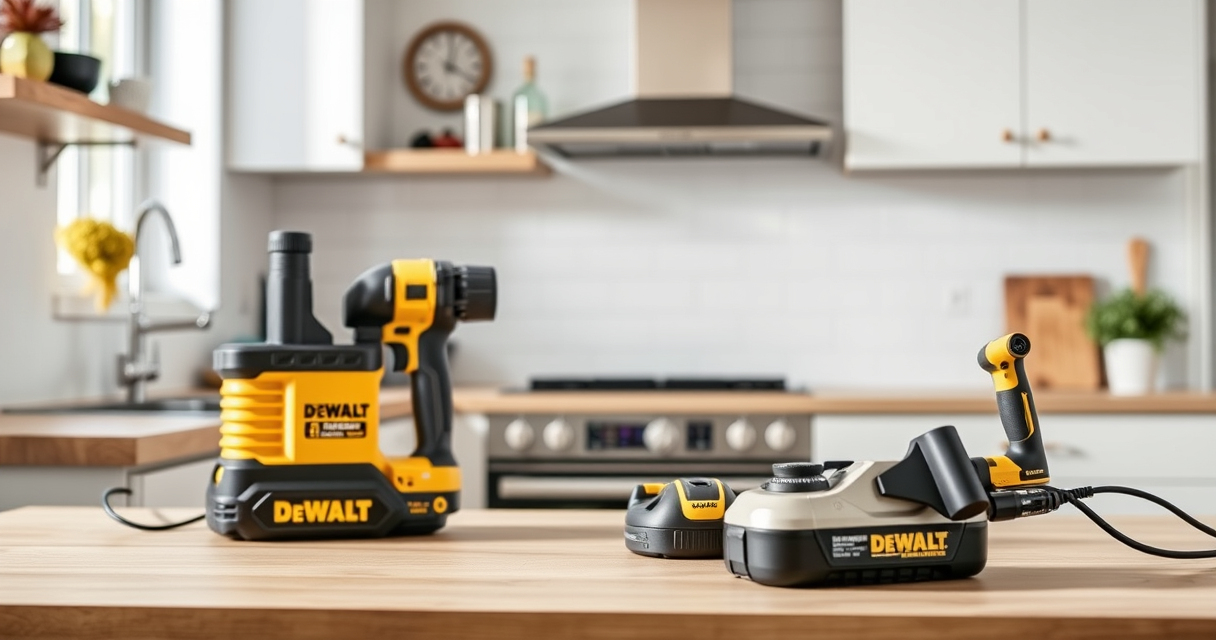
DEWALT 20V MAX Cordless Drill Driver Set
- ✔ Voltage: 20V MAX
- ✔ Size: 7.6 inches
- ✔ Warranty: 3 years

DEWALT Drill Bit Set
- ✔ Material: High Speed Steel
- ✔ Tip: Split point
- ✔ Number of bits: 14
DEWALT 20V MAX Cordless Drill Driver Set
The DEWALT 20V MAX Cordless Drill Driver Set is a versatile, lightweight tool designed for ease of use and durability. Proper care and troubleshooting can maximize its performance and lifespan, making it a reliable choice for both DIYers and professionals.
Pros:
- Lightweight and compact
- Brushless motor delivers more run time
- LED light for visibility
- Ergonomic grip for comfort
Cons:
- Battery life can vary with use
- Chuck may loosen over time
- Requires regular cleaning for optimal performance
Best for: Ideal for general drilling, fastening, and tight space projects.
Not ideal for: Not suitable for heavy industrial applications or continuous high-power use.
Bottom line: A reliable, user-friendly drill with maintenance tips to keep it performing smoothly.
DEWALT Drill Bit Set
The DEWALT Drill Bit Set offers 14 high-speed steel bits with a 135° split point tip, perfect for drilling into plastic, wood, and metal. Using quality bits helps prevent damage and improves drilling precision.
Pros:
- High-speed steel construction
- Split point prevents walking
- Color-coded size markings
- Corrosion-resistant coating
Cons:
- Limited to specific materials
- Bits can dull over time
- Not suitable for heavy-duty industrial use
Best for: Perfect for general-purpose drilling in various materials.
Not ideal for: Not suitable for heavy-duty or high-impact applications.
Bottom line: A versatile set that complements your DEWALT drill for everyday tasks.
Frequently Asked Questions
How do I reset my DEWALT drill if it stops working?
Disconnect the battery, wait 20-30 seconds, then reconnect it. This resets the electronic controls and often resolves minor issues.
Can I replace the battery myself?
Yes, the batteries are user-replaceable. Use DEWALT-compatible 20V MAX batteries like the 5Ah models for best performance.
What should I do if the LED light won’t turn on?
Check for debris or obstructions around the LED area. Reset the tool by removing and reinserting the battery. If the issue persists, contact DEWALT support.
How often should I lubricate the chuck?
Lubricate the chuck every few months or if you notice it becoming stiff. Use light machine oil and work it into the moving parts.
Is it safe to use my drill in wet conditions?
No, avoid using the drill in wet or damp environments to prevent electrical shock or damage. Store it in a dry place after use.
Keep Your DEWALT Drilling Power Sharp and Safe
Regular maintenance and troubleshooting are key to ensuring your DEWALT 20V MAX Cordless Drill Driver Set remains reliable for years to come. By following these step-by-step tips, you can quickly resolve common issues and extend the life of your tool. Always prioritize safety and consult professional service if complex repairs are required. With proper care, your DEWALT drill will continue to deliver power and precision for all your projects.
Affiliate disclosure: As an Amazon Associate we earn from qualifying purchases. Prices and availability are accurate as of the time of publishing.
Halloween Picks
halloween
As an affiliate, we earn on qualifying purchases.