
If your DEWALT cordless drill is struggling with a stuck chuck, it can halt your work and cause frustration. Fortunately, with the right tools and techniques, you can often resolve this issue yourself. This guide provides clear, step-by-step instructions to help you safely fix a stuck chuck, ensuring your power tool functions smoothly again.
Listen free for 30 days with Audible
Thousands of audiobooks and originals — cancel anytime.
Start your free trialAs an affiliate, we earn on qualifying purchases.
Before starting, make sure you have safety gear like gloves and eye protection. Also, consult your drill’s user manual for specific instructions related to your model. Let’s get your DEWALT drill back in action!
Key Takeaways
| Identify the cause | Stuck chucks often result from debris, over-tightening, or worn parts. |
| Use proper tools | A chuck key or a pair of pliers are essential for loosening a stuck chuck. |
| Safety first | Always disconnect the battery and wear safety gear before attempting repairs. |
| Lubricate and clean | Cleaning and applying lubricant can loosen rust and debris causing the jam. |
| Replace worn parts | Worn or broken parts may require replacing to prevent recurrence. |

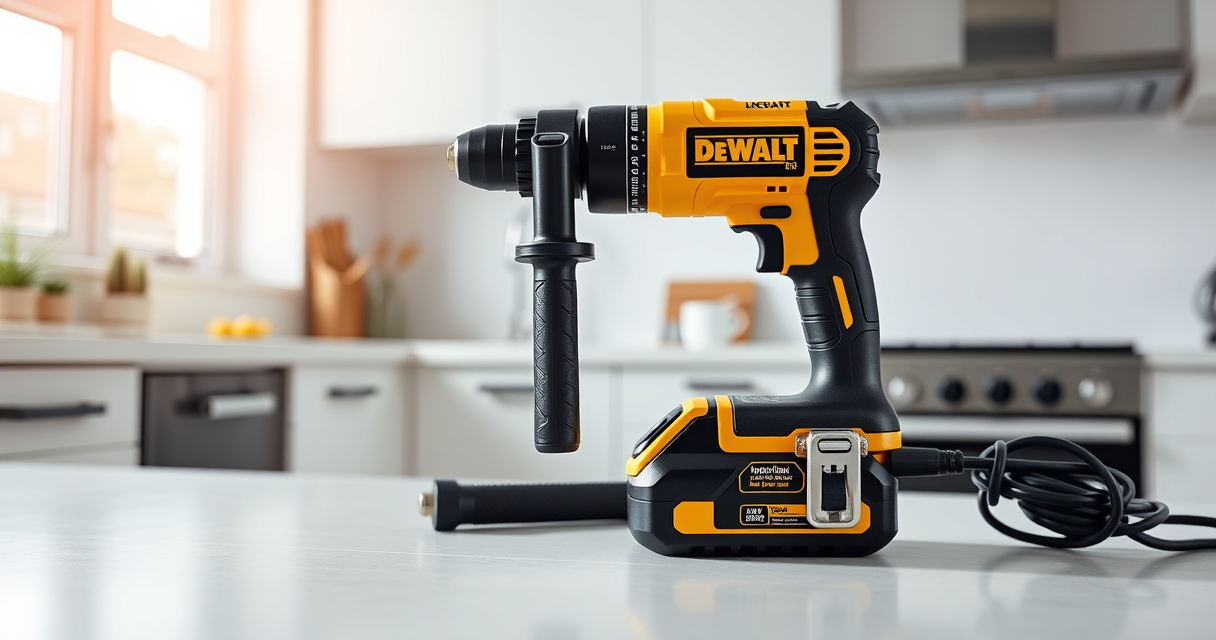
DEWALT 20V MAX Cordless Drill and Impact Driver, Power Drill Brushless 2-Tool Power Tool Combo Kit, Includes 2 Batteries, Charger and Bag (DCK277D2)
- Compact Design: 7.6-inch lightweight and space-saving
- Ergonomic Grip: Comfortable, balanced control for extended use
- Bright LED Light: Illuminates dark or tight work areas
As an affiliate, we earn on qualifying purchases.
Step 1: Prepare and Disconnect Power
- Ensure your DEWALT drill is turned off and remove the battery to prevent accidental activation. If your model uses a removable battery, press the release button and detach it from the tool.
- Wear safety gloves and eye protection to guard against debris and potential injury during the repair process.
- Gather necessary tools: a chuck key, adjustable pliers, lubricant spray (such as WD-40), and a clean cloth.

DEWALT Drill Bit Set, 3-Flats Shank,14-Piece, 135 Degree Split Point, for Plastic, Wood and Metal (DWA1184)
- Tip Design: 135° Split Point for Precision
- Material: High Speed Steel for Versatility
- Durability: Tapered Web for Breakage Resistance
As an affiliate, we earn on qualifying purchases.
Step 2: Inspect and Clear Debris
Examine the chuck and surrounding areas for dirt, debris, or rust accumulation. Use a clean cloth or a small brush to gently remove dirt from the chuck and spindle.
If debris is stubborn, apply a light spray of lubricant to loosen rust and grime. Allow it to sit for a few minutes, then wipe away excess residue. This step often helps reduce the friction that causes the chuck to stick.
Step 3: Loosen the Stuck Chuck
- Insert the chuck key into the chuck and turn counterclockwise to attempt loosening it. If the chuck is too tight or frozen, proceed to use pliers for additional leverage.
- Wrap a cloth around the chuck to protect the surface, then grip it firmly with adjustable pliers. Turn counterclockwise to loosen. Be cautious to avoid damaging the chuck or surrounding parts.
- If the chuck remains stuck, spray a lubricant into the interface between the chuck and spindle. Wait 5-10 minutes for the lubricant to penetrate.
Step 4: Remove and Replace if Necessary
If the chuck still won’t budge after lubrication and force, it might be damaged or seized beyond repair. In this case, consult your user manual for disassembly instructions or consider replacing the chuck or the entire drill if needed.
Ensure all parts are clean and dry before reassembling. If you replace the chuck, make sure it’s compatible with your DEWALT model.
Step 5: Reassemble and Test
After successfully loosening or replacing the chuck, reattach the battery and test the drill on a scrap material. Verify that the chuck spins freely and securely holds bits. If problems persist, repeat cleaning or consider professional repair.
Regular maintenance, including cleaning and lubrication, can prevent future choking issues.
The Products in This Guide

DEWALT 20V MAX Cordless Drill and Impact Driver
- ✔ Voltage: 20V
- ✔ Battery: 2 x 5Ah batteries
- ✔ Chuck Type: Quick-release hex

DEWALT Drill Bit Set
- ✔ Material: High Speed Steel
- ✔ Pieces: 14
- ✔ Tip Angle: 135°
DEWALT 20V MAX Cordless Drill and Impact Driver
The DEWALT 20V MAX Cordless Drill and Impact Driver set is renowned for its compact design, ergonomic grip, and powerful performance. Its quick-release hex chuck makes changing bits easy, and the LED light enhances visibility in tight spaces. This drill is a dependable choice for various projects, with a 3-year warranty ensuring peace of mind.
Pros:
- Compact and lightweight design
- Ergonomic comfort grip
- Bright LED for dark areas
- Variable speed for control
- Includes 2 batteries for extended work time
Cons:
- Chuck can sometimes seize if not maintained
- Battery life may vary with heavy usage
- Limited to 20V system
Best for: Home improvement, DIY projects, light professional work
Not ideal for: Heavy-duty industrial tasks or prolonged use without maintenance
Bottom line: A versatile, reliable drill suitable for a wide range of tasks with easy maintenance.
DEWALT Drill Bit Set
The DEWALT Drill Bit Set offers a comprehensive collection of 14 high-speed steel bits with a 135° split point. Designed for plastic, wood, and metal, these bits are durable and easy to identify thanks to size markings. They are perfect for expanding your drill’s capabilities.
Pros:
- Wide variety of sizes
- Durable high-speed steel
- Anti-walking split point
- Rust-resistant coating
- Easy to identify sizes
Cons:
- Not suitable for heavy industrial use
- Bits may wear faster under heavy stress
- Requires proper storage
Best for: Home projects, hobbyist, general drilling
Not ideal for: Heavy-duty professional use
Bottom line: A versatile and reliable drill bit set for everyday projects.
Frequently Asked Questions
Why is my DEWALT chuck stuck?
A stuck chuck can result from dirt, rust, over-tightening, or debris buildup inside the chuck. Regular maintenance can help prevent this issue.
Can I fix a stuck chuck myself?
Yes, with proper tools and safety precautions, most stuck chucks can be loosened or cleaned without professional help. Always disconnect the battery first.
What tools do I need to fix a stuck chuck?
Common tools include a chuck key, adjustable pliers, a lubricant spray like WD-40, and a cloth for cleaning.
When should I replace the chuck?
If the chuck is excessively worn, damaged, or cannot be loosened despite cleaning and lubrication, replacing it or consulting a professional is advised.
How can I prevent my chuck from sticking?
Regularly clean and lubricate the chuck, avoid over-tightening bits, and store your drill in a dry place to prevent rust formation.
Keep Your DEWALT Drill in Top Shape
Maintaining your DEWALT cordless drill, including ensuring the chuck remains free of debris and rust, extends its lifespan and keeps it performing at its best. By following these troubleshooting steps, you can save time and money on repairs, and continue to complete your projects with confidence. Remember, safety is paramount—always disconnect the power before attempting any repairs.
With proper care and a little patience, your DEWALT drill will serve you reliably for years to come, making every project easier and more efficient.
Affiliate disclosure: As an Amazon Associate we earn from qualifying purchases. Prices and availability are accurate as of the time of publishing.
College move-in / dorm season Picks
dorm essentials
As an affiliate, we earn on qualifying purchases.