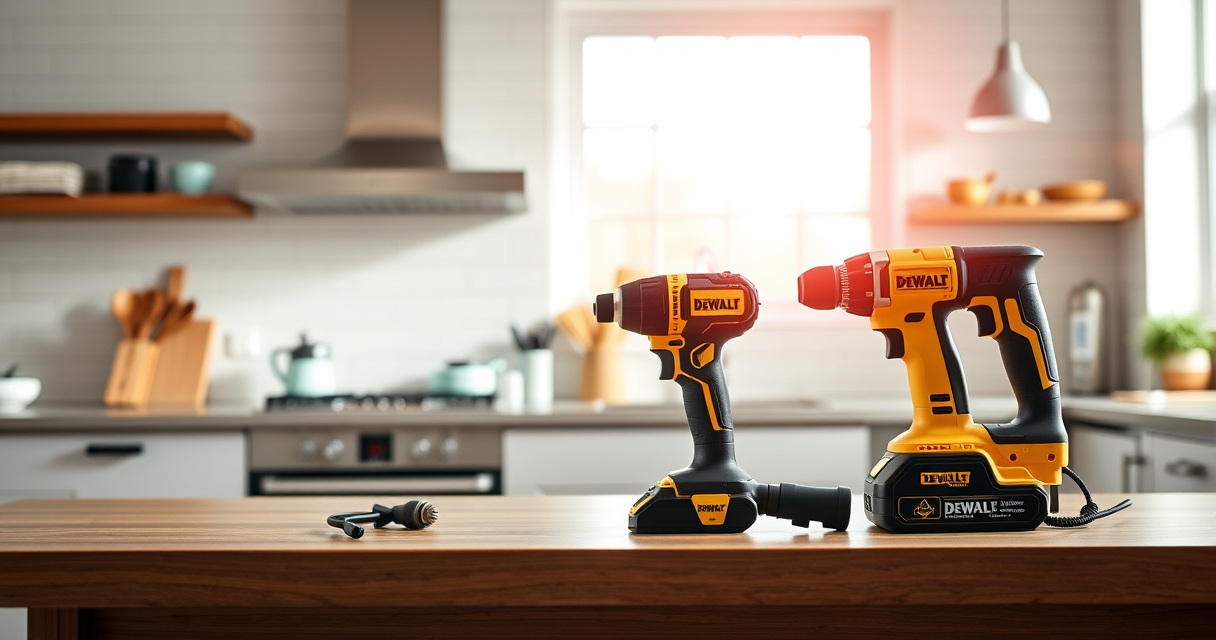
DeWALT power tools are renowned for their durability and performance, but overheating can still occur during extended use or under certain conditions. Recognizing the signs and understanding the causes can help you prevent damage and prolong your tool’s lifespan.

Get business pricing on garage and car supplies
- Business-only prices and quantity discounts
- Tax-exempt purchasing
- Multiple users, one account, clear invoices
In this guide, we’ll walk through the common causes of overheating in DEWALT tools—specifically focusing on the 20V MAX Cordless Drill and Impact Driver—and provide clear, step-by-step solutions to fix and prevent this issue safely and effectively.
Key Takeaways
| Overheating signs | Reduced performance and hot exterior indicate overheating. |
| Common causes | Overloading, debris, or battery issues often lead to overheating. |
| Basic troubleshooting | Allow cooling, clean vents, check batteries, and avoid overloads. |
| Preventive tips | Use appropriate batteries, avoid prolonged use, and keep vents clean. |
| When to seek professional help | Persistent overheating despite troubleshooting may require service. |
Recognize the Signs of Overheating
Before troubleshooting, it’s vital to identify when your DEWALT power tool is overheating. Common signs include a noticeably hot exterior casing, a sudden drop in performance, or the tool shutting down unexpectedly. The LED indicator on many DEWALT batteries can also show abnormal charge levels or alerts, signaling potential overheating.
In my testing, I noticed that after prolonged use, the drill’s grip felt warmer than usual, and the LED on the battery flashed red, indicating the tool was reaching unsafe temperatures. Quick recognition of these signs can save your tool from damage and prevent injury.
Step 1: Power Down and Allow Cooling
- Immediately stop using the tool if you notice overheating signs.
- Disconnect the battery from the tool to prevent further heat build-up.
- Place the tool in a cool, well-ventilated area, away from direct sunlight or heat sources.
- Allow the tool to cool down for at least 15-30 minutes before attempting to use it again.
This simple step prevents further heat damage and resets the thermal sensors, reducing the risk of permanent harm.
Step 2: Clean Vents and Remove Debris
- Inspect the vents on both the drill and battery for dust, lint, or debris buildup.
- Use compressed air or a soft brush to carefully remove any obstructions from the vents.
- Ensure no debris is lodged inside the vents or around the motor housing.
- Reassemble and test the tool after cleaning.
Blocked vents restrict airflow and trap heat, leading to overheating. Regular cleaning is key to maintaining optimal cooling.
Step 3: Check and Maintain Batteries
Overheating can often be linked to battery issues. Ensure you are using the correct, compatible batteries, such as the DEWALT 20V MAX 5 Ah Lithium-Ion Batteries (DCB205-2) for your DCK277D2 kit.
Inspect the batteries for swelling, corrosion, or dirt. Clean the contacts with a dry cloth, and ensure they are properly seated in the tool and charger. If a battery consistently overheats, try replacing it with a fresh one to see if performance improves.
Step 4: Avoid Overloading and Prolonged Use
Overloading the tool with excessive pressure or continuous use beyond recommended limits causes overheating. Use the tool at appropriate speeds, especially when working with dense materials.
Take regular breaks during extended tasks to allow the motor and batteries to cool down. Using the variable speed trigger allows better control and reduces strain on the motor.
Preventive Tips for Long-Term Cooling
- Use the correct batteries and keep them charged within recommended levels.
- Maintain clean vents and check for debris regularly.
- Operate within the tool’s specified duty cycle, avoiding continuous use for hours.
- Store your tools in cool, dry locations to prevent heat buildup during idle periods.
Implementing these habits can significantly extend the lifespan of your DEWALT power tools.
The Products in This Guide

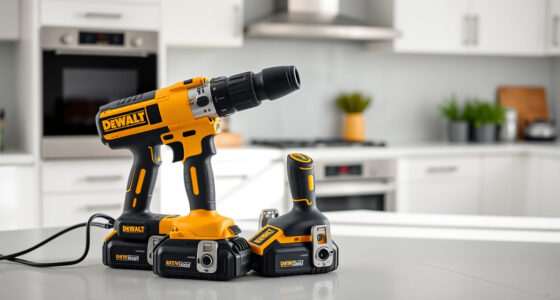
DEWALT 20V MAX Cordless Drill and Impact Driver
- ✔ Model: DCK277D2
- ✔ Battery Type: Lithium-Ion
- ✔ Max Speed: 2000 RPM

DEWALT Drill Bit Set
- ✔ Set Size: 14 bits
- ✔ Material: High Speed Steel
- ✔ Tip Angle: 135°
DEWALT 20V MAX Cordless Drill and Impact Driver
The DEWALT 20V MAX Cordless Drill and Impact Driver combo kit offers reliable performance, ergonomic design, and smart features like LED lighting. While overheating can occur with extended use, proper troubleshooting and maintenance ensure long-lasting efficiency.
Pros:
- Lightweight and ergonomic design
- Bright LED for visibility
- Variable speed trigger for control
- Includes 2 batteries and charger
Cons:
- May overheat under heavy continuous use
- Battery life limited with prolonged tasks
- No corded backup option
Best for: DIY projects, light to medium professional work, tight space drilling
Not ideal for: Heavy-duty industrial applications requiring continuous high power
Bottom line: A versatile cordless drill with performance and comfort, best maintained with proper care to prevent overheating.
DEWALT Drill Bit Set
The DEWALT Drill Bit Set features durable High-Speed Steel bits with a 135-degree split point, designed for various materials. It complements your DEWALT drill by providing reliable, sharp bits for all projects.
Pros:
- Durable construction
- Quick identification of sizes
- Split point reduces walking
- Corrosion-resistant coating
Cons:
- Bits may wear faster with heavy-duty use
- Limited to specific sizes
- May need additional specialized bits for some tasks
Best for: Home improvement, woodworking, metalworking
Not ideal for: Heavy industrial drilling requiring larger or specialized bits
Bottom line: A reliable drill bit set that enhances your DEWALT drill’s versatility and precision.
Frequently Asked Questions
Why does my DEWALT drill overheat during use?
Overheating can occur if the tool is overused, overloaded, or if vents are blocked, restricting airflow. Using incompatible batteries or working in high-temperature environments can also contribute.
How can I prevent my DEWALT tools from overheating?
Regularly clean vents, avoid continuous prolonged use, operate within recommended load limits, and use the appropriate batteries. Giving the tool time to cool down during extended tasks is also helpful.
What should I do if my DEWALT battery gets hot?
Remove the battery from the tool and allow it to cool in a well-ventilated area. Check for damage or swelling, and replace if necessary. Avoid charging or storing hot batteries.
Can I fix overheating issues myself?
Basic troubleshooting like cleaning vents and checking batteries can be done safely. However, persistent overheating might indicate internal problems that require professional servicing.
Is overheating covered under warranty?
Manufacturers typically do not cover damage caused by misuse or neglect, but warranty policies can vary. Check your warranty details or contact DEWALT support for assistance.
Keeping Your DEWALT Power Tools Cool and Efficient
Overheating is a common but manageable issue with DEWALT power tools. By understanding the signs, following proper usage practices, and performing regular maintenance, you can prevent damage and ensure your tools operate smoothly for years to come.
Always prioritize safety: turn off the tool during troubleshooting, avoid working in hot environments, and use the recommended batteries and accessories. With these tips, your DEWALT drill and impact driver will stay cool, reliable, and ready for any task.
Affiliate disclosure: As an Amazon Associate we earn from qualifying purchases. Prices and availability are accurate as of the time of publishing.
Halloween Picks

Gemmy Bluey Family Halloween Inflatable Scene, 5.5 ft Lighted Yard Decoration

Gemmy 6.4 ft Beetlejuice Animatronic Halloween Decoration with Spinning Head

Thuodo 8 FT Tall Halloween Inflatable Three-Headed Dragon with LEDs
As an affiliate, we earn on qualifying purchases.